tmux copy mode and the system clipboard: why your mouse selection disappears
2026-10-16
This post contains affiliate links. As an Amazon Associate, ZAGO.TO earns from qualifying purchases.

Why does text you copied inside tmux refuse to paste in the browser? Because tmux copy mode keeps its own buffer, and that buffer is not your desktop clipboard until you connect the two.
Here is how the layers fit, and the few lines of config that join them.
Contents
- Two clipboards, one window
- tmux copy mode with the keyboard
- Sending the copy to the system clipboard
- Why the mouse selection disappears
- Common questions
1. Two clipboards, one window

▲ tmux sits between your terminal and the shell
Your terminal app has the desktop clipboard. tmux, running inside it, has a paste buffer of its own.
Prefix then `]` pastes the tmux buffer. Ctrl+Shift+V or Cmd+V pastes the desktop one. Copying into one and pasting from the other is the whole problem.
2. tmux copy mode with the keyboard
Press the prefix (Ctrl+b by default), then `[`. You are now in copy mode and can scroll back.
- Default keys: Ctrl+Space starts a selection, Alt+w copies it.
- Vi keys: with `setw -g mode-keys vi`, Space starts a selection and Enter copies it.
- Paste: prefix then `]` drops it at the cursor.
Many people bind `v` and `y` in vi mode to feel like vim. That is a preference, not a fix.
3. Sending the copy to the system clipboard
There are two routes, and you only need one.
Route one, OSC 52. Add `set -g set-clipboard on`. tmux then asks the outer terminal to put the copy on the desktop clipboard.
It works over SSH too, because the request travels inside the terminal stream. It only works if your terminal app allows it, so check its clipboard settings.
Route two, a pipe. Bind the copy key to a clipboard tool:
`bind -T copy-mode-vi y send -X copy-pipe-and-cancel "xclip -selection clipboard"`
Use `wl-copy` on Wayland or `pbcopy` on a Mac. This route only reaches the machine tmux runs on.
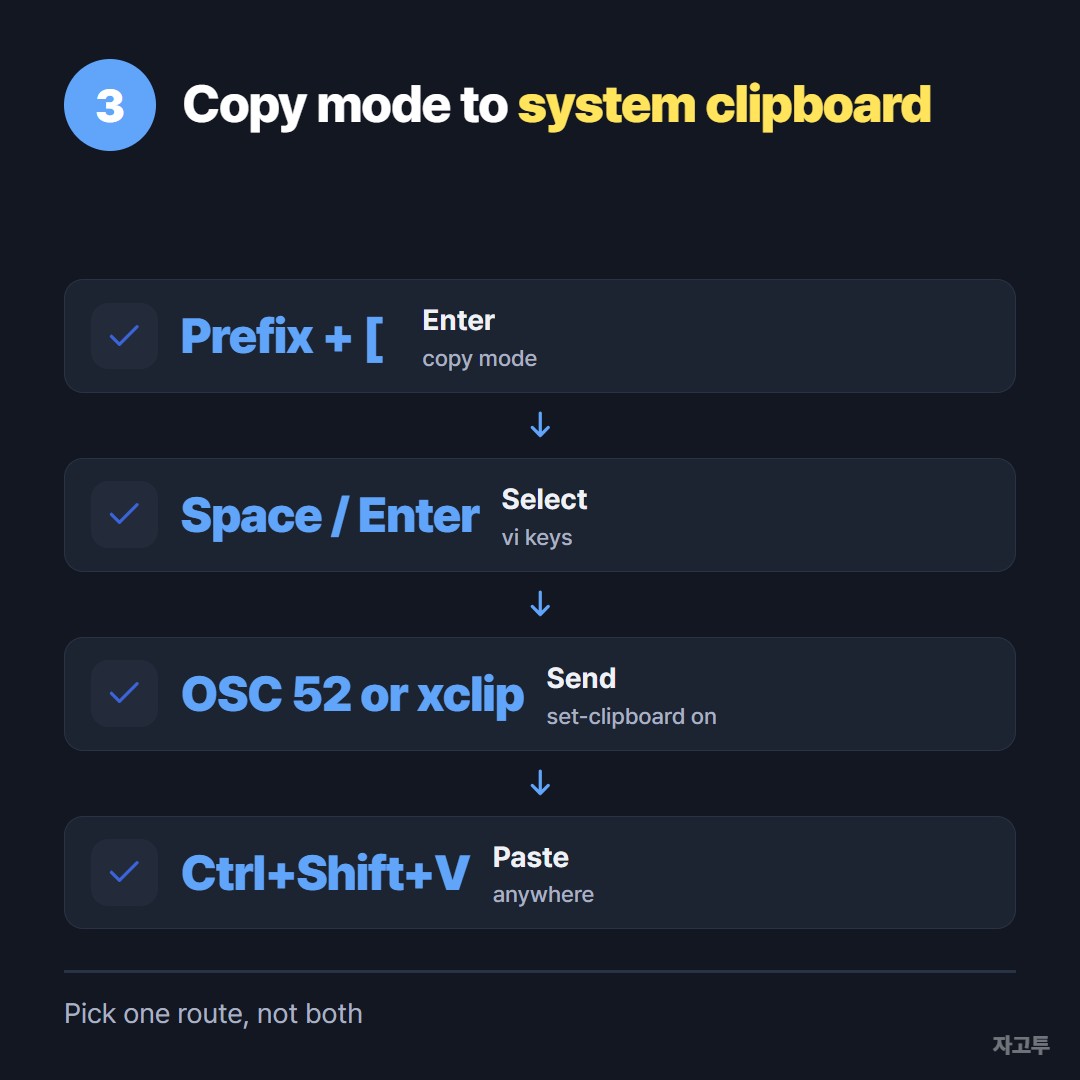
▲ Pick OSC 52 or a pipe, not both
4. Why the mouse selection disappears
With `set -g mouse on`, a drag starts tmux copy mode. When you let go, tmux copies to its buffer and clears the highlight. It looks like nothing happened, but the text is in the tmux buffer.
To let your terminal do a normal selection instead, hold Shift while you drag. In iTerm2 it is Option. That copy goes straight to the desktop clipboard, though it can grab text across split panes.
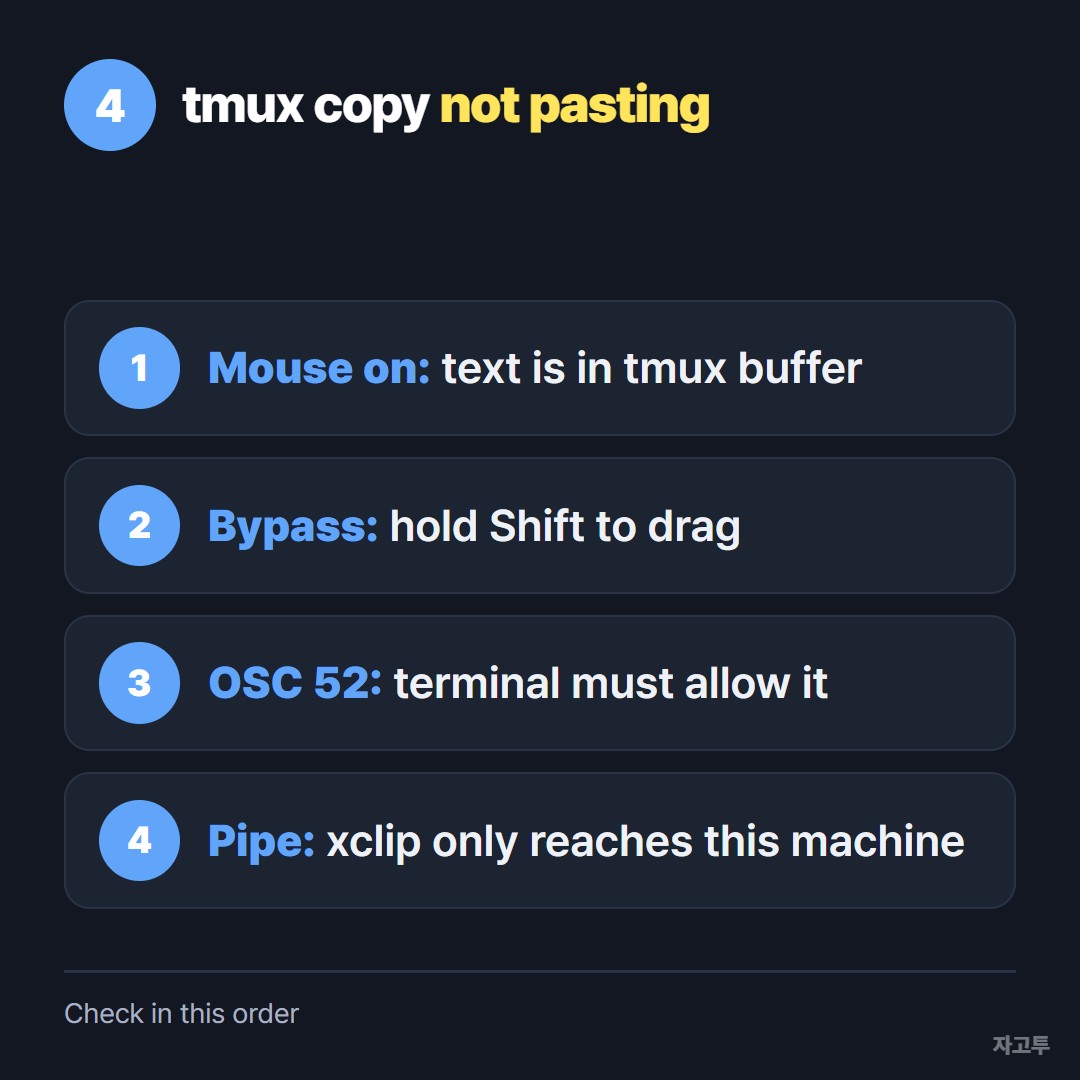
▲ Most cases stop at the first two
Over SSH the rules shift again, covered in SSH copy paste. Inside WSL, see WSL copy paste.
5. Common questions
Do I need to restart tmux after changing the config? Run `tmux source-file ~/.tmux.conf`, or prefix then `:` and the same command.
The command I need is on my phone, not on this machine. Then what? For a public command or a config line, ZAGO.TO is one way across. Paste it on the phone and you get a 4-digit code. Type the digits at zago.to on the computer and copy the text.
It is deleted 1 minute after it is opened, or after 1 minute if no one opens it, and cannot be opened twice. Text only, up to 10,000 characters, no files.
ZAGO.TO has no in-browser encryption yet, and its server can read what you paste. Keys, tokens and passwords do not belong there.