How to share a link in a PowerPoint presentation so the room can actually open it
2026-10-06
This post contains affiliate links. As an Amazon Associate, ZAGO.TO earns from qualifying purchases.

Short answer: a hyperlink only helps the person holding the clicker. For the room, put a large QR code, a short address, or a live four-digit code on the slide.
You put the survey link on slide 12 and made it a proper hyperlink. Then the slide comes up, and forty people squint at a blue line of text they cannot click.
This post is slide-first: what to put on the slide before you present.
1. A hyperlink is for the presenter

▲ The room can see the link, but only the presenter's laptop can click it
Inserting the link is easy. Select the text, press Ctrl+K (Cmd+K on a Mac), and paste the address.
In Slide Show mode a click opens the page in your browser, on your laptop, on the projector. That is great when you want to show the page to the room.
It does nothing for the person in row six who has to fill in the form. They see the text, and the full address is usually too long to type.
A side note: if you want to share the deck itself as a link, that is a different job. PowerPoint's Share button saves the file to OneDrive and gives you a link to the presentation.
2. Three things that work on a slide
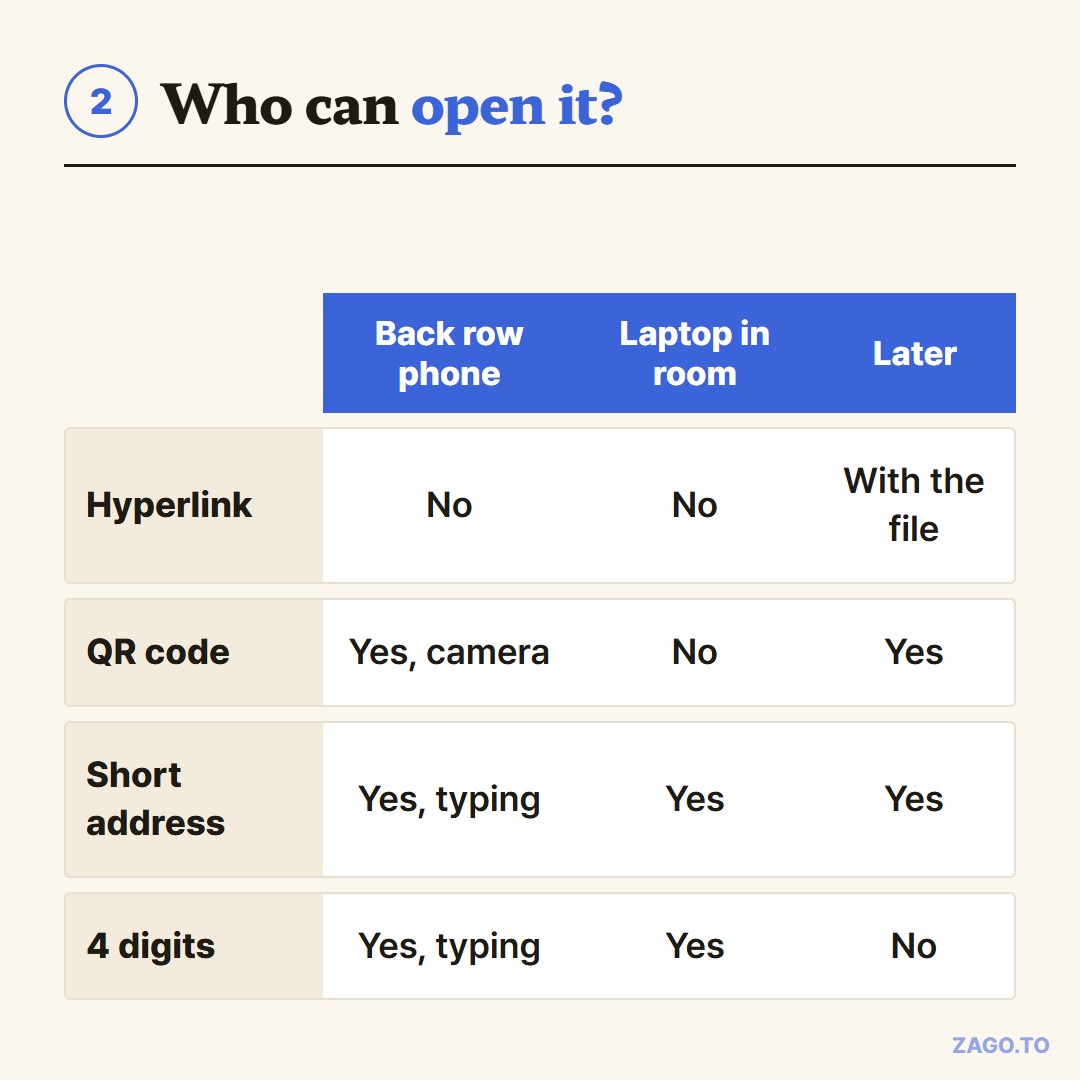
▲ Each option reaches a different part of the room
A QR code. This is the most common answer, and for a big room it is usually the best one.
Generate a code for your link, then insert it on the slide as a picture. Edge can make one from its share menu, and many free generators exist.
Tools like Kahoot and Mentimeter give you their own QR code to paste in.
Make it large. People in the back row are scanning from far away, and a small code next to a lot of text fails quietly.
One catch: a QR code needs a working camera app and decent light. It does not help anyone joining from a laptop.
A short address. If the page has a short, memorable URL, print that in large type. Say it out loud once while it is on screen.
Avoid shorteners that produce random letters, because l, I and 1 look the same on a projector.
Four digits. For a long link or a few lines of text the room needs right now, ZAGO.TO gives you a 4-digit code.
Paste the link on your laptop, put the code on the slide, and people type it on zago.to on their phones.
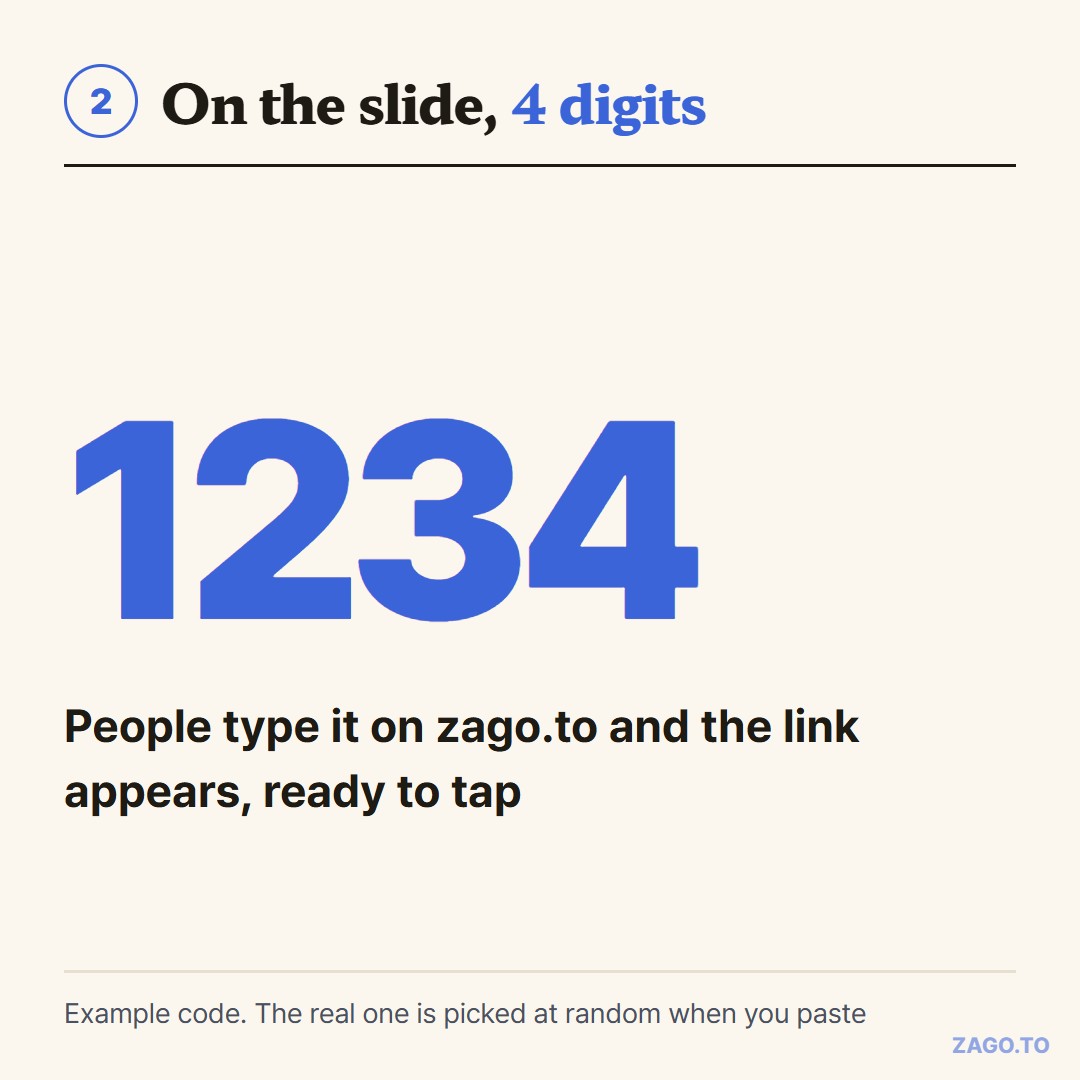
▲ An example code. The real one is picked at random when you paste
The link appears, ready to tap. It works on laptops too.
3. Where the four digits do not fit
Timing is the catch, so be honest with yourself about it.
Unopened, the text is deleted after 1 minute. Once someone opens it, it stays 1 minute more and then cannot be opened again.
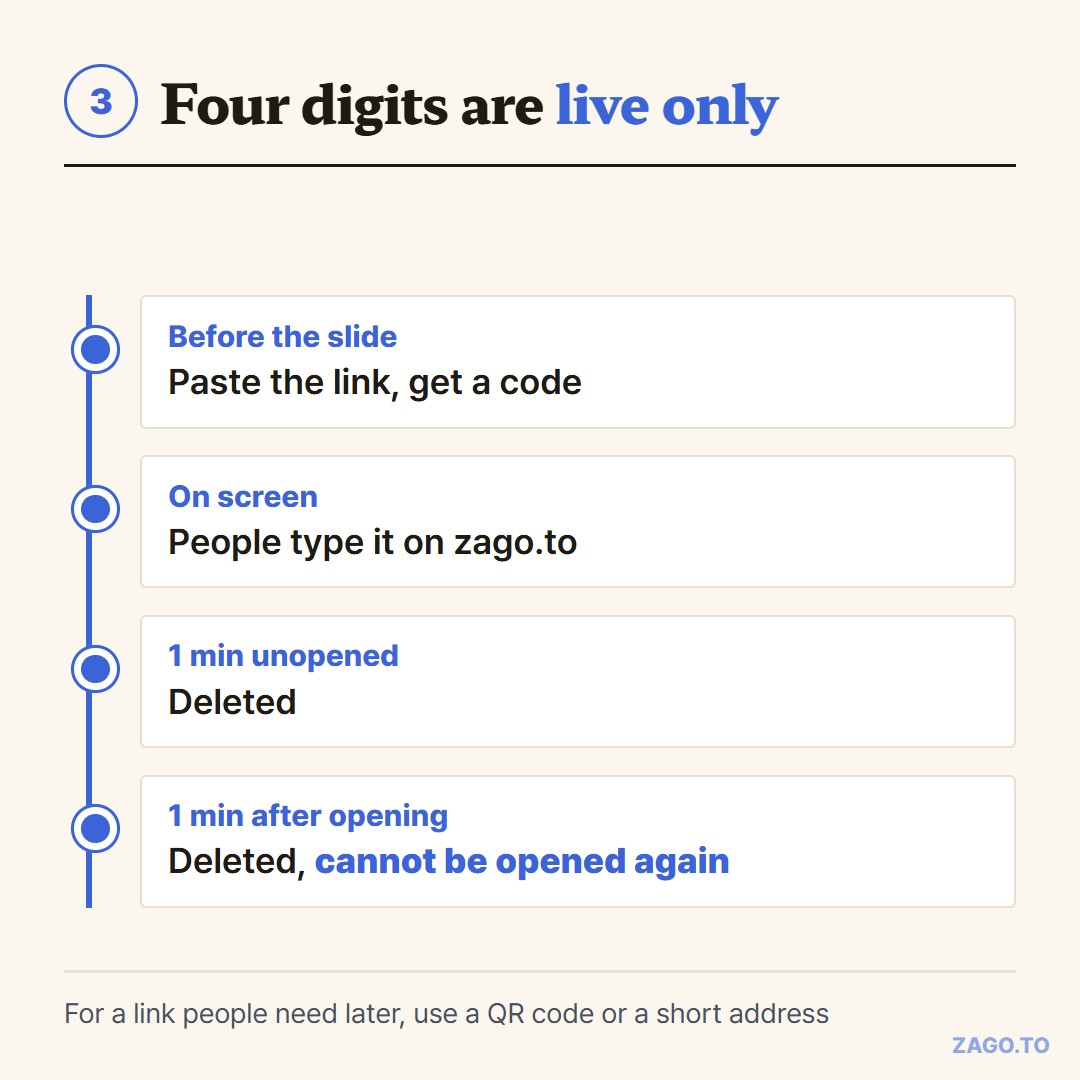
▲ A live handoff, not something you prepare a week ahead
That makes it a live handoff, not something you can bake into a slide deck in advance. Make the code on the spot, or just before the slide comes up.
For a link people will come back to later, a QR code or a short URL on the slide is the better fit.
There is no browser-side encryption yet either, so our server can read what you paste. Do not put a private sign-up link with a passcode in it there. Text only, no files.
If you hand links to students often, How to share a link with students when half the class is not logged in yet covers that room in more detail.
For any group, Getting the same text to a room of people who share no app compares the options.
4. Quick answers
Q. Can the audience click a hyperlink on my slides?
Not from their seats. On the projector, only the laptop running the slides can click it.
Q. How big should the QR code be?
As large as the slide allows, with little text around it. The back row is scanning from far away.
Q. Can I put a four-digit code in the deck a week ahead?
No. The code lives only a minute or two, so make it just before the slide comes up.
Q. What if I want to share the whole presentation?
Use the Share button in PowerPoint. It puts the deck on OneDrive and gives you a link.
Long text, in 4 digits.