QR code for website links: the free way, and the five URL mistakes that break it
2026-10-28
This post contains affiliate links. As an Amazon Associate, ZAGO.TO earns from qualifying purchases.
Why does a QR code that scanned fine on your screen land on a login page, a 404 or someone else's shopping cart once it is printed?
Almost always, the code is fine. The link inside it is wrong. Making a QR code for a website takes one minute; checking the URL first saves the reprint.
Contents
- Copy the right URL
- Five URL mistakes that break a printed code
- Make the code for free
- Test it, then size it for print
- Summary in three lines
1. Copy the right URL
Open the page the way a stranger would. Use a private or incognito window, not the tab where you are signed in to your site builder.
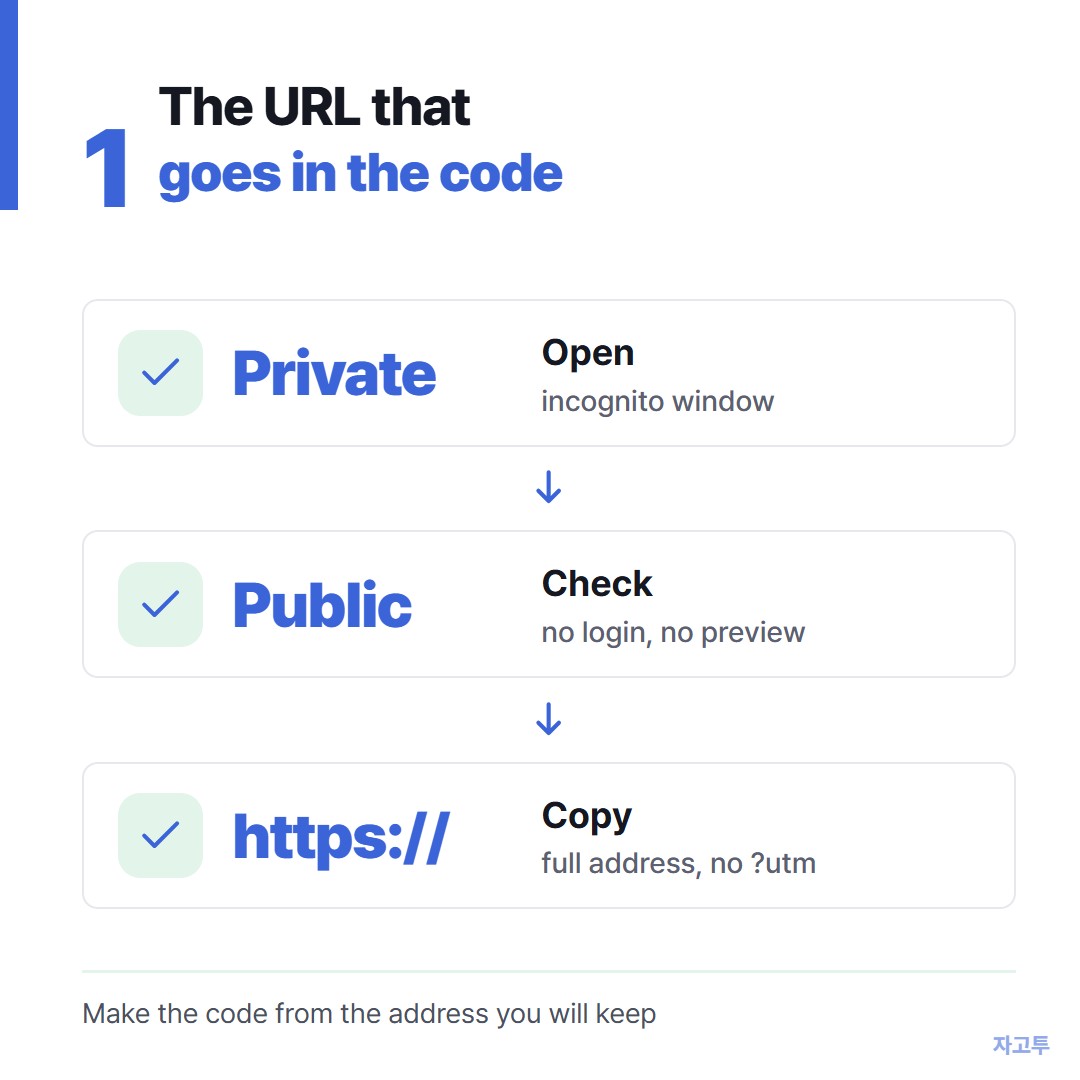
▲ Private window, real page, copy the address bar
What you see there is what a scanner will see. If the page asks for a password or shows "site not found", fix that before you make any code.
Then click the address bar and copy the whole thing, including https://** at the front.
Some phones still open a bare `example.com` correctly, but some scanner apps treat it as plain text and show it instead of opening it.
2. Five URL mistakes that break a printed code
| Mistake | What the scanner sees | Fix | |---|---|---| | Editor or preview link | Login screen or "page not found" | Copy from the public page in a private window | | Temporary builder domain | A page that dies when you connect your own domain | Wait for the final domain, then make the code | | Tracking tail (`?utm_…`, `?fbclid=…`) | A long, dense code that scans slowly | Delete everything after `?` unless you need it | | Cart, search or session link | Your cart, or an empty search | Link the product or page itself | | Draft slug that will change | A 404 after you rename the page | Set the final page name first |
The second one catches a lot of people on Squarespace, Wix and similar builders.
The free site address you use while building, such as a `.squarespace.com` or `.wixsite.com` address, may stop being the address people should use once your own domain is connected.
Make the code from the address you will keep.
Tracking tails matter for a different reason. Every extra character adds squares to the pattern.
A 30-character link gives a clean, open code; a 180-character link gives a dense grid that a phone has to work harder to read, especially when printed small.
3. Make the code for free
You may not need a website at all for this step.
Chrome on a computer can make a QR code for the page you are on. Open the menu, then "Cast, save and share", then "Create QR code". That is fine for a quick share.
For print, you usually want a few more options.
The free QR Code Generator on ZAGO.TO takes any link, lets you add a logo in the middle, and downloads PNG for screens or SVG for print, with no sign-up.
▲ One printed sample, scanned where customers stand
It makes static codes. Your URL sits inside the pattern, so nothing can expire.
The flip side is honest too: you cannot change the destination later or count scans.
If you need either, a paid dynamic service is the right tool.
The static versus dynamic explanation shows when that is worth paying for.
4. Test it, then size it for print
Scan the finished code from the screen with two phones, one iPhone and one Android if you can. Check that it opens the exact page, not the home page.
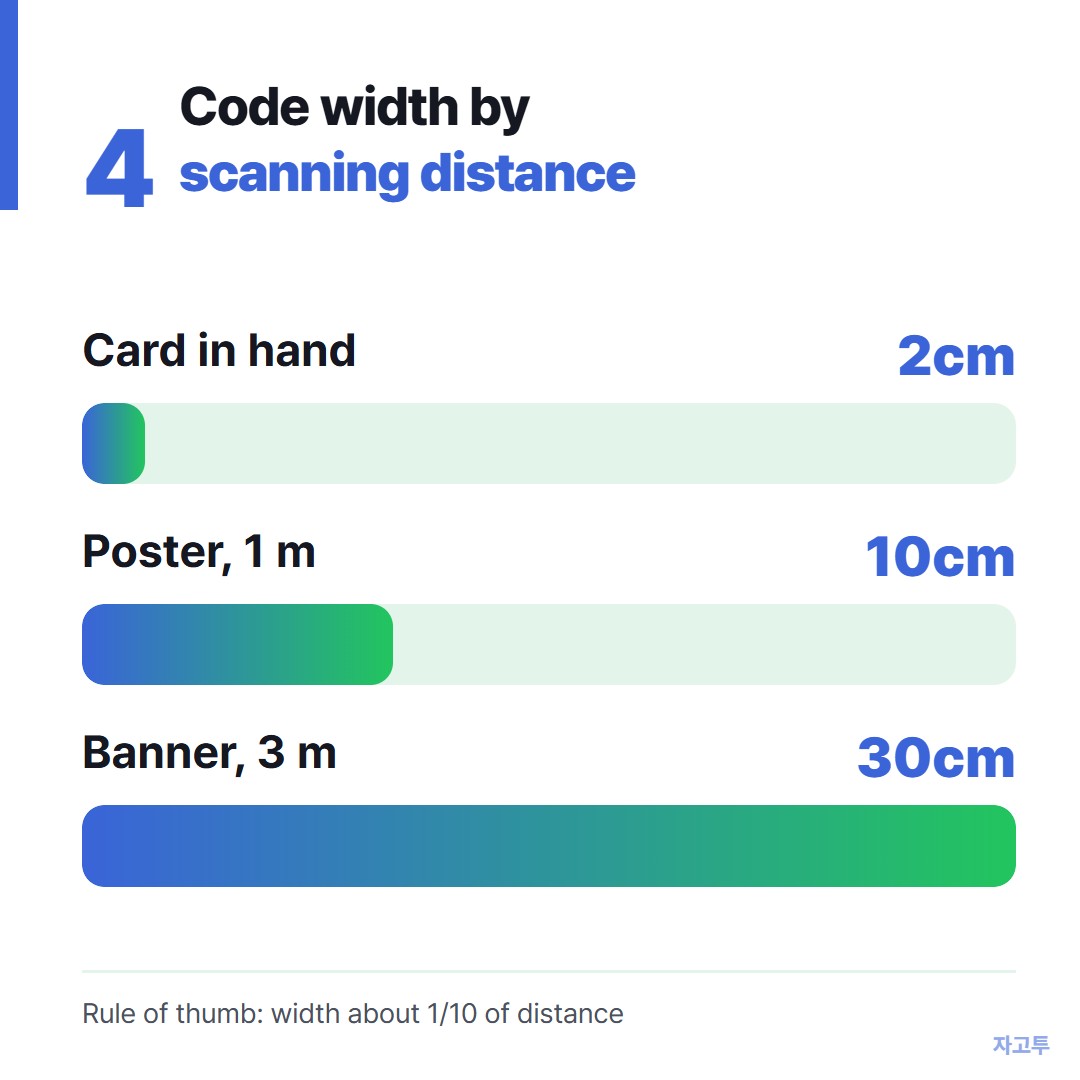
▲ Width about one tenth of the distance people scan from
Then print one copy and scan it again from where people will actually stand.
- Business card or flyer, scanned in hand: at least 2 cm (0.8 in) wide
- Poster on a wall, scanned from 1 metre: about 10 cm (4 in)
- Window or banner, scanned from 3 metres: about 30 cm (12 in)
Keep a plain border around the code about four small squares wide, and print dark on light. If the page ever moves, add a redirect from the old URL on your site, so printed codes keep working.
For a Wi-Fi card instead of a web page, see the guest Wi-Fi QR code guide.
5. Summary in three lines
- Copy the public https URL from a private window, not from your editor.
- Strip tracking tails and wait for your final domain before you print.
- Test with two phones, then size the code at one tenth of the scanning distance.
Paste your link into the QR Code Generator, download SVG, and scan one printed copy before you order a hundred.
Other tools: Word Counter · Days Until
 Days until Christmas
 Word Counter
 Age Calculator
 Wheel Spinner