Free QR code generator, no expiration: static vs dynamic codes explained
2026-10-27
This post contains affiliate links. As an Amazon Associate, ZAGO.TO earns from qualifying purchases.
Short answer: a static QR code holds your link itself, so it cannot expire. A dynamic code holds the generator's short link, and it stops working when that service stops redirecting it.
If you are looking for a free QR code generator with no expiration, the word to look for is "static".
Here is what the two kinds of code actually contain, why one of them dies after a free trial, and when paying for the other one is the right call.
1. Why some QR codes stop working
You print 200 flyers in March. In April, someone scans one and lands on a page that says the code has been deactivated, with a button to upgrade.
Nothing was wrong with the print. The code on the flyer never contained your address.
It contained a short link on the generator's own domain, something like `qr.example/k7Tq2`, and that link forwarded people to your page.
That forwarding is a service.
Many sites offer it free for 7 to 14 days, then switch it off unless you subscribe. The square on paper still scans perfectly. It just points at a door that has been locked.

▲ The flyer still scans; the redirect behind it has stopped
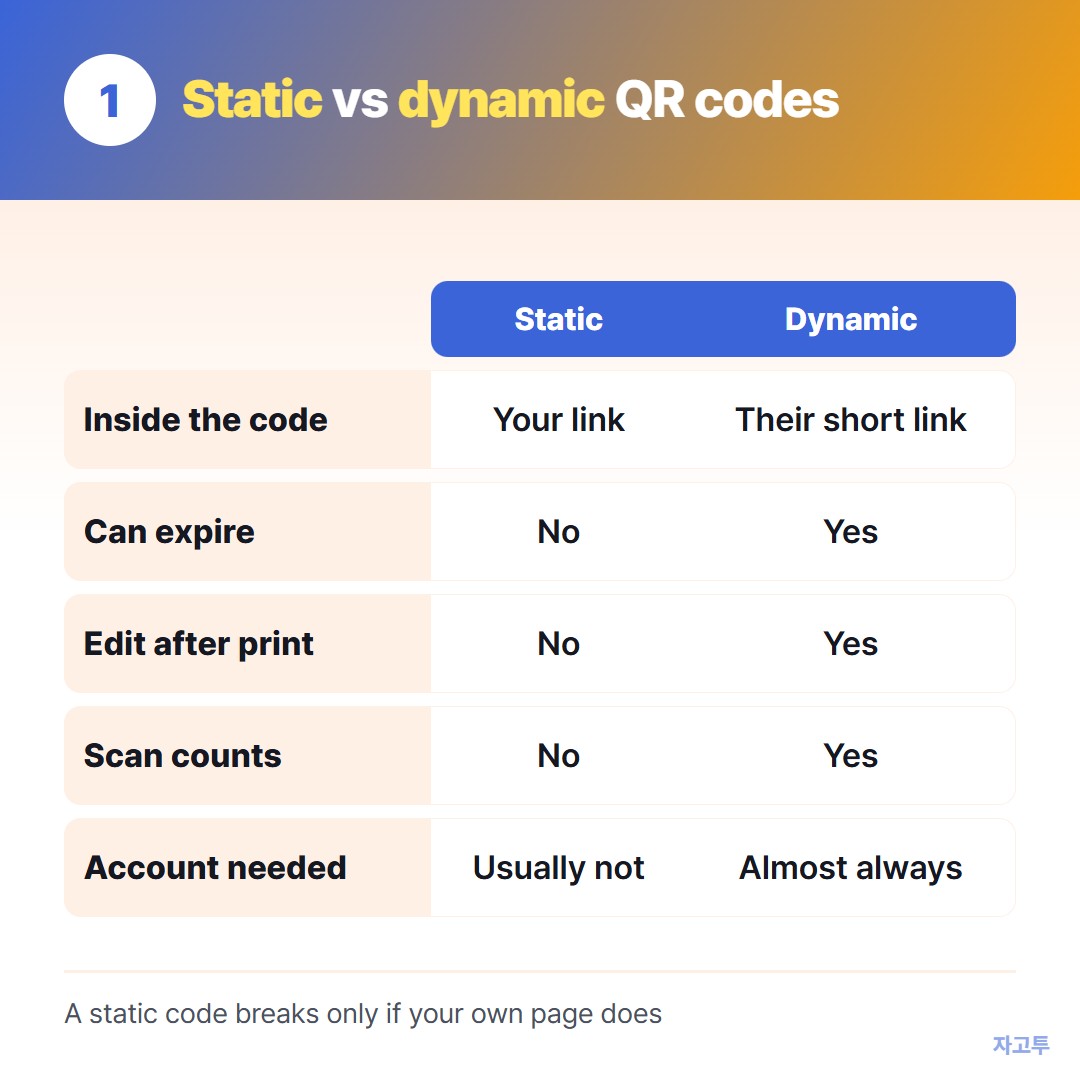
▲ The difference is what sits inside the square, not how it looks
2. Static vs dynamic, side by side
- What is inside: static holds your full link or text; dynamic holds the generator's short link
- Can it expire: static, no; dynamic, yes, when the redirect stops
- Change the destination later: static, no; dynamic, yes
- Scan counts: static, no; dynamic, yes
- Needs an account: static, usually not; dynamic, almost always
A static code keeps working as long as the page it points to keeps working. If you delete the page or let the domain lapse, it breaks too, but no third party can switch it off.
The free QR Code Generator on ZAGO.TO makes static codes only.
Paste a link, text, Wi-Fi details or a contact card, add a logo if you want, and download PNG or SVG.
There is no sign-up, and nothing is stored on a server, because the content lives inside the code.
3. Which one do you need?
Static is enough when the link will not change: a restaurant menu page, a portfolio, a Google Form, a Wi-Fi card.
A Wi-Fi code holds the network name and password directly. More on that in Wi-Fi QR code generator: let guests join without reading the password aloud.
Dynamic is worth paying for when you will swap the destination after printing, or you need to know how many people scanned a poster in each city.
That is real value, and the subscription is what pays for the redirect server. Just treat it as a subscription, not a one-time download.
A middle path: point a static code at a page on a site you control, such as yoursite.com/menu.
You can change what that page says at any time without reprinting, and the code never depends on a QR company.

▲ A static code keeps working long after any free trial would have ended
4. How to tell what you already have
Scan your code with a phone camera and read the link preview before you tap it.
If it shows your own address, the code is static. If it shows a domain belonging to the QR site, the code is dynamic, and it lasts only as long as that account.
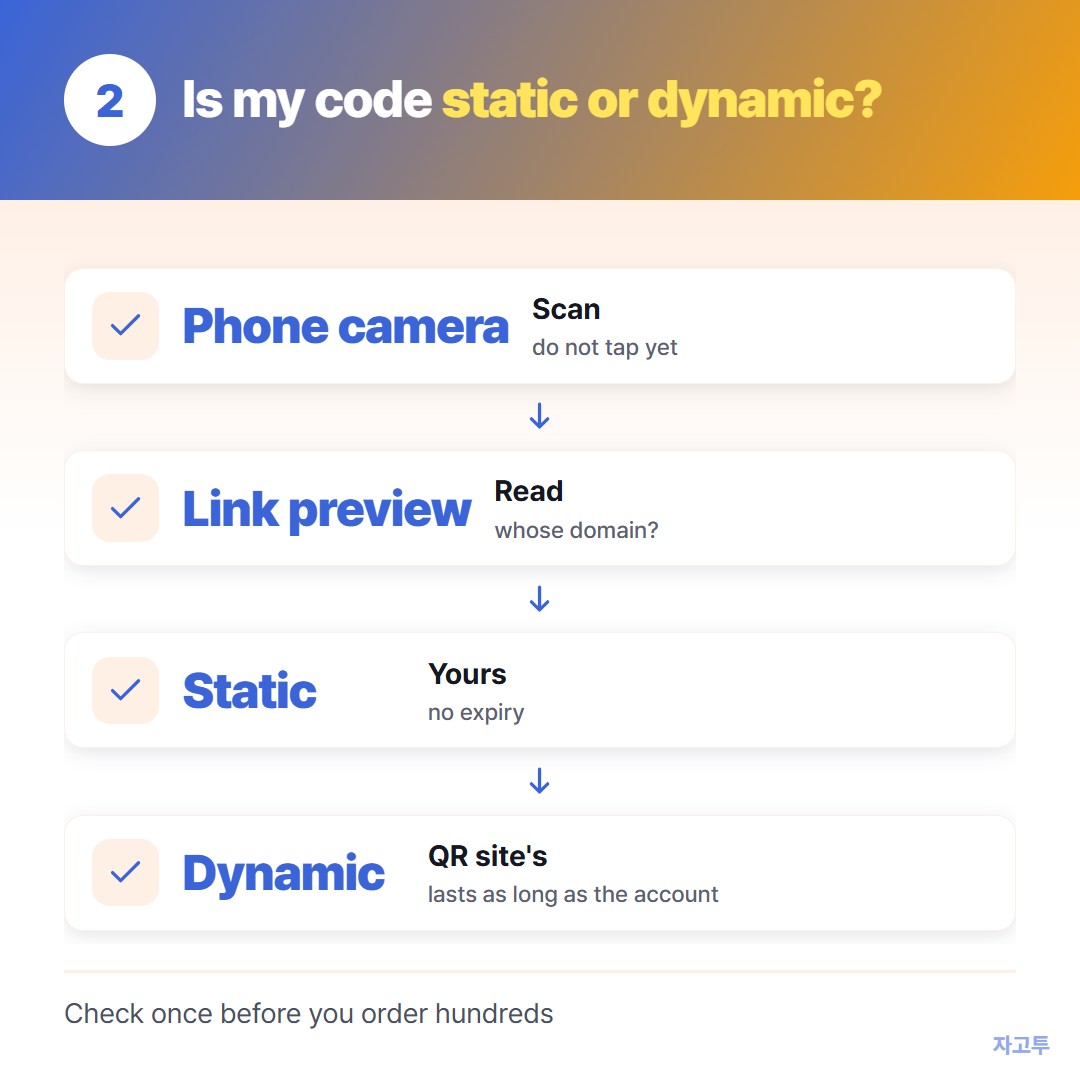
▲ Scan the final print once before you order hundreds
Common questions
Does a static QR code have a scan limit? No. Scanning happens entirely on the phone, so there is no server counting scans.
Is a static code less secure? It is as safe as the link inside it. Anyone can read the content, so do not put private data in it.
Can I make it shorter so it prints smaller? Yes. A shorter link means fewer modules in the grid, which scans better at small sizes.
Remove tracking parameters before you paste it into the QR Code Generator.
Other tools: Word Counter · Wheel Spinner
 Days until Christmas
 Word Counter
 Age Calculator
 Wheel Spinner