QR code for a link: make one free in your browser, and know where it stops working
2026-10-08
This post contains affiliate links. As an Amazon Associate, ZAGO.TO earns from qualifying purchases.

You have a link on your screen and someone across the table, or across the room, needs it on their phone.
A QR code for a link is the usual answer, and you can make one in a few seconds without signing up anywhere.
It is a good answer most of the time. This post covers how to make one, and the handful of places where it quietly fails.
Contents
- Make a QR code for a link in Chrome or Edge
- Generator sites, Canva and Word
- Where a QR code stops working
- QR code or four digits
1. Make a QR code for a link in Chrome or Edge
You probably already have a free QR code generator for any link, built into your browser.
- Chrome on a computer: open the page, right-click an empty part of it and choose Create QR code for this page. In some versions it sits under the share icon in the address bar.
- Edge: click inside the address bar and pick the QR code icon, or right-click the page.
- Chrome on Android: tap the share button, then QR code.
You get a square you can show on screen or download as a picture. No account, no site in between, and the code points straight at the address.
That last part matters more than it sounds, as the next section shows.
2. Generator sites, Canva and Word
When you need a code on a poster or a slide, people reach for a generator site, Canva's QR code app, or an add-in for Word.
They are all fine for printing. The thing to check is what kind of code they give you.
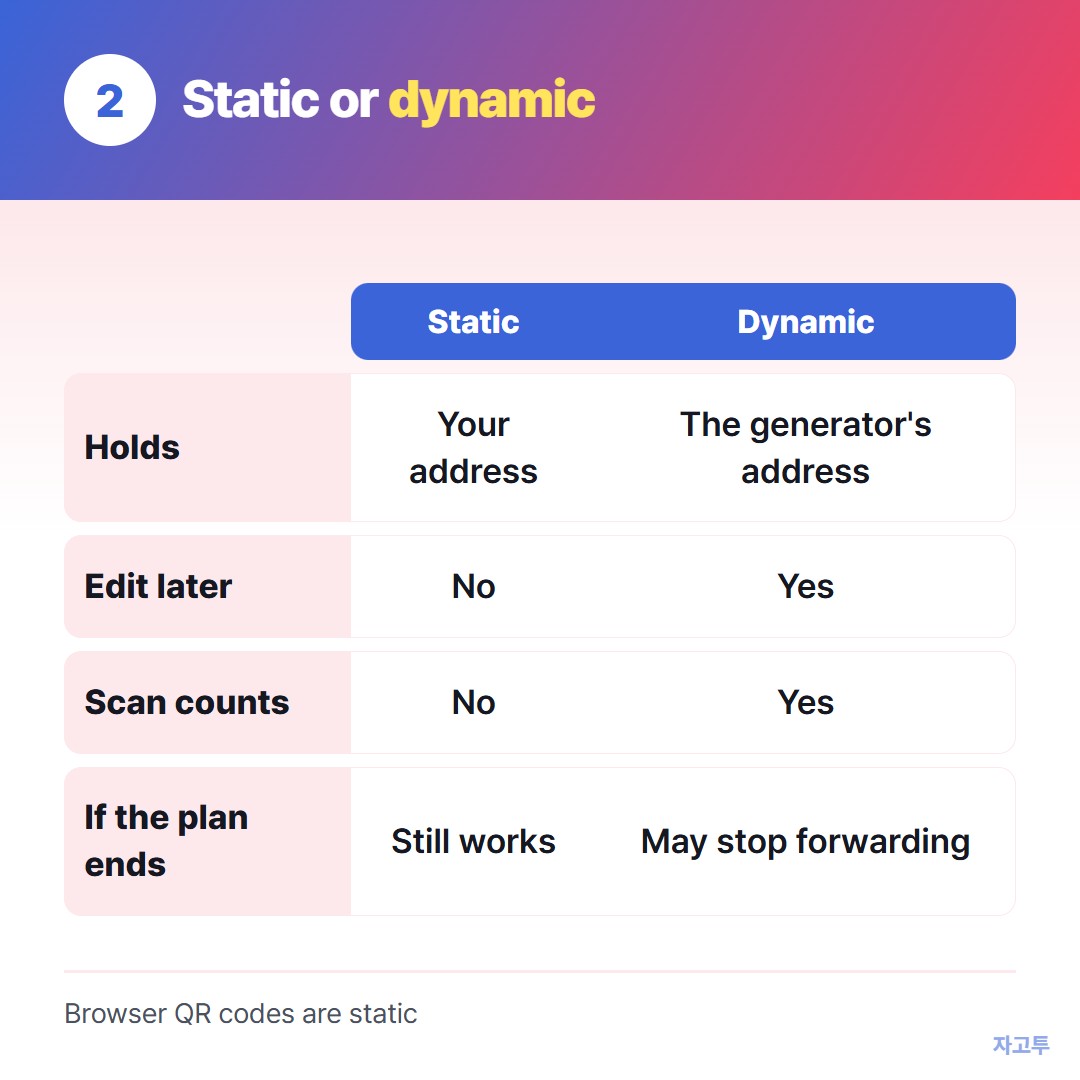
▲ The free plan and the printed poster can outlive each other
A static code holds the address itself. It works for as long as that page exists.
A dynamic code points to the generator's own short address, which then forwards to yours. That lets you change the destination later and count scans.
Some free dynamic codes stop forwarding when a trial ends. The poster on the wall then leads to a sign-up page. If you do not need to edit the destination later, a static code is the safer choice.
3. Where a QR code stops working
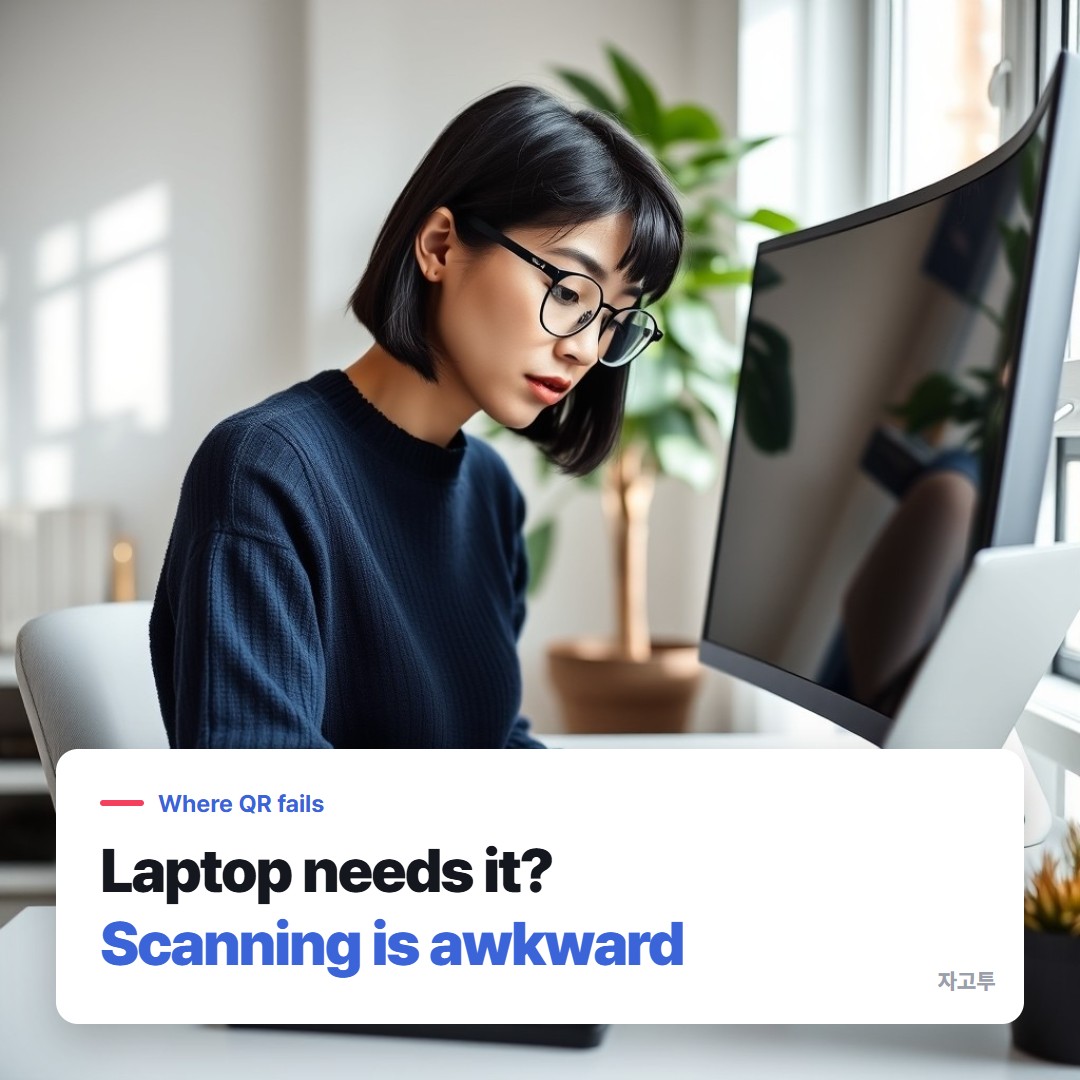
▲ A code that is easy to scan at the front can be a grey smudge at the back
QR codes are built for a phone looking at something. They get awkward in four places.
- The far seats. A small code on a projector is hard to scan from the back row, and the camera has to get the whole square in focus.
- The other direction. If the link is on your phone and the laptop needs it, the laptop has to scan. Windows' Camera app can read QR codes, but few people know where to find that option.
- A long address. The longer the link, the denser the squares, and the harder it is to read from a distance.
- Over the phone. You cannot read a QR code out loud.
If you mainly need the link on your own phone, Sending a long URL to your own phone, unshortened goes through the other routes.
4. QR code or four digits
For the laptop that needs the link, or the person on a call, typing four digits can be easier than scanning a square.
ZAGO.TO works that way. You paste the link, it gives you a 4-digit code, and the other side types it at zago.to on any browser.
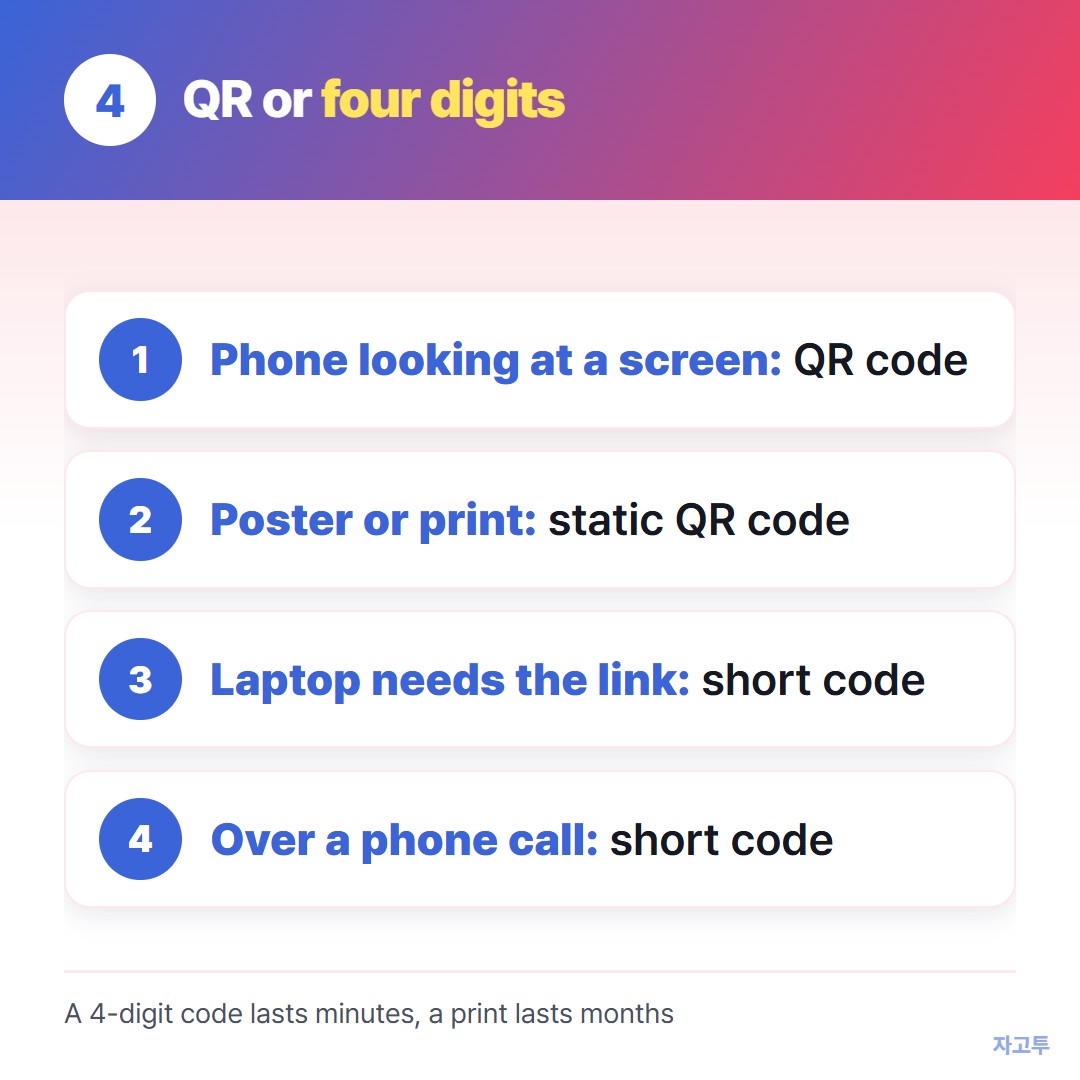
▲ Phones scan squares; laptops and phone calls do better with digits
It has clear limits. If nobody opens the code within 1 minute it is deleted, and after it is opened it stays for 1 minute more. That is the opposite of a printed poster.
It carries text only, up to 10,000 characters, and our server can read it while it is held. So it suits a link or a short address, not a password.
For a room of people looking at slides, How to share a link in a PowerPoint presentation compares both on the screen.
Quick questions
Is the QR code in Chrome free? Yes. It is part of the browser and needs no account.
Do QR codes expire? A static code does not. A dynamic code can stop working if the service behind it stops forwarding.
Can I make a QR code for a Linktree or a LinkedIn page? Yes, it is just another address. Open the page and create the code the same way.
Can a laptop scan a QR code on my phone screen? Often yes, with the camera app or a browser feature, but typing a short code is usually quicker.