Meta Quest browser: four ways to open a long link in the headset without typing it
2026-10-18
This post contains affiliate links. As an Amazon Associate, ZAGO.TO earns from qualifying purchases.
The headset is on, the game is paused, and the guide you need is a link sitting in a chat on your phone.
The Meta Quest browser opens it fine. Getting the address in there is the hard part, because typing a long link by pointing a laser at floating keys is slow and easy to get wrong.
Short version: search the site name if you can. If you need that exact link, send it from your phone instead of typing it.
Where is the Meta Quest browser?
▲ The link is on the phone, the browser is in the headset
Press the Meta button on the right controller to open the menu bar, then open the app library and pick Browser. Pin it to the bar if you use it often.
Tap the address bar at the top of the window and the virtual keyboard appears below it. A microphone key on that keyboard lets you say a search instead of typing it.
Voice works well for a search and badly for a link. Nobody wants to read "slash, question mark, v equals" aloud.
Four ways to get a long link in
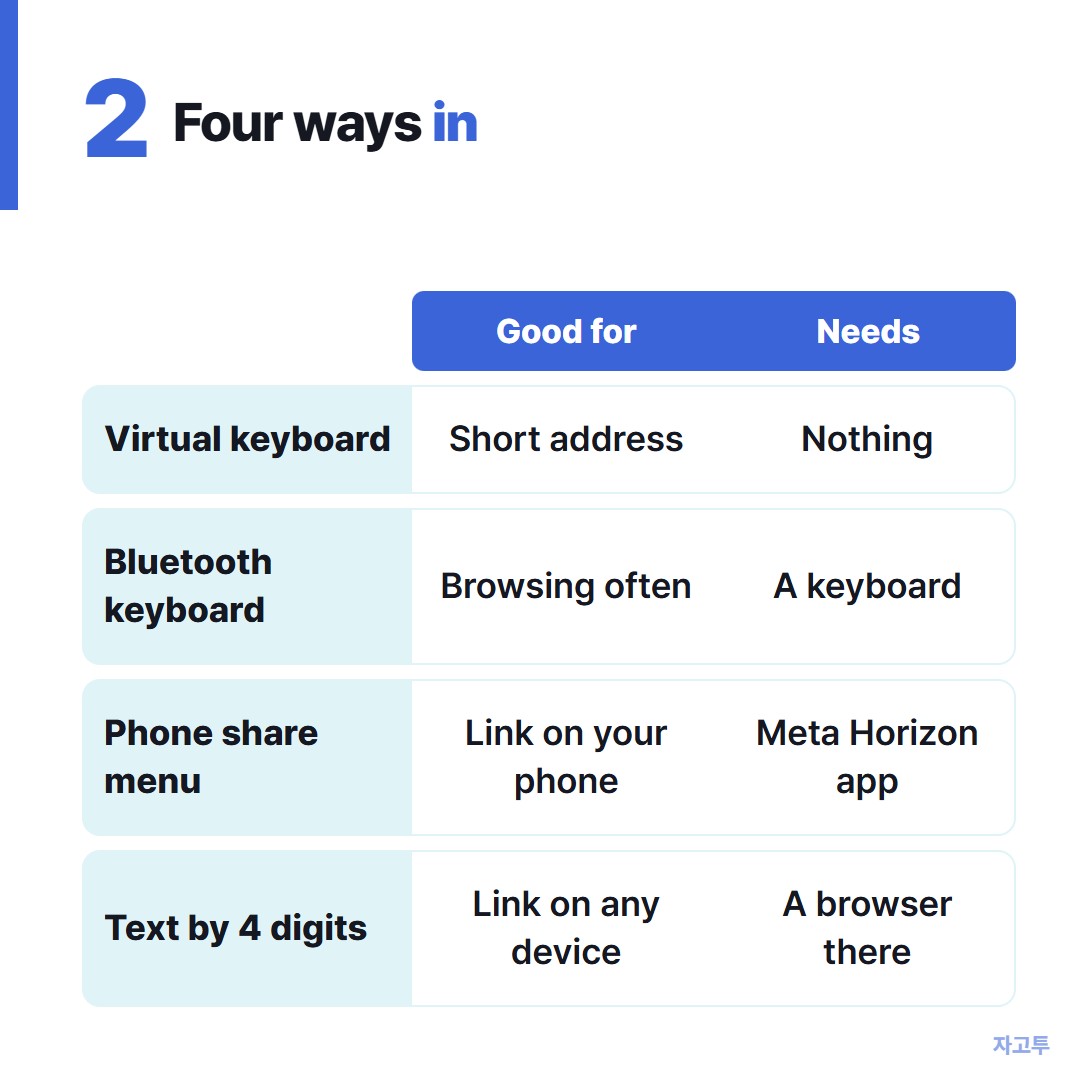
▲ Pick by what you have in hand
- Virtual keyboard. Always there. Fine for a short address, painful for anything with random letters.
- Bluetooth keyboard. Pair it under Settings, Devices, Bluetooth. Many standard keyboards work, and it is the best choice if you browse in the headset often.
- Phone share menu. On many phones the Meta Horizon app shows up when you tap Share on a link, and it can send the page to the headset browser.
- Carry the link as text. If the link is on a computer, a borrowed phone, or a phone without the app, move it as plain text and open it inside the headset.
The share route only works when the phone app is signed in to the same account as the headset.
For that last one, paste the link into ZAGO.TO on the device where it lives. You get four digits.
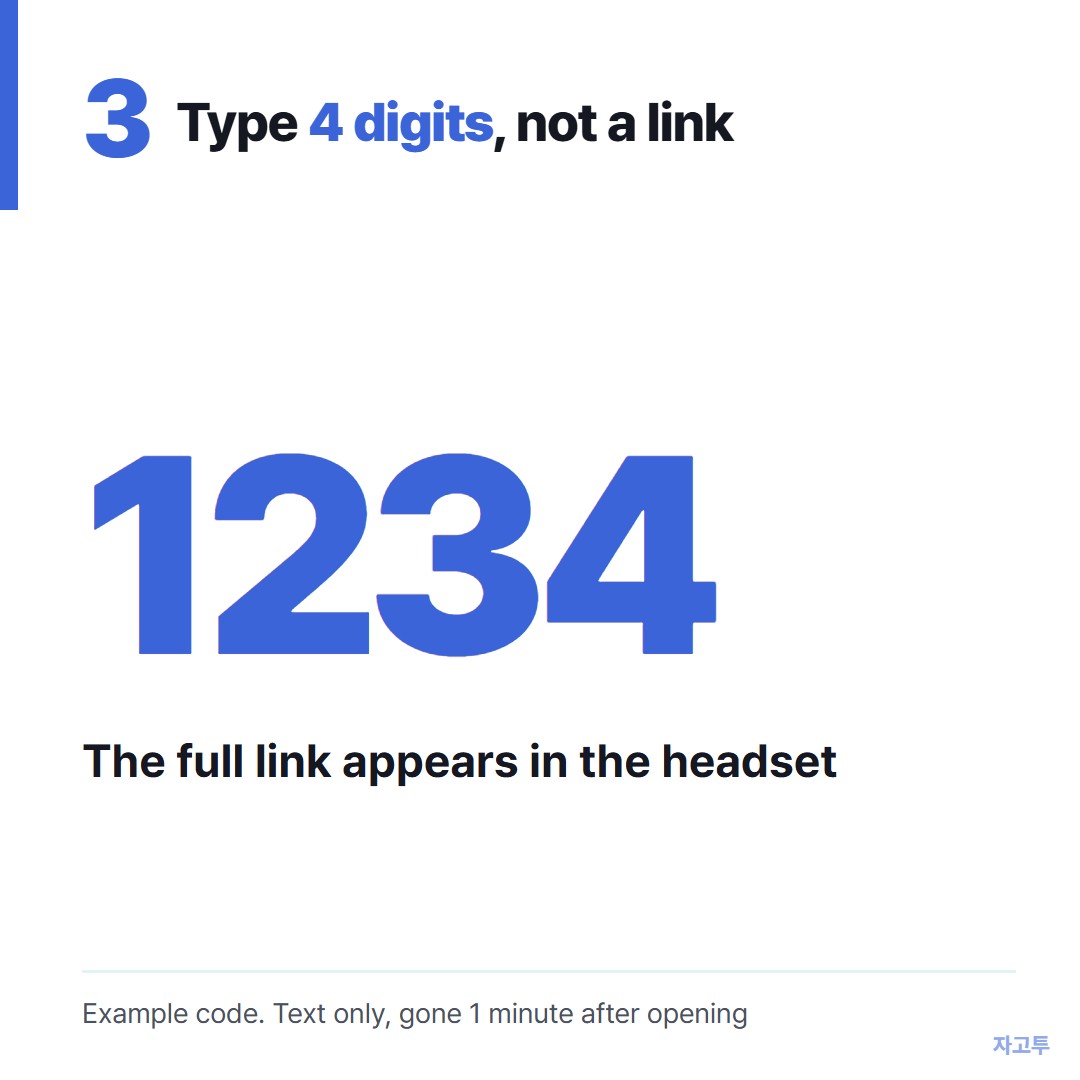
▲ Only the digits get typed in the headset
In the headset, open zago.to in the browser and type only those digits. The full link appears, ready to open.
What ZAGO.TO will not do here
It carries text only, up to 10,000 characters. No screenshots, no videos, no files.
If nobody opens it, it is deleted after 1 minute. Once opened, it is gone 1 minute later and cannot be opened a second time.
There is no in-browser encryption yet, so our server can read what you paste. A guide link is fine. Your Meta account password is not.
Why is the keyboard not showing?
- Click into the address bar again. The keyboard only opens when a text field has focus.
- Switch input. If you are using hand tracking, pick up a controller, or the other way round, then try again.
- Restart the browser. Close it from the menu bar and reopen it from the app library.
If the browser itself will not open or keeps crashing, a system update usually comes first. Check under Settings for a pending update.
Consoles and handhelds have the same typing problem. Steam Deck web browser and Xbox web browser cover those.
In short
Search the site by name when you can. When you need one exact long link, send it from the phone and never type it in the air.