Is the clipboard safe? What can read it, and what to never copy
2026-10-12
This post contains affiliate links. As an Amazon Associate, ZAGO.TO earns from qualifying purchases.

Short version: the clipboard is safe for everyday text, but it is not a locked box. The app in front of you can usually read it, clipboard history keeps copies, and sync can send them to other devices. Passwords and wallet addresses need extra care.
You copy a password from your password manager, paste it into a login box, and move on. Ten minutes later it is still sitting on the clipboard, ready to be pasted anywhere.
So is the clipboard safe? Mostly, yes. But it helps to know exactly who can look at it, because the answers have changed a lot in the last few years.
1. Who can read what you copy?
▲ Copy and paste feels private, but the clipboard is shared by every app
Apps on a computer. On Windows and macOS, any program you are using can read the clipboard. That is how paste works. A program you installed and trust is fine. A sketchy free tool is not.
Apps on a phone. Phones have tightened this. On iPhone, apps that read the clipboard trigger a pasted from notice, and newer iOS versions ask you to allow the paste.
Android limits clipboard reading to the app on screen and the keyboard, and since Android 12 it shows a short message when an app reads what you copied.
Websites. A web page cannot quietly read your clipboard. Browsers require you to paste, or ask permission first.
Writing to it is easier, which is why a page can slip extra text into what you copy.
2. Is clipboard history safe?
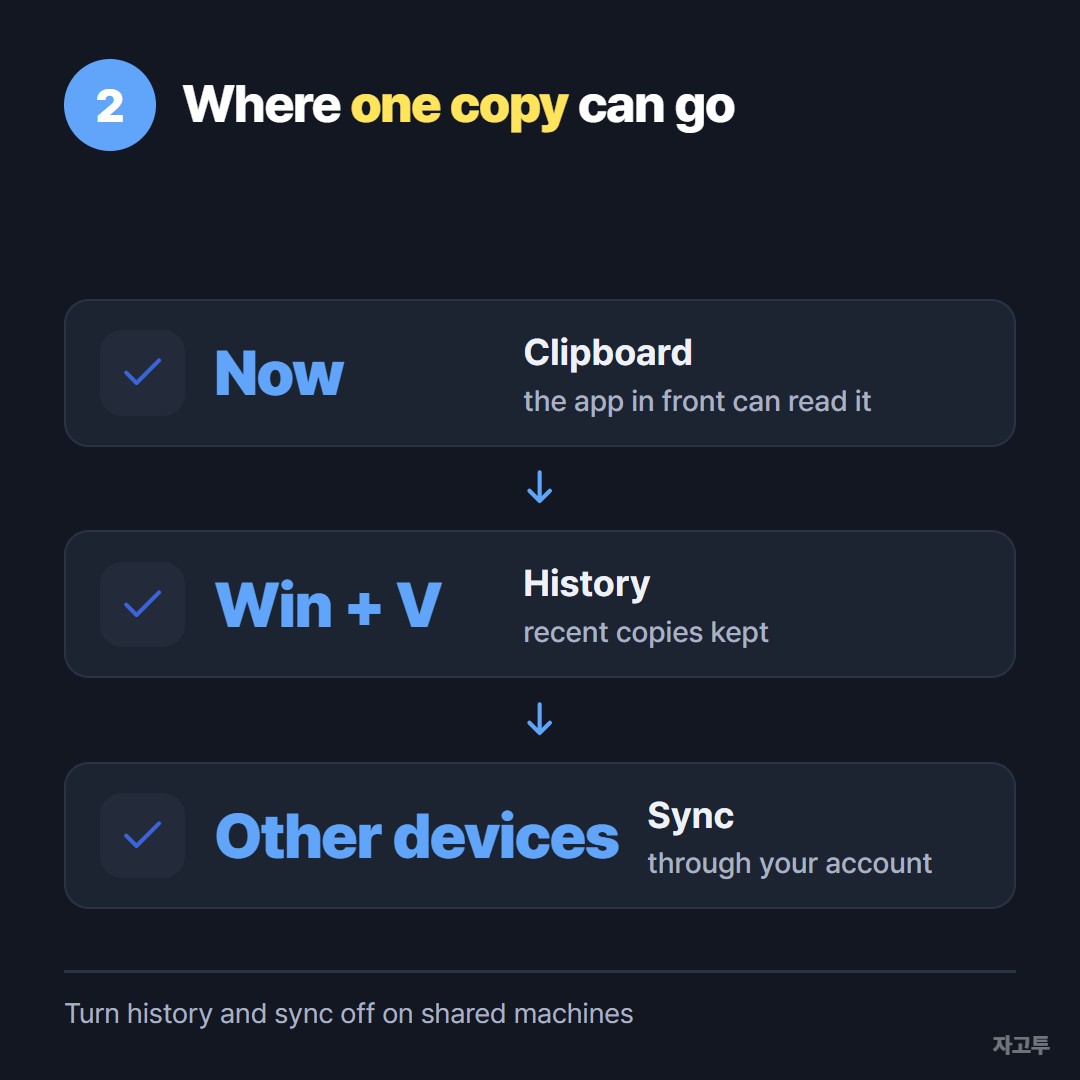
▲ One copy can live in three places at once
This is the part people forget. Windows clipboard history, opened with Win + V, keeps a list of recent copies, not just the last one.
If sync across devices is on, those copies also travel to your other Windows machines through your Microsoft account.
Phone keyboards such as Gboard and Samsung's keyboard keep their own clipboard history too.
The history is useful, and it is also a list of every password you pasted today. Windows clipboard history covers what Win + V keeps and when it clears.
3. The clipboard attack that targets crypto
There is one well-known threat aimed straight at the clipboard.
Clipper malware watches for anything that looks like a wallet address and swaps it for the attacker's address at the moment you paste.
The address looks right at a glance. Only checking more than the first and last few characters catches it.
If you move wallet addresses often, How to give someone a wallet address without retyping it goes through safer ways to do it.
4. Where we fit, and where we do not
ZAGO.TO moves text from one device to another with a 4-digit code, which means the text passes through our server.
Text is deleted 1 minute after it is created if nobody opens it, and 1 minute after it is opened. But there is no in-browser encryption yet, so the ZAGO.TO server can read what you paste.
That makes it the wrong place for exactly the things this article is about. The full picture is in What our server can see.
Checklist: what to never leave on the clipboard
- Passwords. Use your password manager's autofill instead of copy and paste where you can. Many managers clear the clipboard after a short time.
- Recovery phrases and private keys. Never copy a seed phrase. Write it on paper or type it directly.
- 2FA backup codes. Treat them like passwords.
- Wallet addresses. Check the whole address after pasting, not just the start and end.
- Anything on a shared computer. Copy something harmless afterwards to push the private item out, and turn off clipboard history if it is on.
For everything else, the clipboard is as safe as the apps you let run on your device.