Windows clipboard history: what Win + V keeps, when it clears, and where it stops
2026-10-05
This post contains affiliate links. As an Amazon Associate, ZAGO.TO earns from qualifying purchases.
25 items. That is the most Windows clipboard history holds, and few people ever look at what is in it.
Press Windows key + V on a Windows 10 or 11 PC and a small panel opens with the last things you copied.
Some people find it by accident and wonder how long Windows has been keeping track. This is a short glossary entry on what it is, what it keeps, how to turn it off, and where it stops.
1. What Windows clipboard history is
▲ The panel shows up the moment you press Win + V, if history is on
The normal clipboard holds one thing. Copy something new and the old item is gone.
Clipboard history keeps a short list instead, so you can paste something you copied ten minutes ago.
It is off until you turn it on. Press Win + V the first time and a button offers to switch it on, or go to Settings, System, then Clipboard.
2. What it keeps, and for how long
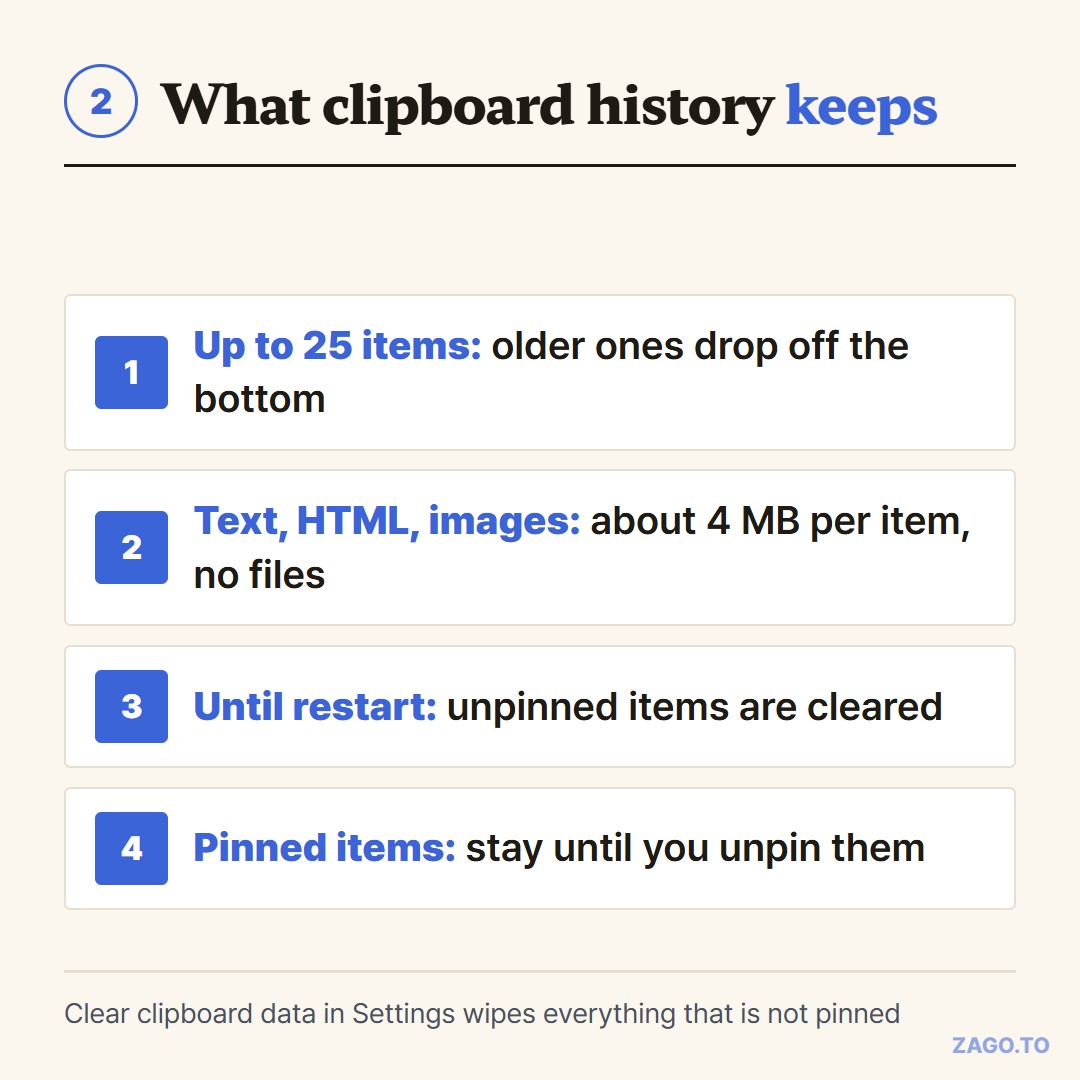
▲ Four rules decide what stays in the list
- Up to 25 items: older ones drop off the bottom as you copy more
- Text, HTML and images: up to about 4 MB per item. Files copied in File Explorer are not kept as files
- Until you restart: the list is cleared when the PC restarts, except for items you pin
- Pinned items: stay through restarts until you unpin them
That last pair is the one people miss.
A password you copied this morning can still be sitting in the list this afternoon if you have not restarted.
Restarting is not the only way out. Hover over an item and use the three-dot menu to delete it.
To wipe everything that is not pinned, use "Clear clipboard data" in Settings, under System, then Clipboard.
Pinned items survive that button too. Handy for a greeting you paste every day, less handy for anything private you pinned once and forgot.
On a PC other people use, turning history off is the simpler choice. The same Settings page has the switch.
3. Windows clipboard history shortcut not working
The common reasons are short:
- History is switched off: check Settings, System, Clipboard
- It is a work computer: administrators can disable clipboard history and cloud sync by policy
- Another app grabbed the shortcut: some clipboard managers and keyboard tools take Win + V for themselves
If the switch is greyed out on a work PC, policy is why. It is not something to work around on a managed machine.
4. Where it stops
Clipboard history has a "sync across your devices" option. It sends what you copy to other Windows PCs signed in with the same Microsoft account.
Android phones can join through the Microsoft SwiftKey keyboard when signed in to the same account.
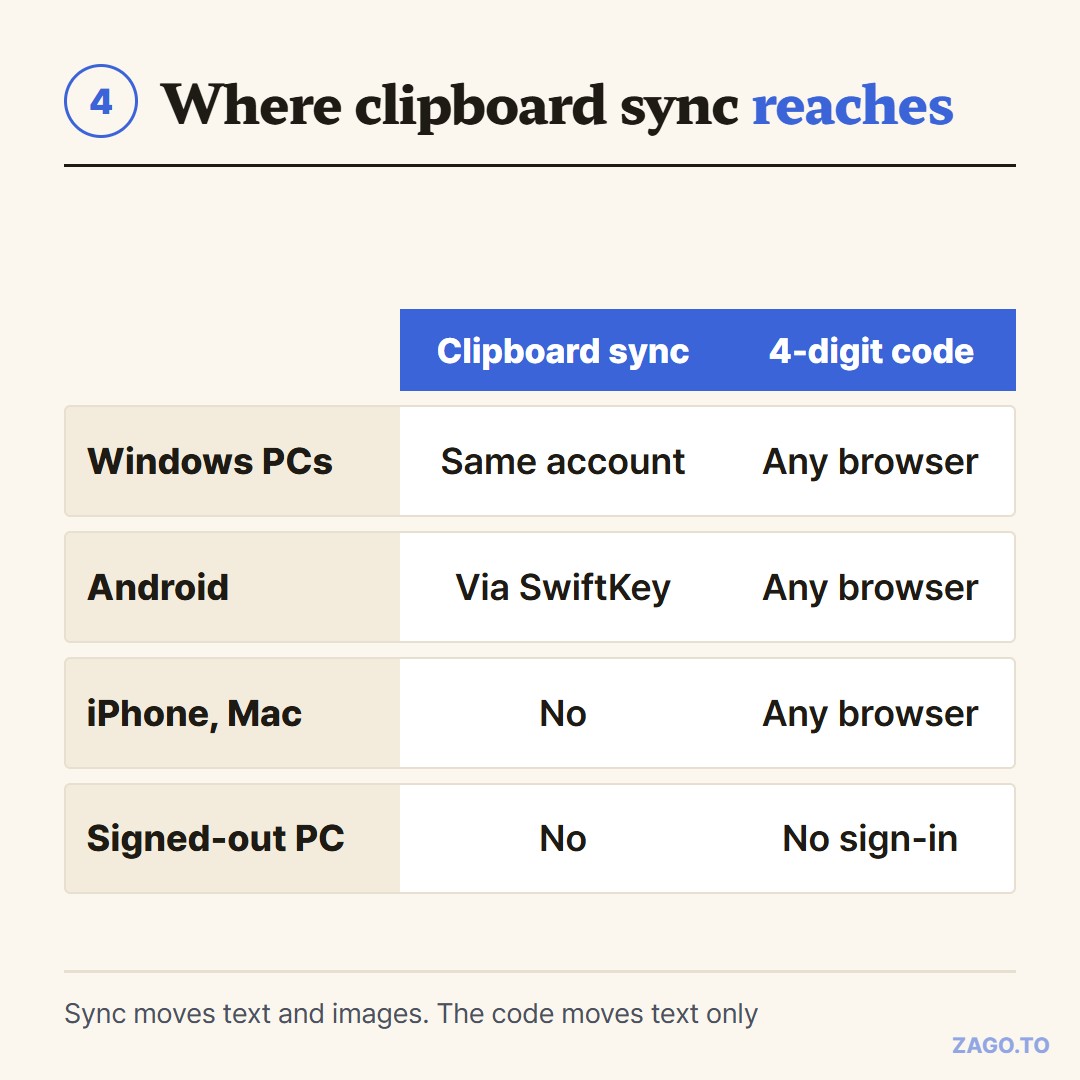
▲ Sync follows your Microsoft account, not the device in front of you
It does not reach an iPhone, a Mac, or a computer you are signed out of. A hotel PC, a friend's laptop or a library machine is outside it by design.
That gap is where people fall back on emailing themselves.
For a single link or paragraph headed to a machine outside your account, ZAGO.TO gives you four digits instead. Paste on one device, type the code on the other, and the text appears.
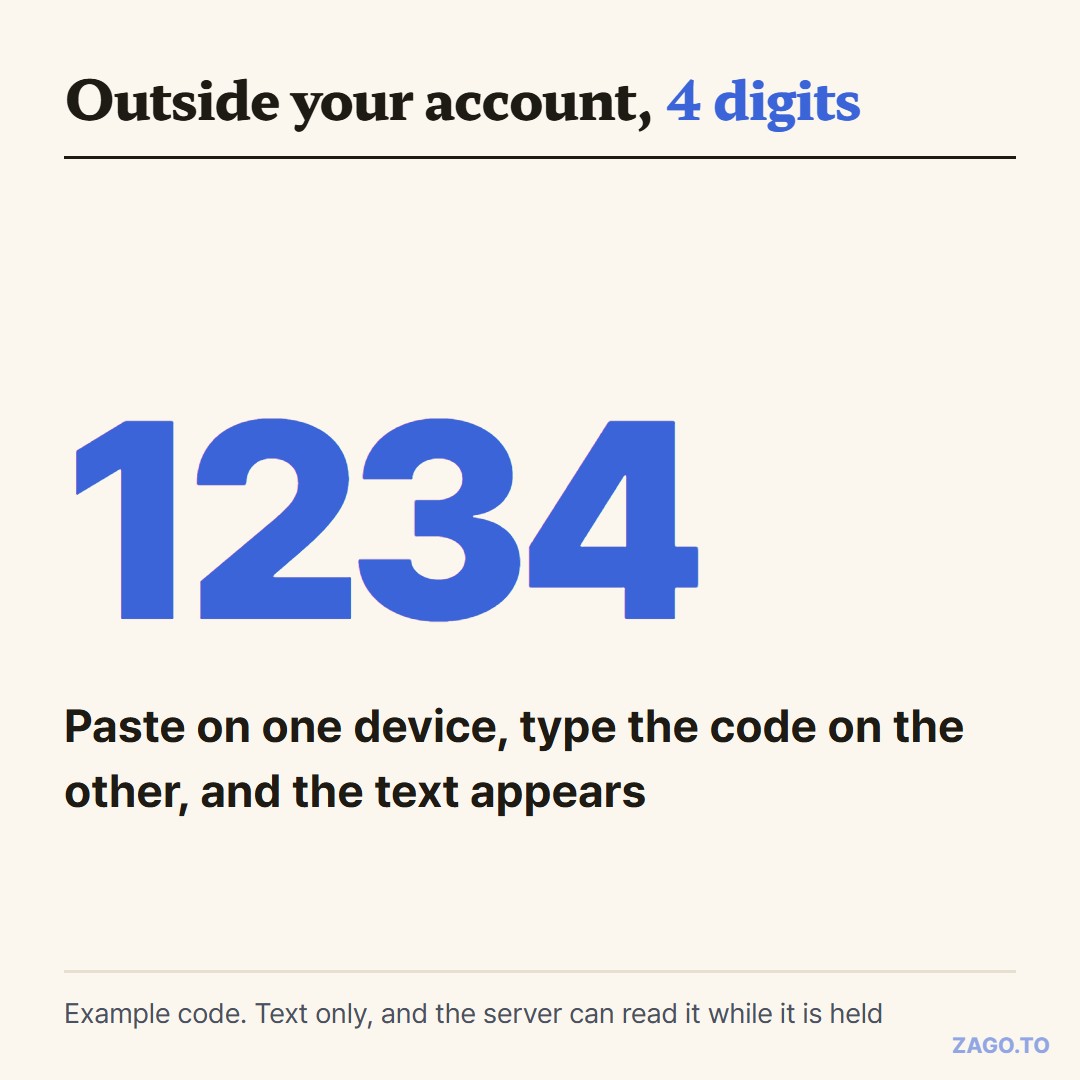
▲ An example code. The real one is picked at random each time
It is deleted a minute after it is opened, or a minute after it was made if nobody opens it.
It is text only, and it cannot be reopened once deleted. There is no scrambling in the browser yet, so our server can read the text while it is held.
Passwords belong in a password manager, not on any clipboard you share.
How the same gap looks between Apple devices is in When Universal Clipboard has nothing to sync with.
Checklist
- Turn it on: Win + V, or Settings, System, Clipboard
- Pin what you reuse: the three-dot menu on an item
- Delete secrets right away: one item at a time, or Clear clipboard data
- Shared PC: switch history off
- Phone or PC outside your account: move the text with a 4-digit code instead of sync
Long text, in 4 digits.