How to text yourself on iPhone, and when a note to self is the wrong tool
2026-10-20
This post contains affiliate links. As an Amazon Associate, ZAGO.TO earns from qualifying purchases.
Short answer: open Messages, put your own number or Apple Account email in the To field, and send. The trouble starts when the note has to reach a screen that is not Apple.
This is how to text yourself on iPhone in a few taps, the three reasons it quietly fails, and the moments when a text to yourself is the wrong place for the note.
1. Can you text yourself on iPhone?

▲ Your own name at the top of the thread is the whole trick
Yes. Start a new message in Messages and type your own number or the email you use for iMessage.
Pin the thread with a swipe to the right, and it becomes a scratch pad that sits above every other chat.
WhatsApp does the same with a chat that has only you in it. Search WhatsApp for your own name or number and it shows up as "Message yourself".
2. Why the text to yourself does not arrive
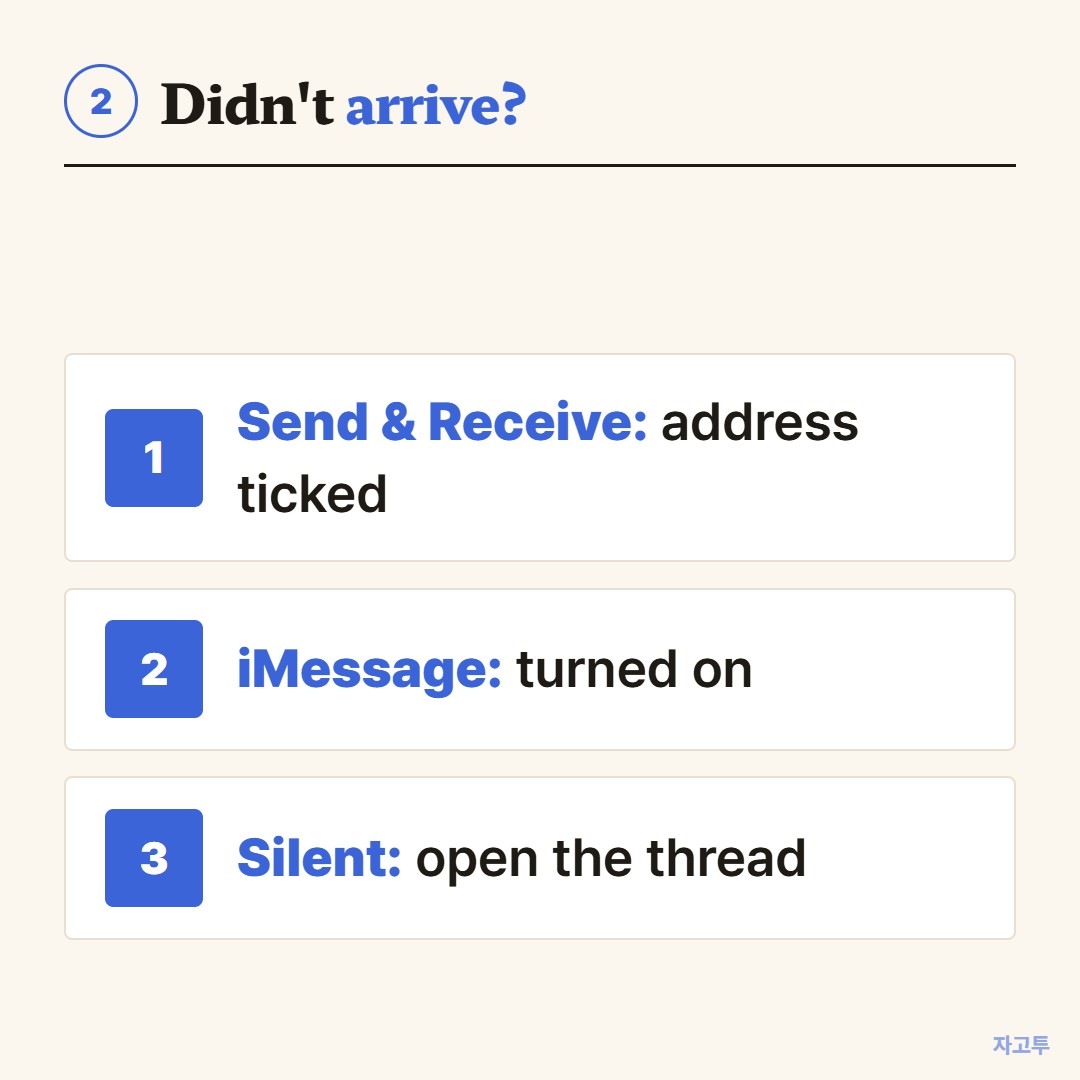
▲ Check them in this order
- The address is not on your list. In Settings, Messages, Send & Receive, the number or email you typed must be ticked.
- iMessage is off. Then the note goes as a normal text, a green bubble, and some carriers will not deliver a text to the sender's own number.
- It arrived, but silently. Messages from yourself rarely make a sound. Open the thread before you decide it failed.
Most failures are the first one. An old email address is still listed but not ticked.
3. When a note to self is the wrong tool
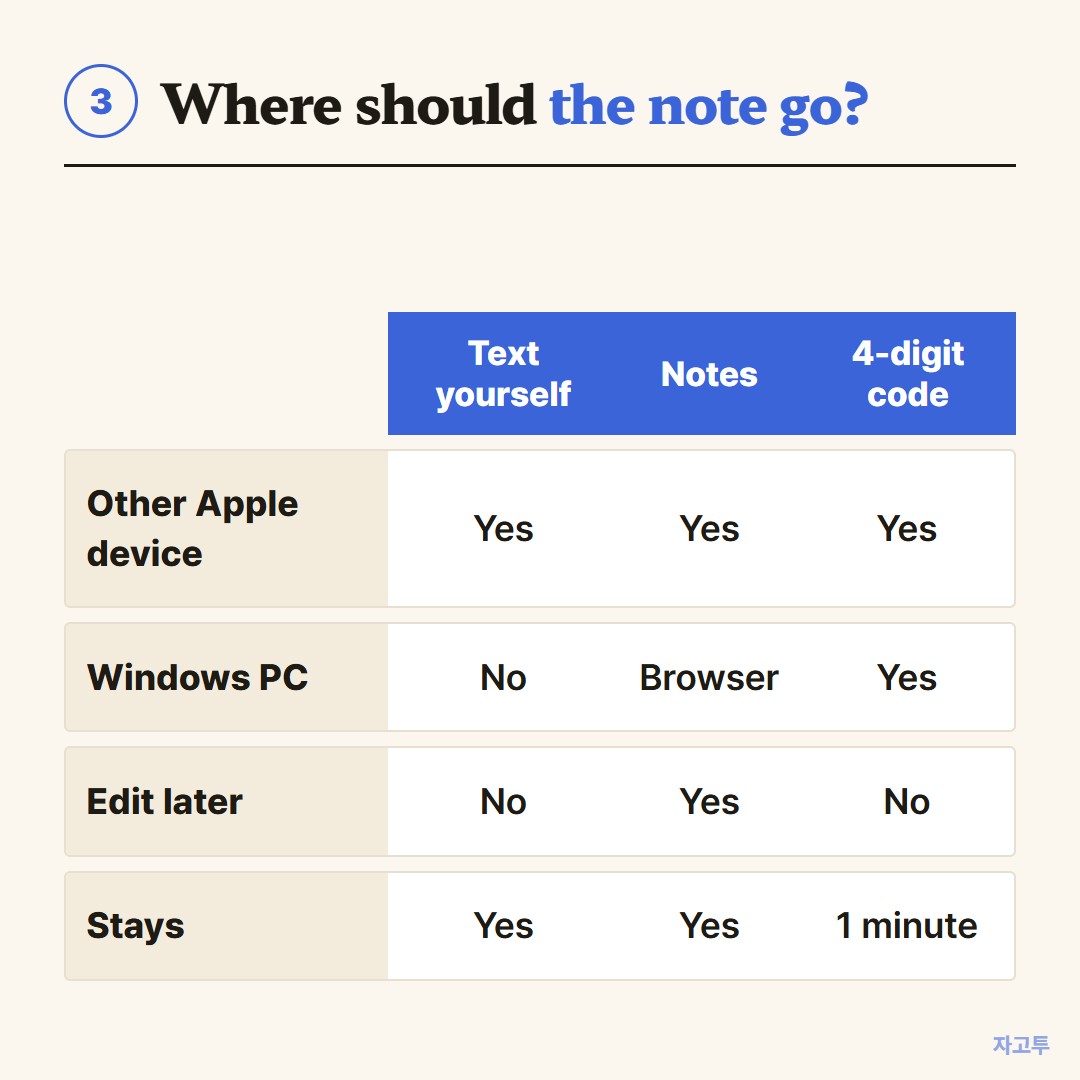
▲ The right place depends on the screen at the other end
A text to yourself is fine for a parking level or a flight number. It is a poor fit in three cases.
- The note has to reach a Windows PC. Messages does not run there.
- You want a long draft you will edit. A sent iMessage can only be edited for a few minutes. Notes stay editable.
- It is a password or a card number. It stays in your thread and in every backup.
The Windows workarounds are in Getting text from an iPhone onto a Windows PC without emailing yourself.
For one paragraph on a computer that is not yours, ZAGO.TO works in the browser. Paste, get a 4-digit code, type it on the other screen.
It is text only, up to 10,000 characters. It disappears 1 minute after opening, or after 1 minute unopened, and cannot be reopened.
Our server can read it, since in-browser encryption is not built yet.
If email is where your notes live, how to email yourself covers Gmail and Outlook.
Before you send
- Is the other screen an Apple device? Then text yourself.
- Will you edit it later? Use Notes.
- Is it a secret? Keep it out of both a thread and ZAGO.TO.