How to share a link in Google Meet, before the call and in the middle of it
2026-10-11
This post contains affiliate links. As an Amazon Associate, ZAGO.TO earns from qualifying purchases.
It is two minutes to ten. Five people are waiting for a meeting link, two more will join from a conference room, and someone has just asked in the call, "Can you drop the doc link?"
Knowing how to share a link in Google Meet comes down to timing. The meeting link goes out before the call. Other links go into the chat during it.
And a few people may be looking at a screen they cannot click.
1. Before the call: create the link and send it
▲ The meeting link is easiest to share before anyone is waiting
There are two clean ways to get a Meet link before the meeting starts.
- From Google Calendar: create the event, choose Add Google Meet video conferencing, and add guests. The link travels inside the invite, so it lands in everyone's calendar.
- From meet.google.com: click New meeting, then Create a meeting for later. Copy the link it gives you and paste it into email, Slack or WhatsApp.
The calendar invite is the more reliable route. A link pasted into a busy chat scrolls away. A calendar event sits at the right time on each person's day.
If you are on a phone, open the Meet app, tap New, then Get a meeting link to share.
The share sheet lets you send it straight to WhatsApp or Messages, which answers one of the most common questions people search.
2. During the call: share a link in the chat
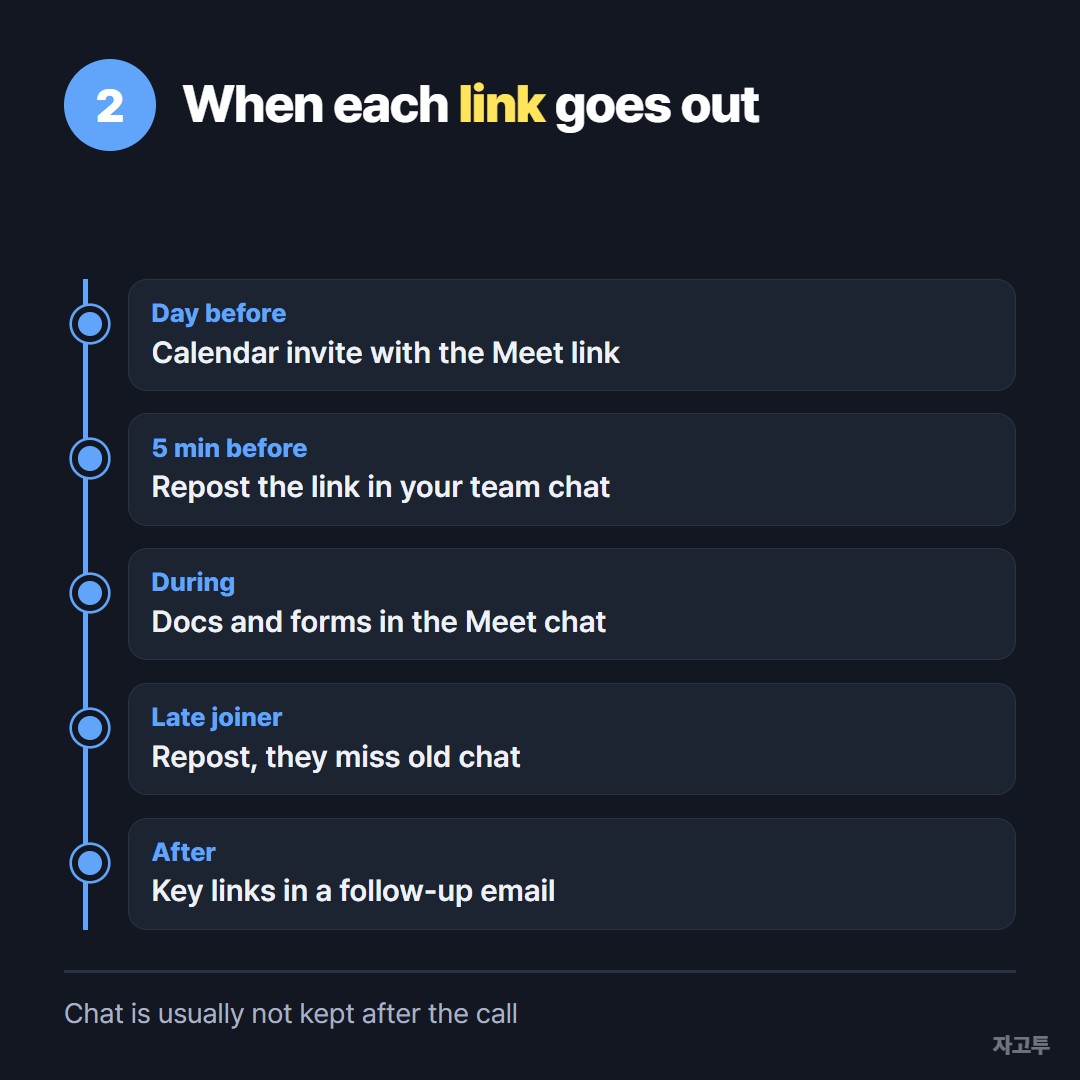
▲ The meeting link goes out early, everything else goes into chat
Once the call is running, there are two different links people ask for.
The meeting link itself, for someone who is late. Click the Meeting details icon at the bottom right, then Copy joining info.
That copies the link plus the dial-in number if your account has one.
A document, form or website link. Open the chat panel, paste it, and press Enter. Links in Meet chat become clickable for everyone in the call.
Two things catch people out. People who join after you post a message do not see earlier chat, so repost the link if someone arrives late.
And chat messages are not kept after the call ends unless the meeting is recorded, so a link that matters should also go into the calendar event or a follow-up email.
If the chat box is missing, the host may have turned off chat for participants in Host controls. Ask the host, or send the link another way.
3. People who cannot click the link
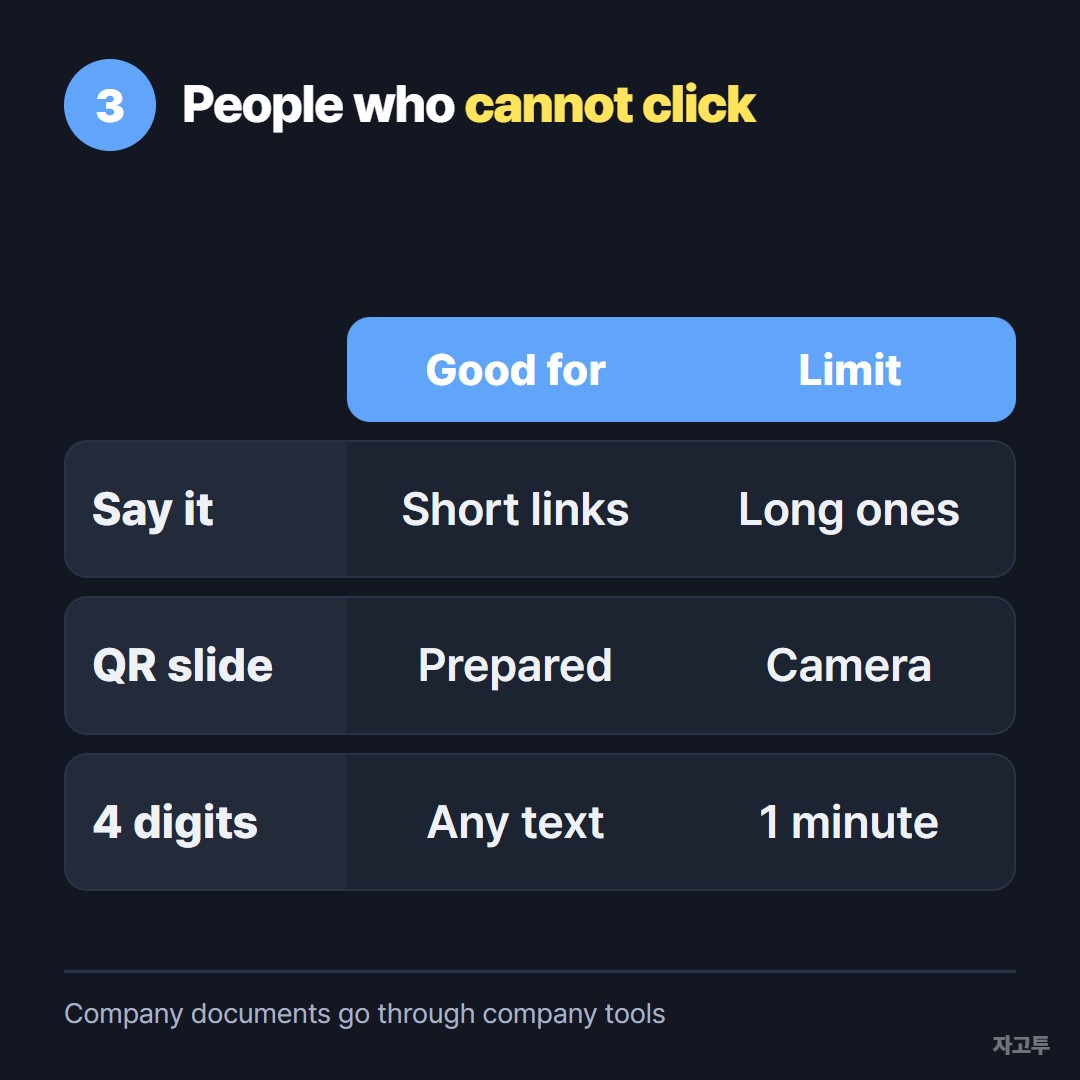
▲ A conference room screen can show a link but cannot hand it over
A Meet hardware room or a TV in a conference room can show the chat, but nobody in that room can click it. The same goes for someone dialed in by phone.
You can share your screen and read the link aloud, but long addresses rarely survive that. A short alias or a QR code on a shared slide works if you prepared one.
For a link that comes up mid-meeting, ZAGO.TO is another option. Paste the link on your laptop and you get a 4-digit code.
Say the four digits aloud, and people in the room open the same site on their phones and type them. The text appears, up to 10,000 characters.
It has limits worth knowing. Unopened text is deleted after 1 minute, and opened text 1 minute after that, so it cannot be opened again later.
It moves text and links only, not files. There is no in-browser encryption yet, so the ZAGO.TO server can read what you paste.
A public form link is fine. A private document with sensitive data should go through your company tools instead.
If you also run Zoom calls, the same three moments look slightly different there, and they are covered in How to share a Zoom link.
For handing text to a full room without any meeting software, see Share text with a room full of people.
Questions people ask
Can I share a Google Meet link before the meeting starts? Yes. Use Create a meeting for later on meet.google.com or add Meet to a Calendar event. The link works whenever people join.
How do I send a Google Meet link on WhatsApp? Copy the link from Meet or Calendar and paste it into WhatsApp. On the Meet phone app, the share option sends it there directly.
Why is the chat box missing for me? The host can turn off chat for participants. It can also be limited by your organization's settings.
Does the chat link stay after the call? Usually not. Put anything important in the event description or a follow-up email.