How to send a link on Facebook Messenger, with or without the big preview card
2026-10-18
This post contains affiliate links. As an Amazon Associate, ZAGO.TO earns from qualifying purchases.
Why does a simple link turn into a huge card with a photo and a headline the moment you paste it?
That card is Messenger's link preview.
This post covers how to send a link on Facebook Messenger, how to drop the preview when you want a plain address, and what to check when the link will not open on the other side.
Contents
- Sending a link, phone and computer
- Sending it without the preview
- Sending a link to yourself
- When a Messenger link is not working
1. Sending a link, phone and computer
▲ Copy first, then paste into the chat box
- On a phone: copy the link in your browser or app, open the chat, long press the message box and tap Paste.
- From another app: tap Share on the page and choose Messenger, then pick the person. This works well for YouTube links.
- On a computer: copy the address from the address bar, click into the chat on messenger.com or facebook.com and press Ctrl+V or Cmd+V.
A preview usually loads a second after you paste. You can send right away, and the link still works even if the card has not appeared yet.
2. Sending it without the preview
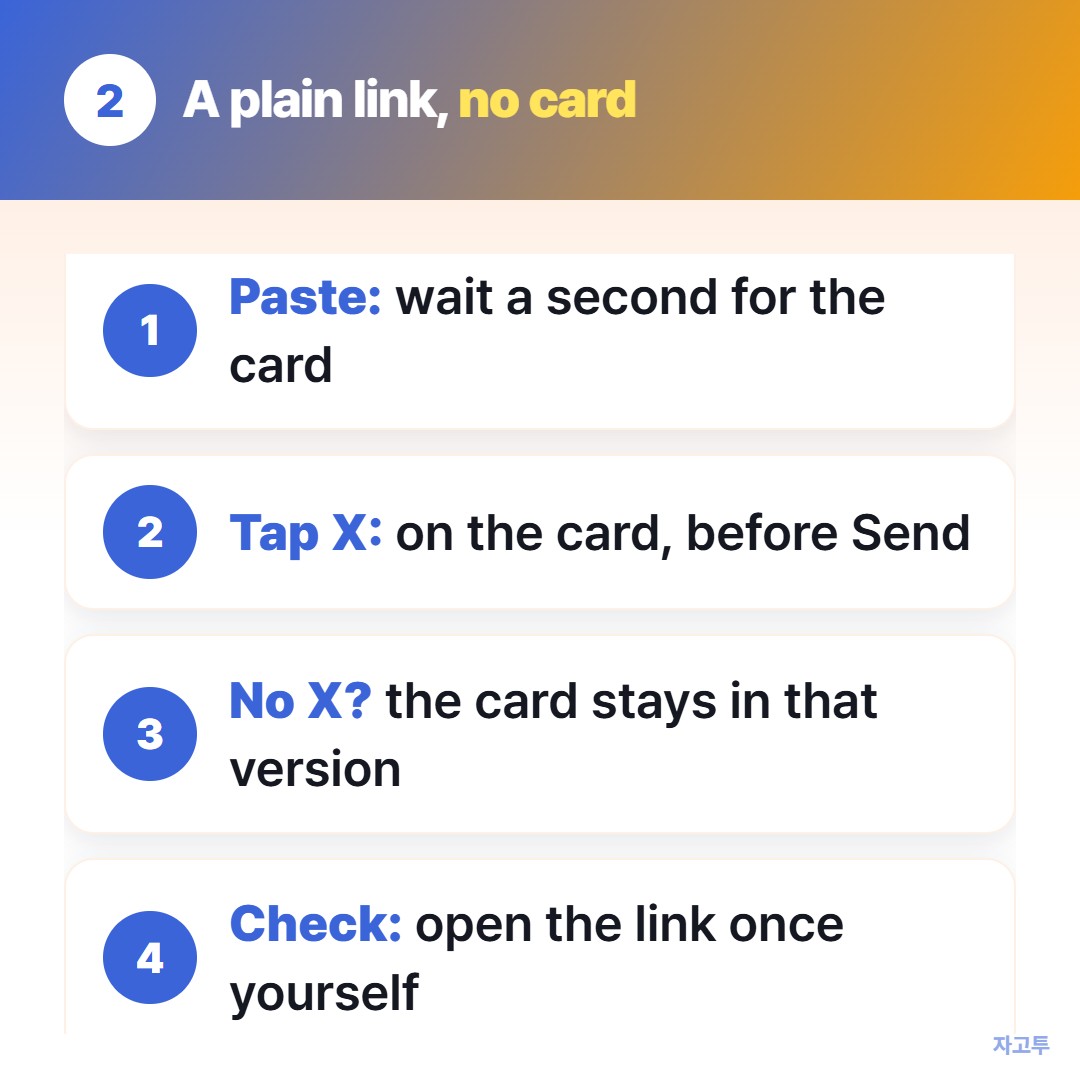
▲ Remove the card before you hit Send
Look for a small X on the preview card above the message box before you send. Tapping it removes the card and leaves the address as text.
Where the X is missing, as in some app versions, the card stays.
A preview is useful for news or videos. It gets in the way when the link is a login page, a form, or something you want to look plain. It can also show a title or image you did not mean to share.
If you need the address to look plain every time, sending it in a text message is one option.
How to send a link in a text message covers previews there.
3. Sending a link to yourself
Search your own name in Messenger and open the chat with yourself. Links you paste there wait for you on your other devices.
It is handy, but that chat keeps everything until you delete it. If you only need the link for the next minute on another device, a short-lived route is tidier.
That is where ZAGO.TO fits. Paste the link on one device, get a 4-digit code, and type the digits at zago.to on the other. No Messenger thread, no saved copy.
ZAGO.TO has clear limits. It carries text only, no photos or files, up to 10,000 characters.
The text is deleted 1 minute after it is opened, or after 1 minute if nobody opens it, and it cannot be opened twice.
There is no in-browser encryption yet, so our server can read what you paste. Fine for a page address, never for a password.
4. When a Messenger link is not working
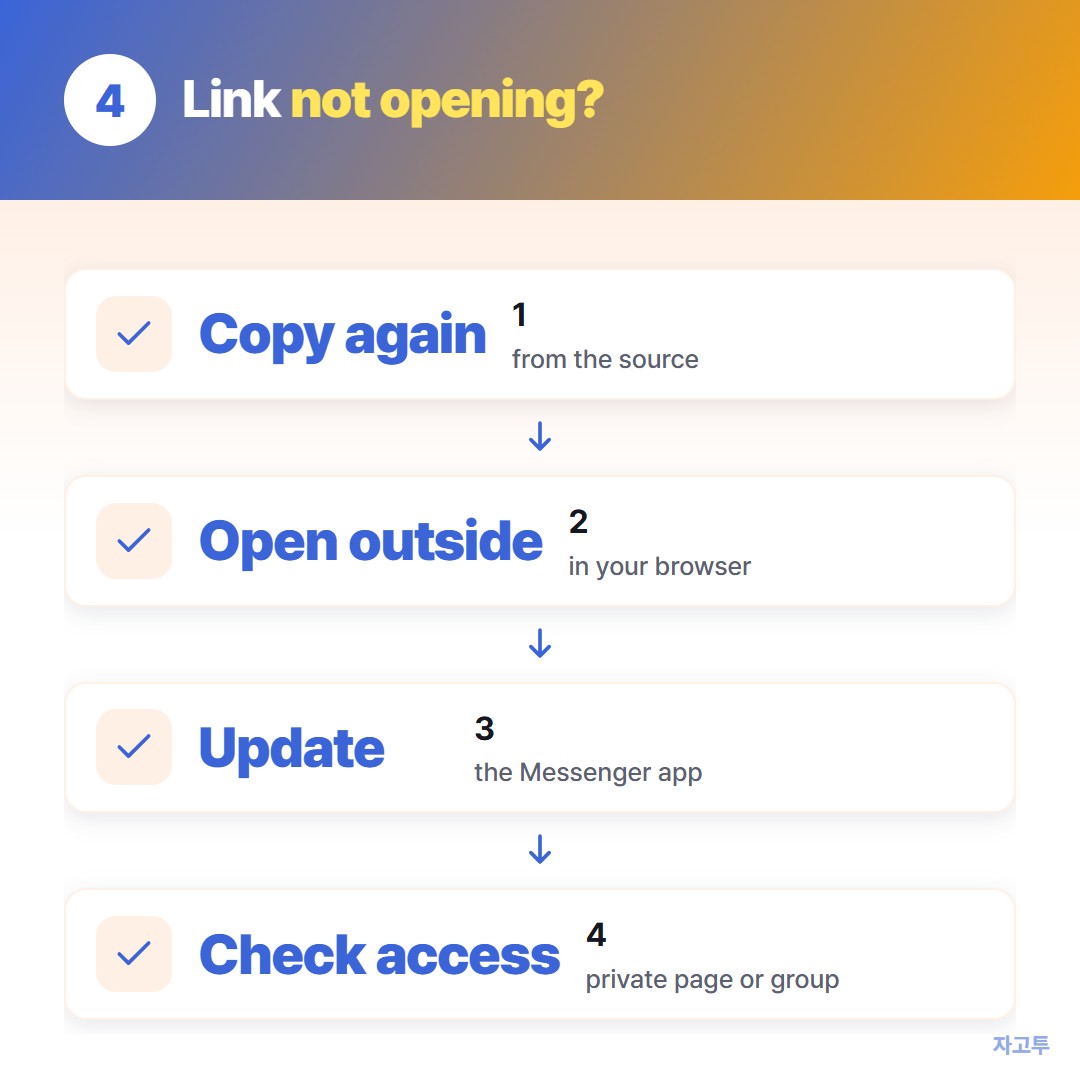
▲ Go through them in order
- The link got cut. A link split over two lines or missing its last characters lands on an error page. Copy it again from the source instead of from an old message.
- It opens inside Messenger. Links open in Messenger's own browser by default. Use the menu in that view to open the page in your usual browser if a sign-in fails.
- The app is out of date. Update Messenger from your app store. Old versions are a common reason links will not open.
- The page itself is private. A Facebook page or group link may need the other person to be signed in or a member.
Sending the same link to several people at once? How to share a link with a group compares the options.
Checklist before you send
- Paste, then wait a second for the preview.
- Tap the X on the card if you want a plain address.
- Open the link once yourself if it is long, to make sure it was not cut.