How to open a website on Nintendo Switch, the hidden browser and its limits
2026-10-14
This post contains affiliate links. As an Amazon Associate, ZAGO.TO earns from qualifying purchases.
Short answer: the Switch has no browser app. A built-in browser exists, but it only opens for Wi-Fi sign-in pages and a few in-app screens.
You are on the couch with the Switch in your hands, and you want to look something up. A walkthrough, a recipe, the page a friend just mentioned.
You scroll the Home menu and there is no browser icon anywhere.
How to open a website on Nintendo Switch is one of the most searched Switch questions, and the honest answer is shorter than the videos suggest. Here are the questions people actually ask.
Is there a web browser on Nintendo Switch?
▲ The browser is there, but it stays behind specific screens
Not one you can open. Nintendo has never released a general web browser app for the Switch.
There is a browser engine inside the system. It appears when the console needs to show you a web page for its own reasons, then closes again.
Where does the hidden browser actually show up?
The best-known place is a Wi-Fi network that needs a sign-in page, like at a hotel, a café or an airport.
When you connect from System Settings, then Internet, the Switch opens that sign-in page in a browser window. It is built for logging into Wi-Fi, not for daily browsing.
Some games and apps also open web pages inside themselves, such as help pages or account links. Those stay on the page the app chose.
What about the DNS trick from YouTube?
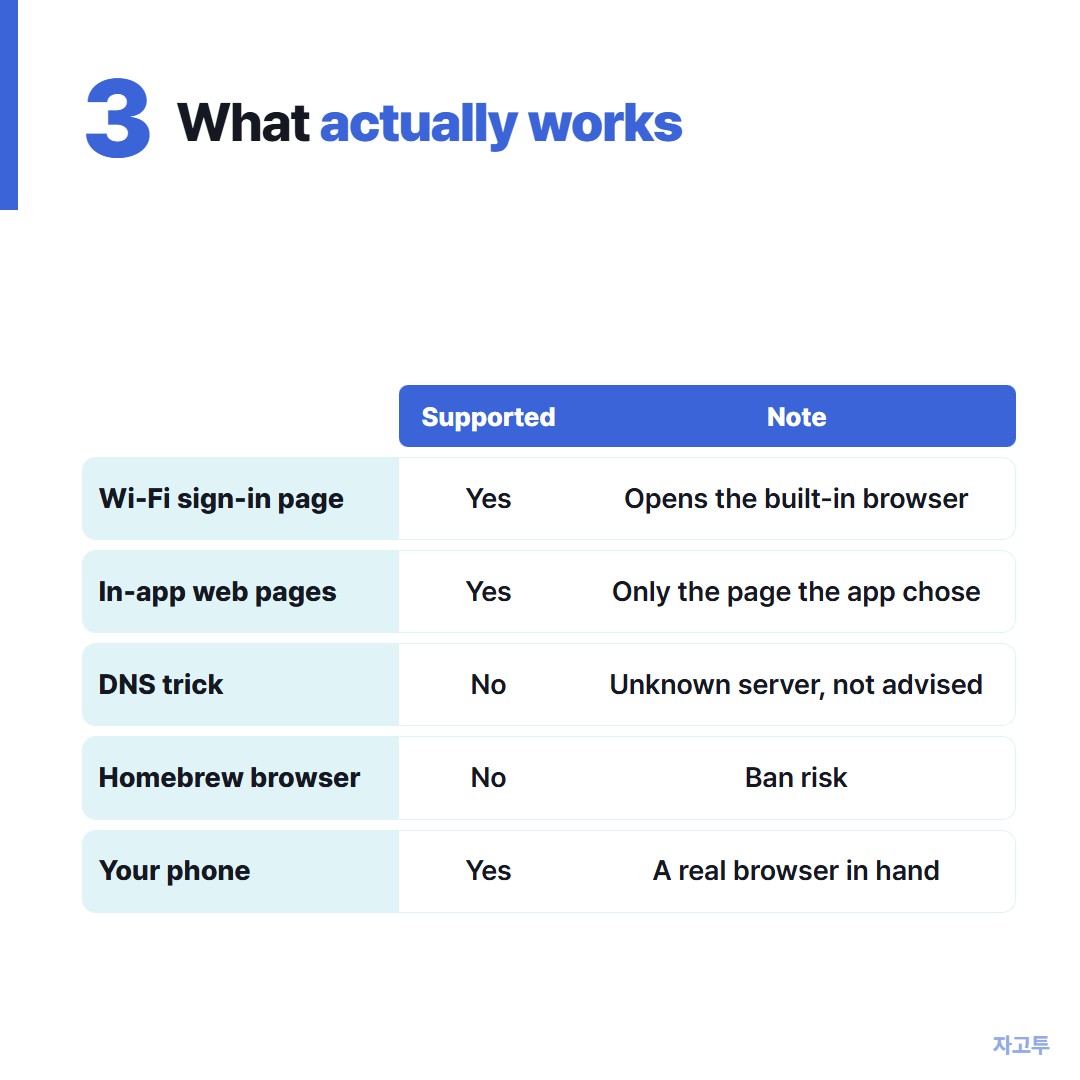
▲ Only the supported rows are things Nintendo backs
The popular videos change the console's DNS settings so that a third-party server acts like a sign-in page and drops you into the browser.
It can work, but it sends your console's lookups through a server you do not know. We do not recommend it, and Nintendo does not support it.
If you already tried it, set DNS back to automatic in the Internet settings.
Homebrew browsers need a modified console, which risks a ban from Nintendo's online services. That is a poor trade for reading one web page.
Does the Switch 2 have a browser?
Not as an app on the Home menu, at the time of writing. Treat any video promising a Switch 2 browser the same way as the DNS trick above.
So what is the practical way?
Use the phone in your other hand. It has a real browser, and it is usually within reach.
The annoying part is when the page you want is on a computer, or the link is long. Typing it into the phone is where people give up.
For text, ZAGO.TO shortens that step. Paste the link on zago.to on the computer and you get a 4-digit code.
Type that code on zago.to in the phone's browser. The link appears, ready to tap.
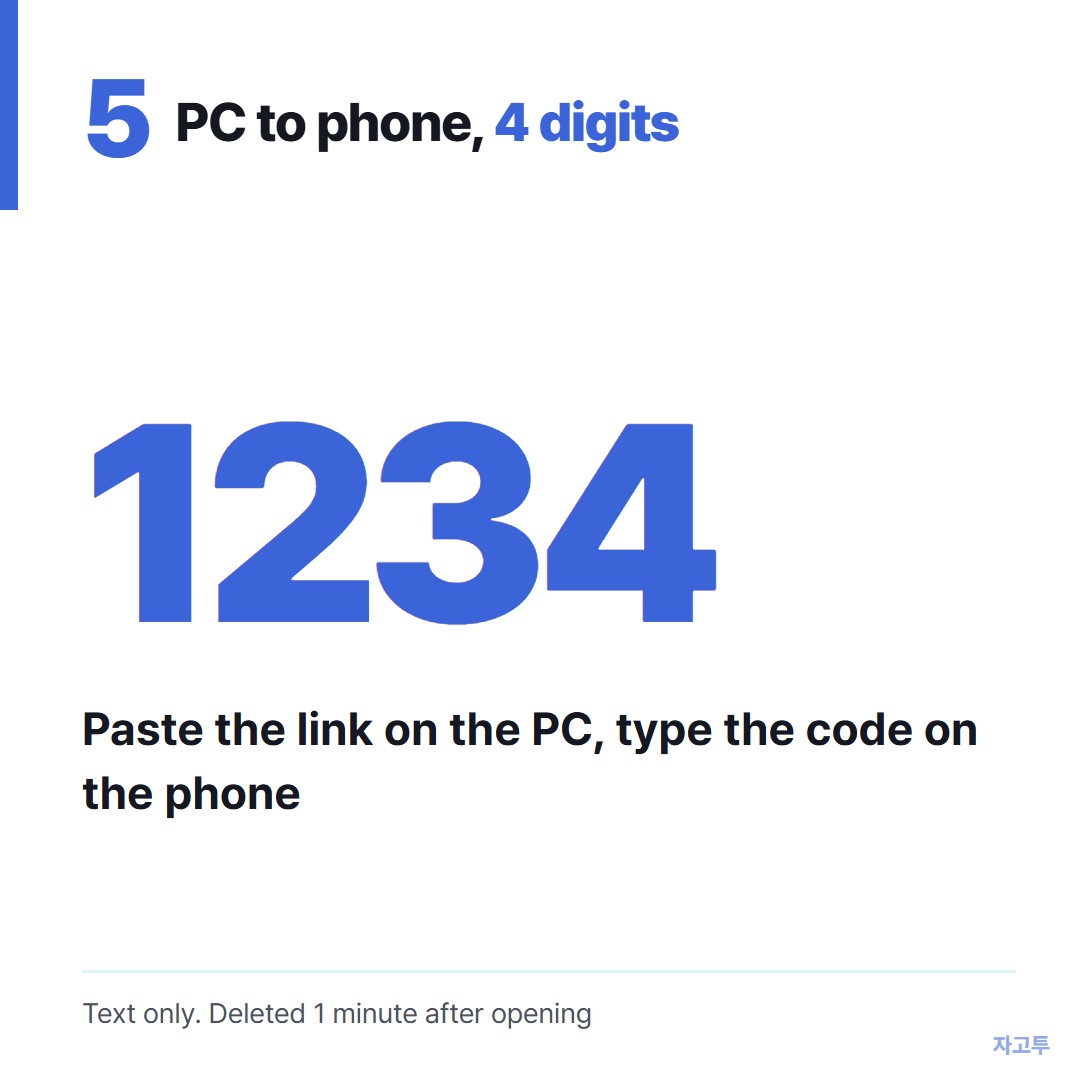
▲ An example code. Real codes are random
It carries text only, up to 10,000 characters. Unopened text is deleted after 1 minute, and opened text 1 minute after it is opened. It cannot be opened twice.
There is no in-browser encryption yet, so our server can read what you send. A walkthrough link is fine. A password is not.
It does not open anything on the Switch itself. ZAGO.TO needs a browser on both ends, and the Switch does not give you one.
Other screens with the same problem: Is there a Chromecast browser? and Send link to TV from your phone.
Questions people ask
Can I watch YouTube in the Switch browser? Not through the hidden browser. It is limited to the pages that open it.
Why does the Wi-Fi sign-in page not appear? It only opens on networks that ask for a sign-in. A normal home network connects straight away.
Can I sign in to hotel Wi-Fi with the Switch? Yes. That is exactly what the built-in browser is for.
Is it safe to change DNS on the Switch? It routes your lookups through someone else's server. Set it back to automatic when you are done.