How to copy and paste in PuTTY, where selecting already copies
2026-10-20
This post contains affiliate links. As an Amazon Associate, ZAGO.TO earns from qualifying purchases.

Why does Ctrl+C do nothing in PuTTY, and why did a right click just paste half a script into your server?
Because PuTTY follows the old X terminal habit, not the Windows one. Learning how to copy and paste in PuTTY takes about a minute once you know that highlighting is the copy step.
How do I copy in PuTTY?

▲ The moment you let go of the mouse, the text is on the clipboard
Drag across the text with the left mouse button and let go. That is it.
There is no copy key to press. The selection goes straight to the Windows clipboard, ready for Ctrl+V in Notepad or a browser.
- A single word: double click it.
- A whole line: triple click it.
- Everything on screen and above it: right click the title bar and choose Copy All to Clipboard.
Ctrl+C keeps its terminal meaning. It sends an interrupt to the program running on the server, so pressing it after a selection can stop a command you wanted to keep.
How do I paste in PuTTY using the keyboard or mouse?
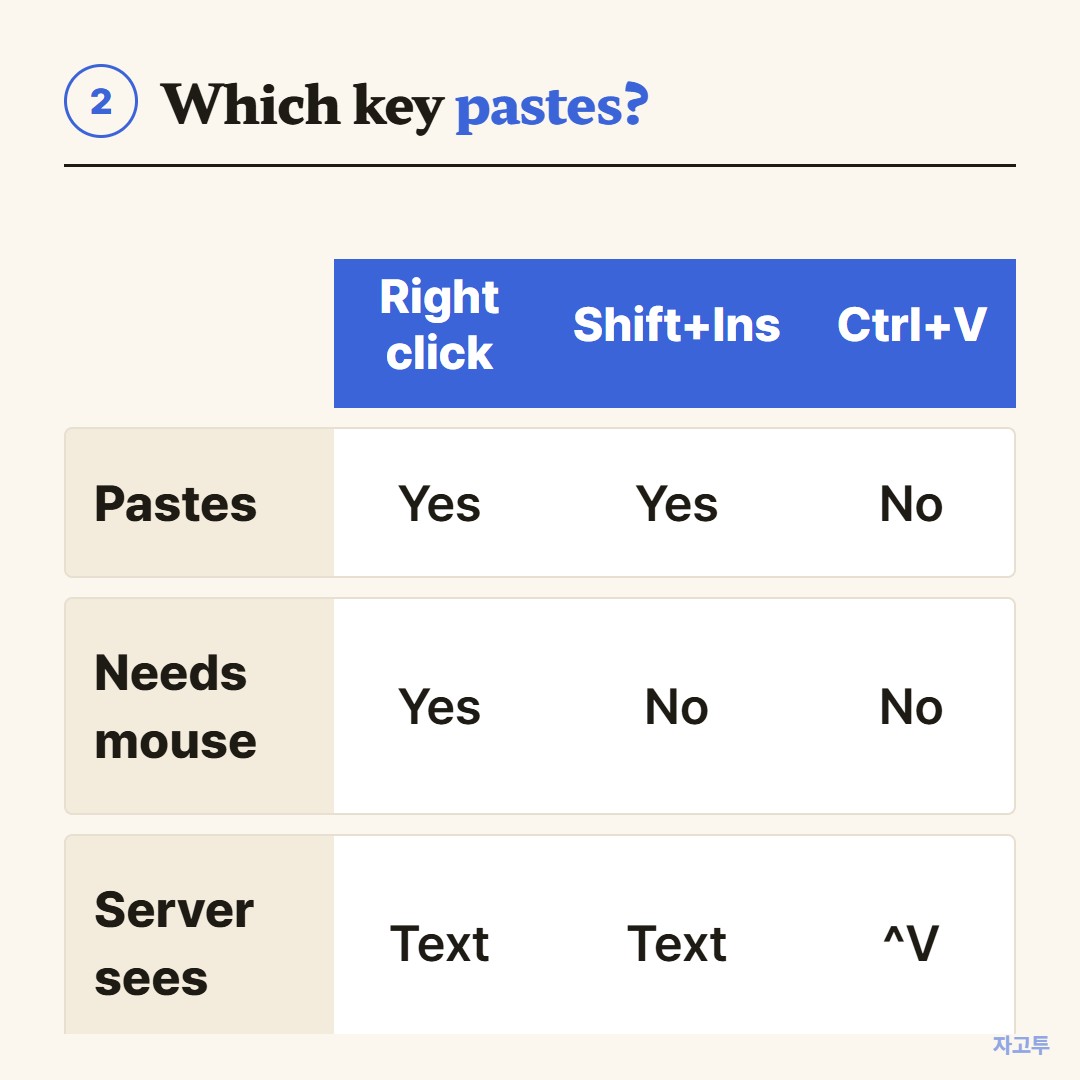
▲ Right click and Shift+Insert both paste the Windows clipboard
- Right click anywhere in the window pastes.
- Shift+Insert pastes from the keyboard. This is the answer for most "using keyboard" searches.
- Ctrl+V usually does nothing useful. The server receives it as a control character instead.
If right click opens a menu instead of pasting, someone changed the mouse setting.
In the settings, open Window, then Selection, and look at the action of mouse buttons. The Windows option moves paste to the middle button or the menu.
Why is a right click paste risky?
A paste in PuTTY is typed into the live shell, line breaks included.
Copy three lines from a guide, right click, and all three run at once. If the guide had a stray `rm` or a line meant for a different server, it runs too.
A few habits help:
- Paste into Notepad first when the block has more than one line.
- Check for invisible line breaks at the end of a single command.
- Keep your mouse off the window while reading, since one accidental right click pastes whatever you copied last.
Copy and paste over SSH in general, including OpenSSH on Windows, is in SSH copy paste.
If you use Linux terminals too, their different shortcuts are in how to copy and paste in the Linux terminal.
What if the command is on another device?
The guide is open on your phone, and PuTTY is on a Windows PC. There is no shared clipboard, and typing a long command by hand is where typos come from.
ZAGO.TO moves the text. Paste the command on the phone, get a 4-digit code, open zago.to on the PC, and type the digits. Copy the text from the browser, then right click into PuTTY.
It is text only, up to 10,000 characters, gone 1 minute after opening or after 1 minute unopened, and it cannot be opened again.
Our server can read the text because in-browser encryption is not built yet, so private keys and passwords stay off ZAGO.TO.
Checklist
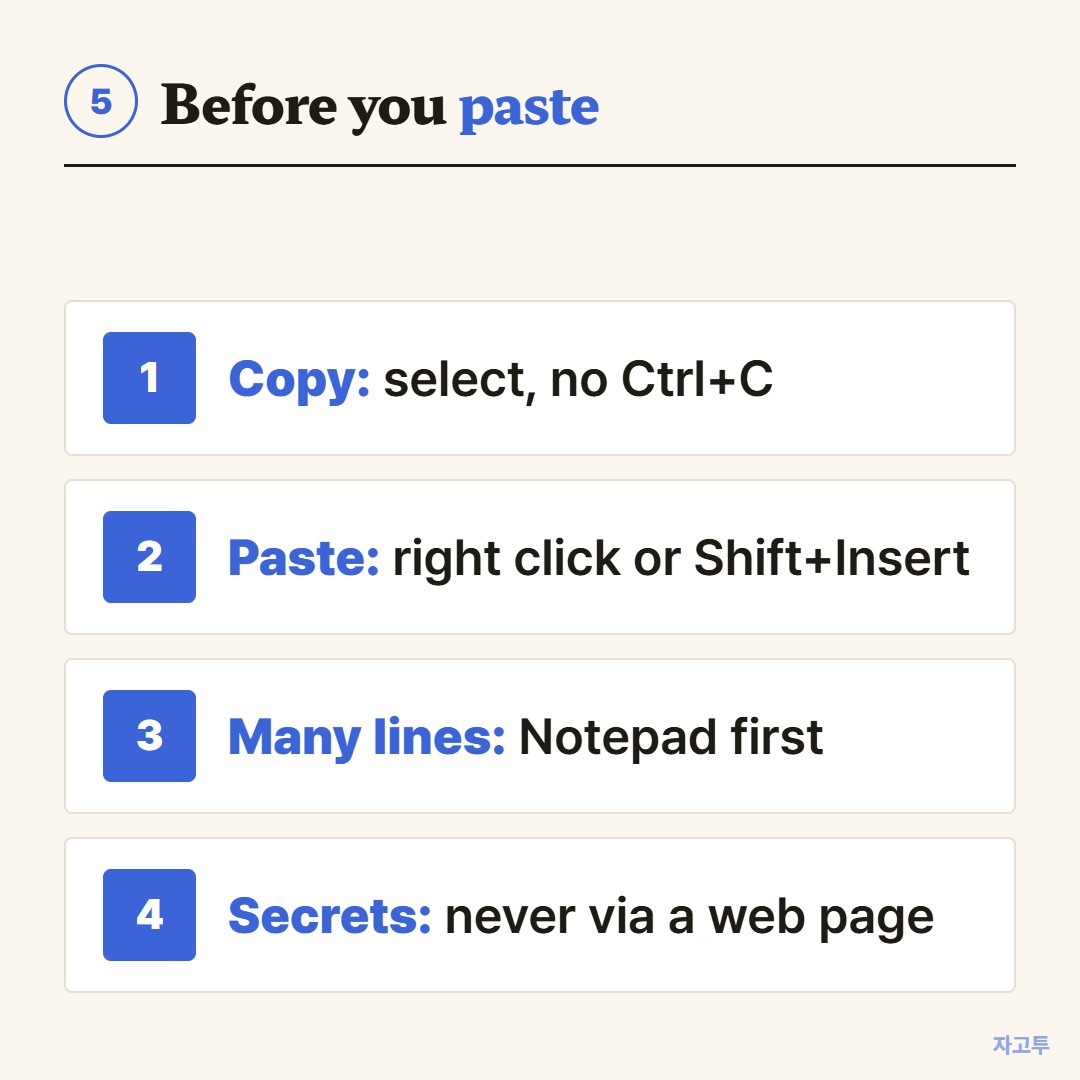
▲ Four checks that take five seconds
- Select to copy, and leave Ctrl+C alone.
- Paste with right click or Shift+Insert.
- Multi-line blocks go through Notepad first.
- Secrets never go through a web page.