Gimkit join code: where students type it, and how to share the game link instead
2026-10-16
This post contains affiliate links. As an Amazon Associate, ZAGO.TO earns from qualifying purchases.
Twenty-eight students, one projector, and a Gimkit join code on the board that half the room is still squinting at. Then someone at the back asks where they are supposed to type it.
Most Gimkit join problems come down to timing. The code does not exist until you start the game, and it stops working when the game ends.
Before class: the kit is ready, the code is not
▲ The code appears only after you start a live game
A kit is your set of questions. Making one, or copying one, does not create a join code.
The code is created when you host the kit live. So there is nothing to post in your class page the night before, unless you use an assignment instead of a live game.
For homework, Gimkit assignments give students a link to open on their own time. That is a different flow from the live code.
Starting the game: where the code shows up
Open the kit and choose to play it live. Pick a game mode, adjust the settings, and start the lobby.
The lobby screen shows two things in large type: the join address, gimkit.com/join, and the code itself. Many setups also show a QR code or a direct join link.
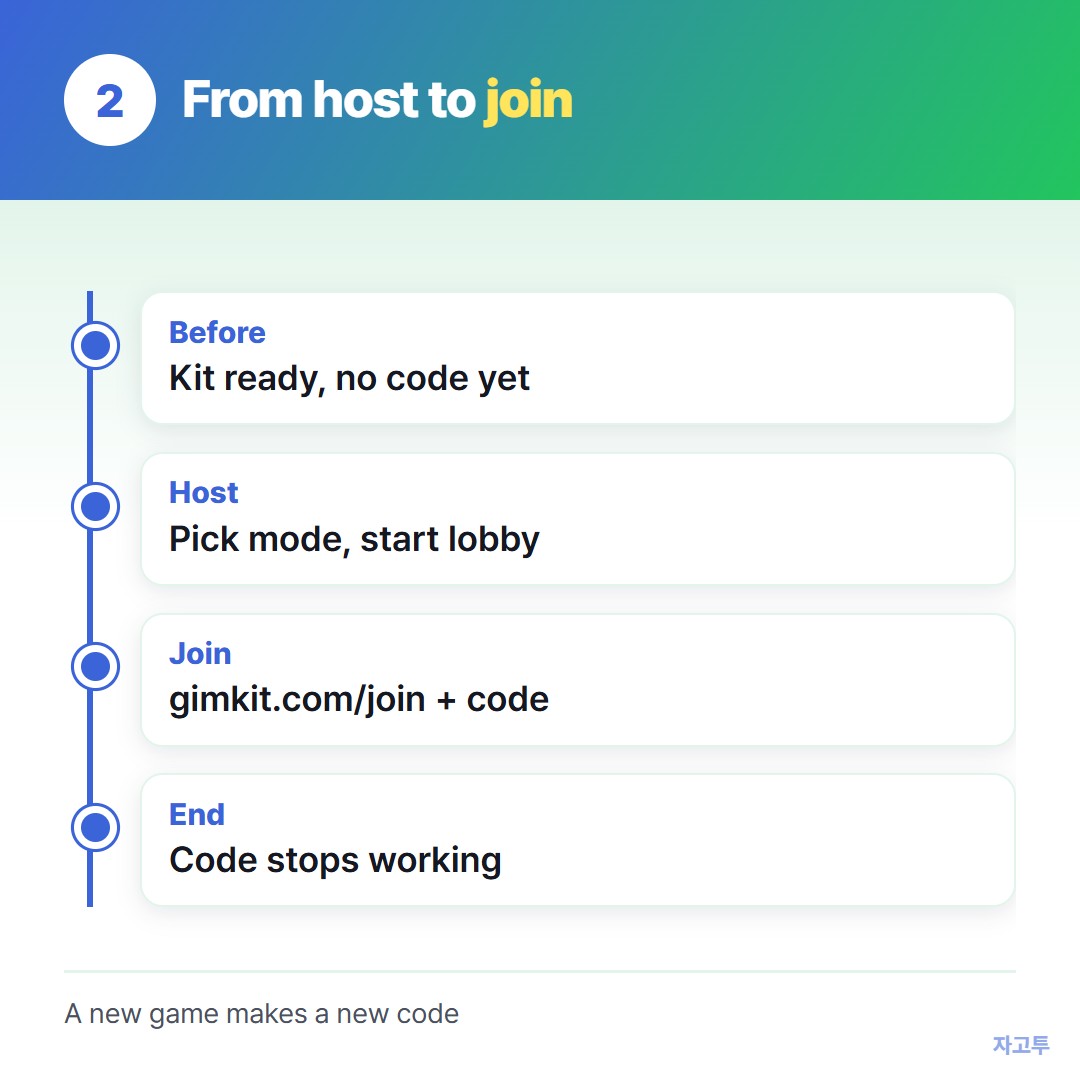
▲ Host, read the code, students join, start
During the game: where students type it
Students open a browser and go to gimkit.com/join, type the code, then enter a name. If you set the game to require accounts, they sign in first.
Typing the code is the step that fails most. A missing digit or an old code from yesterday sends them to an error.
A join link avoids typing the code at all. If your lobby shows one, copy it and post it where students already look, such as your class page.
The steps in How to share a link on Google Classroom work the same way for a game link.
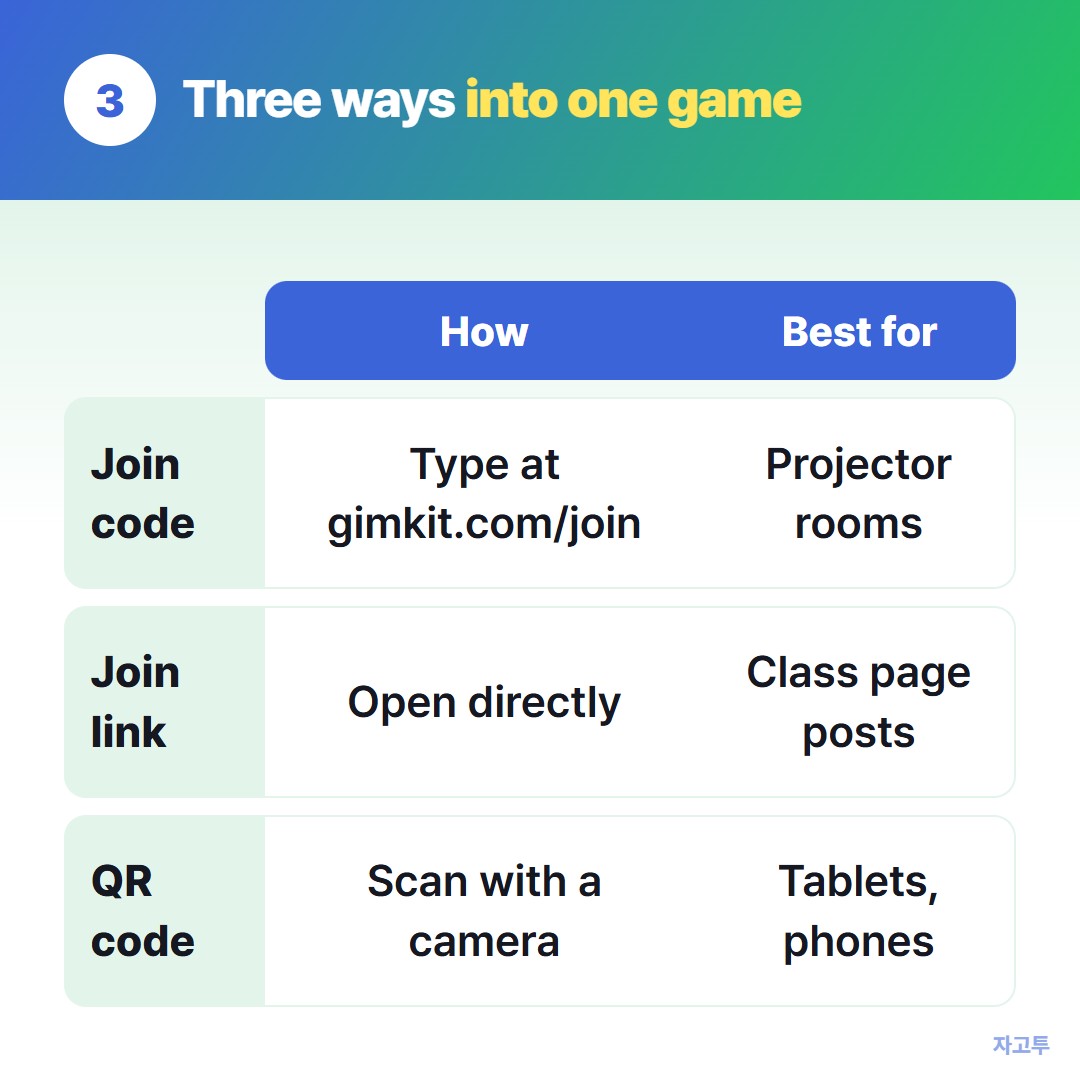
▲ Same game, three ways in
After the game: why the code stops working
When you end the game, its code is gone. Starting the same kit again later gives a new code.
That is also why searches for "gimkit join codes right now" lead nowhere useful. A code belongs to one live game that one teacher is hosting at that moment.
If the class also uses Seesaw, its join code works differently, covered in Seesaw student login.
When the link is on your phone, not the class PC
Sometimes the join link or a long kit link sits on your phone and the classroom computer is signed in to nothing.
ZAGO.TO can carry that one link. Paste it on your phone and you get a 4-digit code, then type the digits at zago.to on the PC.
It is deleted 1 minute after it is opened, or after 1 minute if no one opens it, and cannot be opened twice. Text only, no files.
ZAGO.TO has no in-browser encryption yet. Its server can read the link, so keep it to game links, not passwords.
In short
- The Gimkit join code appears only when you host a kit live.
- Students type it at gimkit.com/join, or skip it with the join link or QR code.
- Ending the game ends the code. Hosting again makes a new one.