What is a clipboard on a computer or a phone, in plain words
2026-10-06
This post contains affiliate links. As an Amazon Associate, ZAGO.TO earns from qualifying purchases.
One. That is how many things a classic clipboard holds at a time.
You press copy, then paste, and the words appear somewhere else. Between those two presses they were sitting in the clipboard.
So what is a clipboard, exactly? It is a small holding space your device keeps in memory for whatever you copied last. You never open it like an app. It just waits until you paste.
Contents
- What is a clipboard on a computer
- What is a clipboard on your phone
- Why it does not cross devices on its own
- In three lines
1. What is a clipboard on a computer
▲ Copy and paste both pass through the same small holding space
On Windows, a Mac or a Chromebook, the clipboard holds what you copied with Ctrl+C or Cmd+C, or with Copy in a right-click menu.
Text, a picture, a file, a chunk of a spreadsheet. When you copy something new, it replaces what was there.
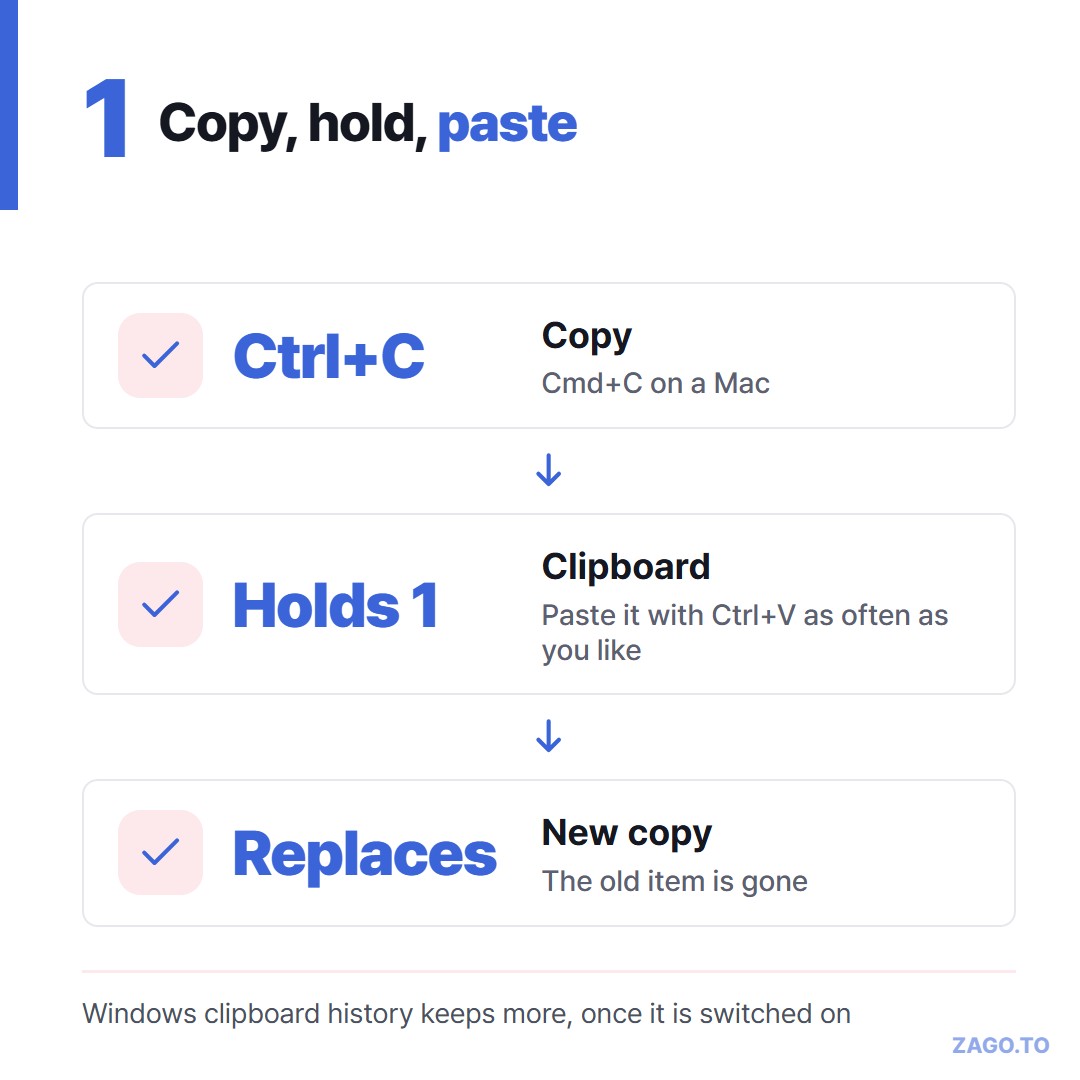
▲ A new copy pushes the old one out
That is the classic behavior, and it is why people lose things. You copy an address, then a phone number, and the address is gone.
Newer systems soften this. Windows 11 and 10 keep a clipboard history you can open with the Windows key and V, once it is switched on.
We walked through that in Windows clipboard history.
The clipboard is also emptied in some situations, such as a restart, unless history or a sync feature keeps a copy.
2. What is a clipboard on your phone
Phones have one too, and it works the same way: copy, then paste.
Where you can see it depends on the phone. On many Android phones, Samsung and Gboard keyboards have a clipboard button that lists recent items.
On an iPhone there is no screen for it. The phone simply remembers the last thing you copied.
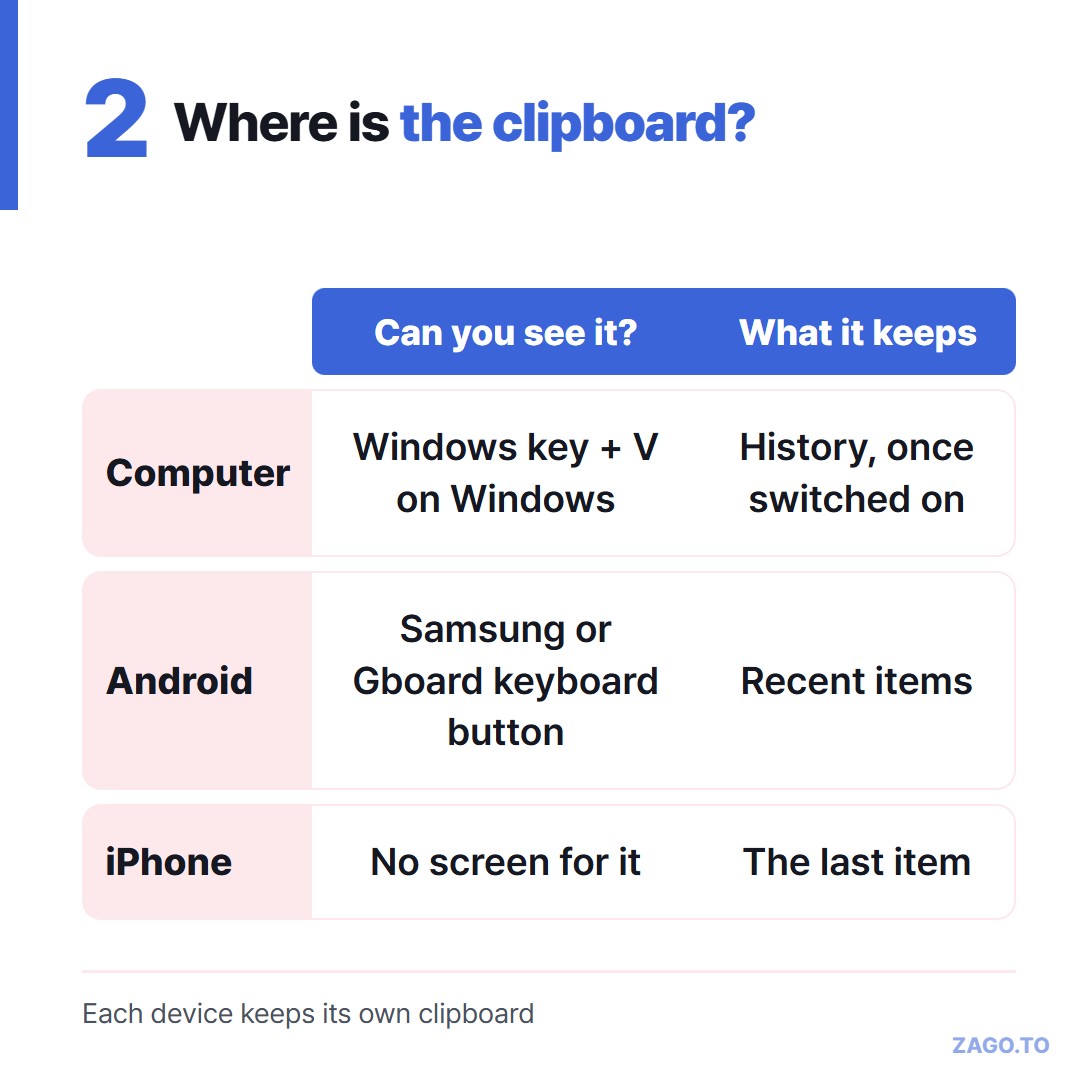
▲ Some keyboards show a list. The iPhone shows nothing at all
3. Why it does not cross devices on its own
Each device has its own clipboard. Copy on the phone, and the laptop's clipboard does not change.
Sync features build a bridge between them. Universal Clipboard links Apple devices signed into one account, and Phone Link joins Windows with many Android phones.
They are good when both devices are yours and set up. They do nothing for a mixed pair or a borrowed computer.
That gap is described in When Universal Clipboard has nothing to sync with.
For it, ZAGO.TO works like a clipboard you can carry by hand. Paste text on one device, get four digits, and type them on the other.
The text is deleted 1 minute after it is opened, or after 1 minute if nobody opens it. It cannot be opened again.
It moves text only, up to 10,000 characters. Our server can read it while it is held, so leave passwords out.
4. In three lines
- A clipboard holds what you copied last, and a new copy replaces it
- Computers can keep a history, and phones show one only on some keyboards
- Each device has its own, so text crosses over only through a sync feature or a hand-carried code
Long text, in 4 digits.