Wallet address QR code: when to scan it and when to paste instead
2026-10-19
This post contains affiliate links. As an Amazon Associate, ZAGO.TO earns from qualifying purchases.
Should you scan the square or copy the text? A wallet address QR code and the copied address carry the same characters. What changes is where the risk sits.
The short version: scan when the code comes from your own wallet screen, paste when the address arrives as text, and check the result either way.
1. What the square actually holds
▲ The camera reads the same characters you would otherwise copy
A wallet QR is the address written as dots. Some wallets add a prefix such as bitcoin: and sometimes an amount, so the scan can fill two fields at once.
Nothing in the square proves who made it. A QR code is only as trustworthy as the screen or paper it came from.
That is the whole rule behind the next two sections.
2. Scan or paste: the honest comparison
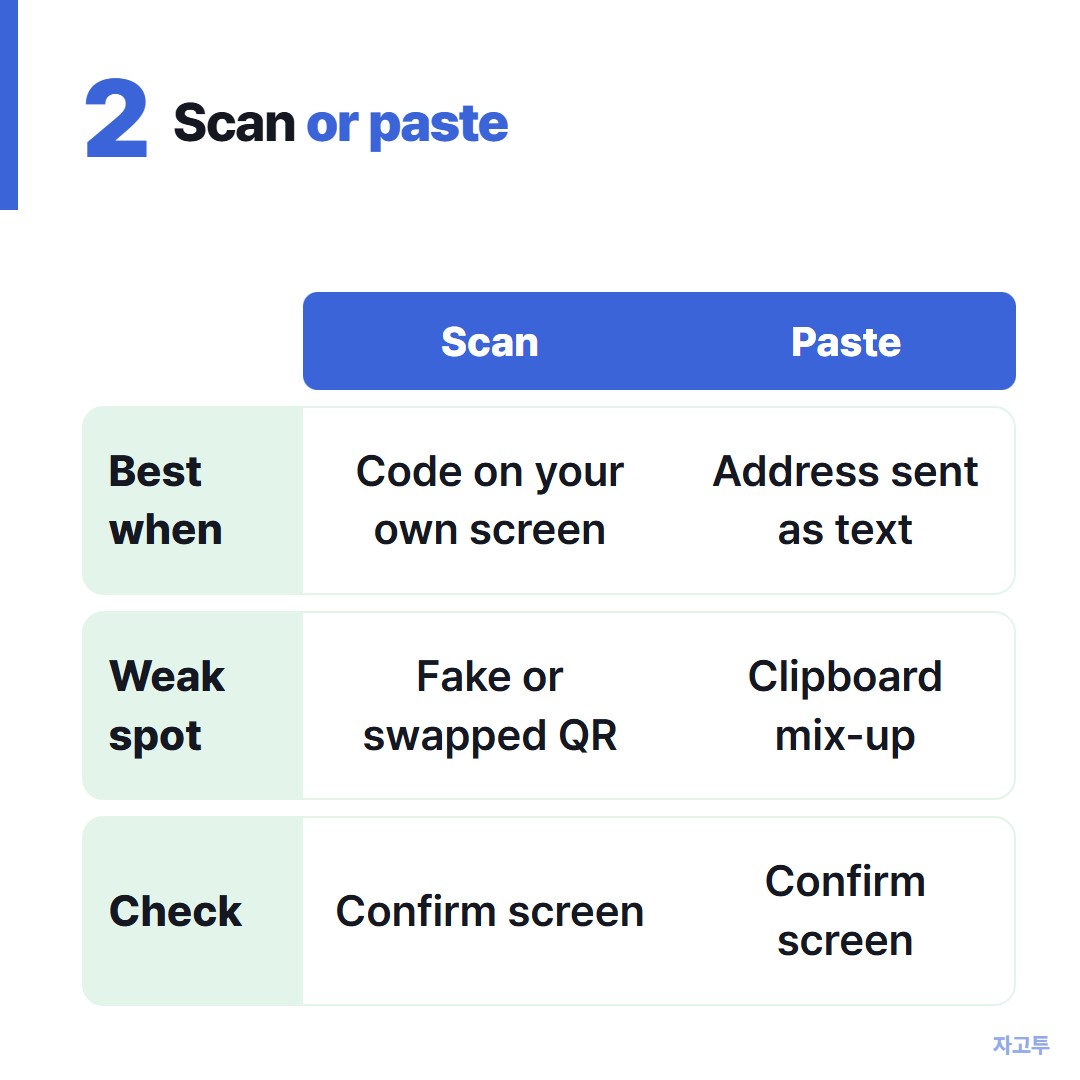
▲ Each route has its own weak spot
Scanning wins when the address is on one device and the wallet that needs it is on another. Your phone camera reads a receive code on a laptop screen in a second, and nobody types anything.
Pasting wins when the address reached you in a message, an invoice or a document. Turning that text into a QR with a free generator site adds a step and a stranger in the middle.
- Scan: your own receive screen, a friend standing next to you, a hardware wallet showing its own code.
- Paste: an address sent in chat or email, an exchange deposit page on the same device.
- Neither, yet: a QR from a flyer, a sticker or a direct message promising a refund or a prize.
A QR that says you will receive money but opens a send or connect screen is the classic trap.
3. Checks after any scan
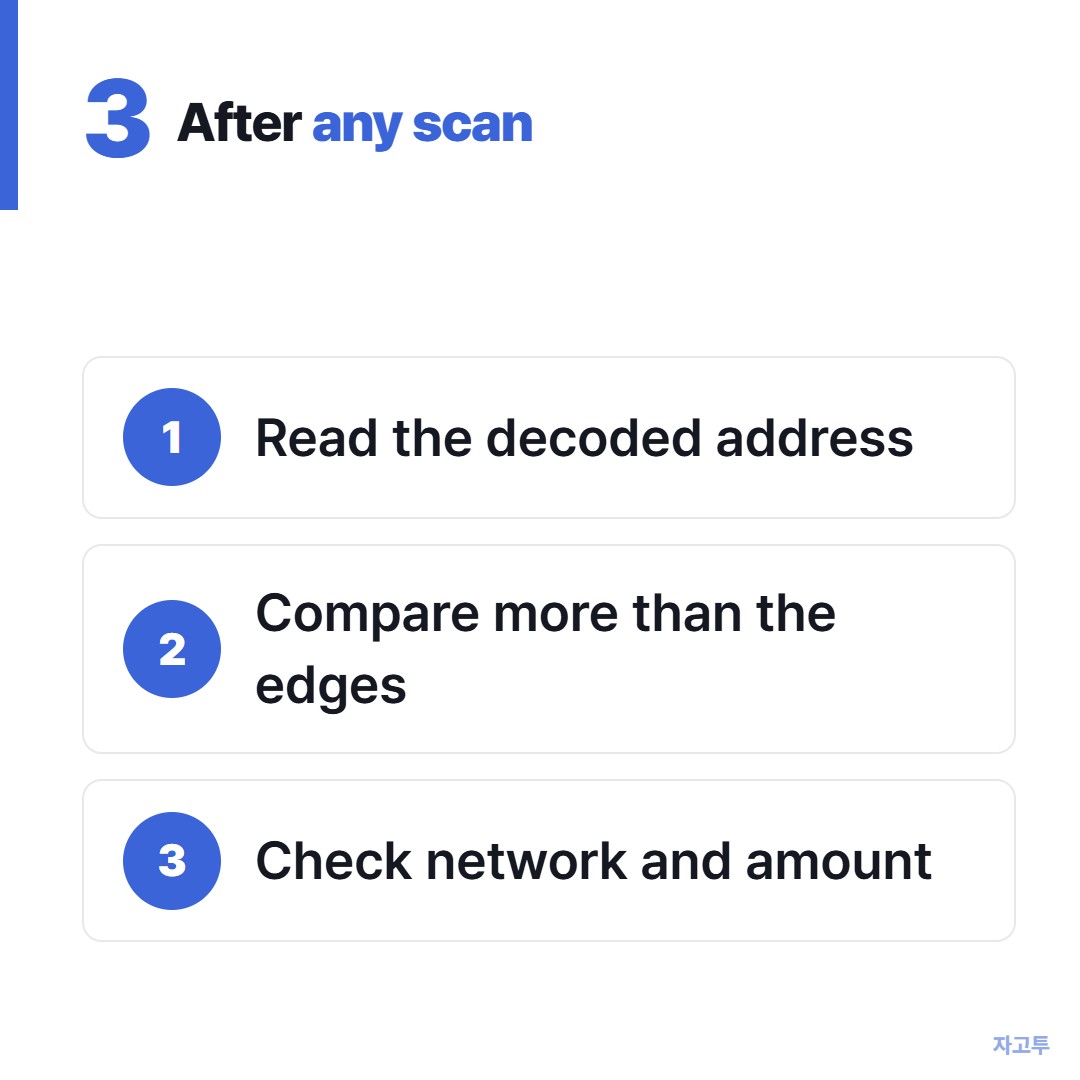
▲ The confirm screen is where you catch mistakes
- Read the decoded address on the confirm screen, not the preview in the camera app.
- Compare more than the edges. Our note on why the first and last four characters are not enough explains why look-alike addresses get past that habit.
- Check the network and any amount the code filled in for you.
If the camera is the problem, for example a laptop without one, the address can travel as text instead. ZAGO.TO turns pasted text into a 4-digit code you type on the other device.
A receive address is public, so that is a fair use. A seed phrase is not, and ZAGO.TO is the wrong place for it.
Know the limits. Our server can read what you send because in-browser encryption is not built yet.
The text is deleted 1 minute after it is opened, or after 1 minute unopened, and it cannot be opened twice. It moves text only, no images.
For the other ways to hand over an address, see how to give someone a wallet address without retyping it.
In one line
Trust the QR as much as you trust where it came from, and let the confirm screen have the last word.