Teams chat with yourself: where it went, and what your employer keeps
2026-10-07
This post contains affiliate links. As an Amazon Associate, ZAGO.TO earns from qualifying purchases.

Where did the chat with your own name go? Last week it sat at the top of your Teams list, full of links and half-written replies. Today you scroll, and it is gone.
That is the most common question behind "Teams chat with yourself" searches right now. The answer is short. The second question, what happens to everything you put in there, deserves a longer one.
1. How to chat with yourself in Teams, and where it hides

▲ The self chat behaves like any other chat, which is why it can drop out of sight
Microsoft Teams gives every user a chat with themselves. It shows your name with (You) after it, and you can send it text, links, files and notes the same way you would message a colleague.
If it has vanished, it is usually one of three things:
- It was hidden. Hidden chats leave the list but are not deleted
- It scrolled down. Unpinned chats sort by the last message, so a quiet self chat sinks
- The list is filtered. An active filter on unread or meetings can hide it
The fix is the same for all three. Start a new chat and type your own name in the "To" field. Teams opens the existing self chat, history intact.
Then pin it. Right-click the chat and choose Pin so it stays at the top.
2. What your employer keeps
Here is the part most guides skip. On a work or school account, your self chat is not a private notebook.
It is a chat stored in your organisation's Microsoft 365 tenant, the same as any message you send a coworker.
That has a few plain consequences:
- Retention policies apply. Your admin can set chats to be kept for years, or deleted after a fixed time, and the self chat follows the same rule
- Compliance search can include it. Staff with compliance roles can search chat content during an investigation or legal hold
- Deleting may not remove it. If a retention policy is on, a message you delete can be kept in a hidden location your admin controls
- You lose it when you leave. When your account is closed, the self chat goes with it
None of this means anyone is reading your notes. Usually nobody looks.
It means the company decides how long they exist and who may look. For work material, that is exactly what should happen.
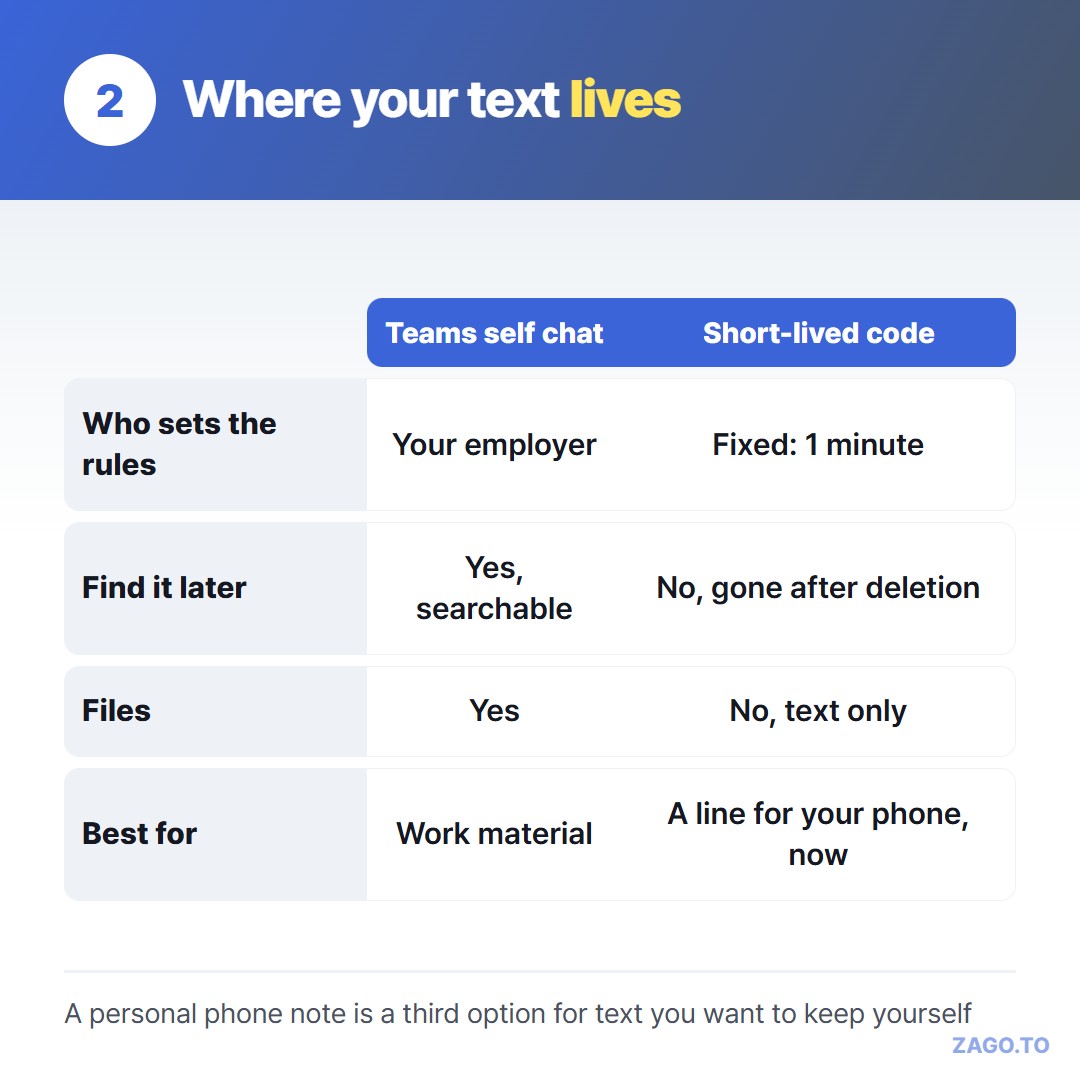
▲ Each option fits a different kind of text
3. Which text belongs where
The self chat is excellent for work things you want to find again: a meeting link, a draft reply, a file you need on your phone later.
It syncs to the Teams mobile app, so it is also a quick bridge between your work laptop and your phone.
Personal text is different. Your own address, a friend's phone number, a link to your bank's help page. Putting those into a chat your employer retains is a habit worth breaking.
For text you want on your phone for the next few seconds and nowhere afterwards, ZAGO.TO is a short path.
You paste it on the laptop, get a 4-digit code, and type that code on your phone's browser.
The text is deleted 1 minute after it is first opened, or after 1 minute if nobody opens it.
Be clear about the limits. It moves text only, up to 10,000 characters, never files. Once deleted, it cannot be opened again.
There is no browser-side encryption yet, so the server can read the text while it holds it, up to two minutes. Passwords and bank details should not go through it either.
And it does not get you around company rules. If your employer blocks personal sites on a work laptop, that is their call to make, and the self chat or a question to IT is the right path.
A longer take on moving a paragraph without accounts is in moving a paragraph to your other device.
What deleted means here covers what ZAGO.TO actually removes.
Checklist before you type into your self chat
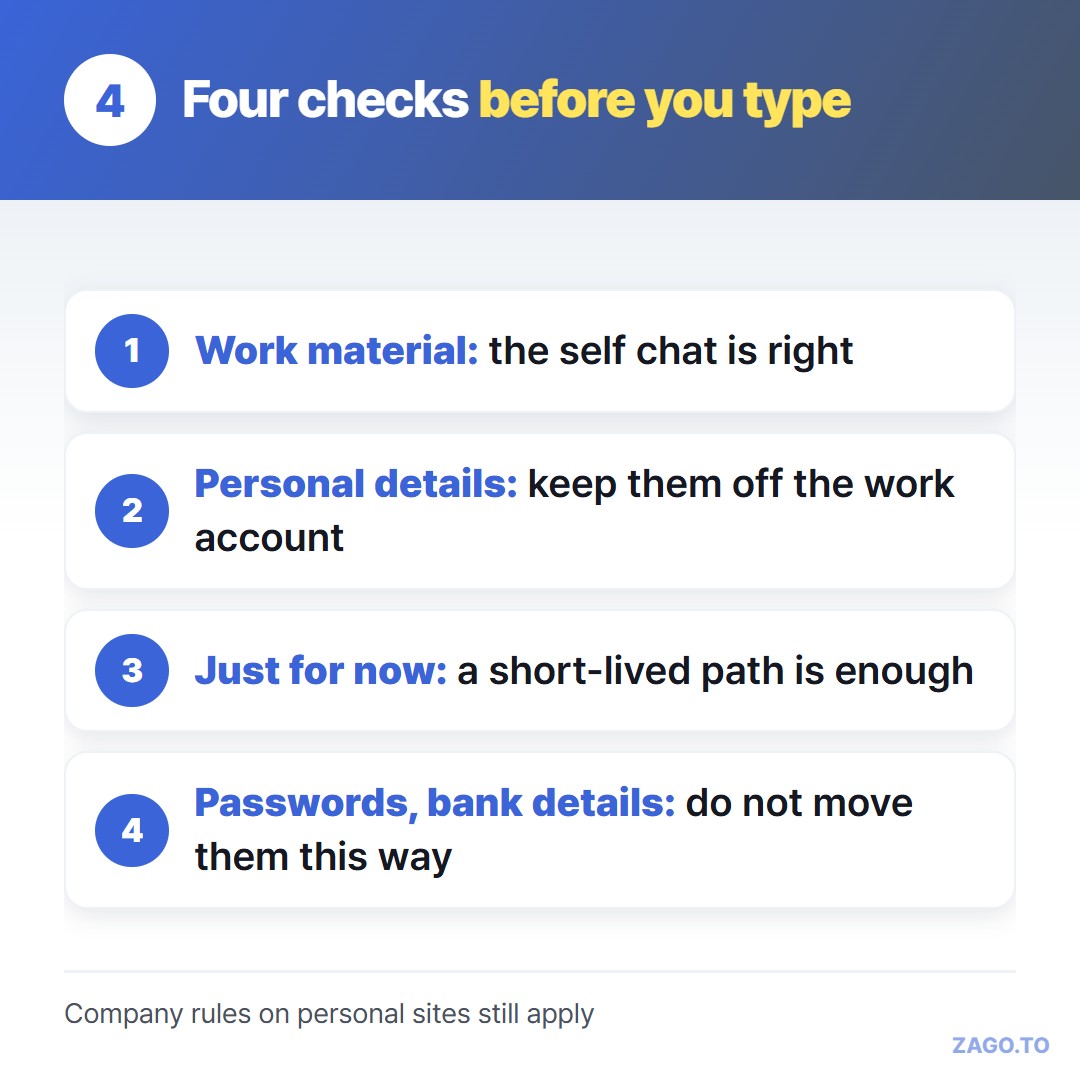
▲ Thirty seconds of thought saves a lot of cleanup later
- Is this work material you will want to find again? The self chat is the right place
- Is it personal, like an address or a family member's number? Keep it off the work account
- Do you just need it on your phone right now? A short-lived path is enough
- Is it a password or a bank detail? Do not move it with any of these
Long text, in 4 digits.