Sending long text online when a message is too long
2026-09-28
This post contains affiliate links. As an Amazon Associate, ZAGO.TO earns from qualifying purchases.
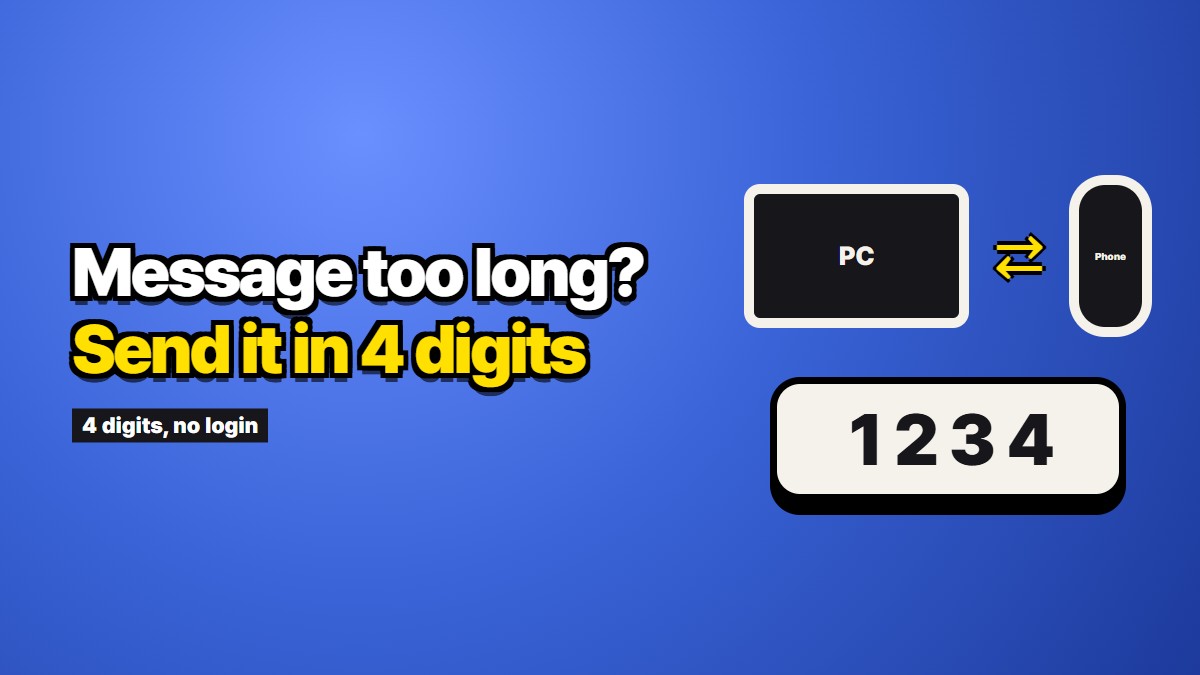
You wrote something long. A set of directions, a cover letter draft, a recipe with all the steps, a block of notes from a meeting. Now it needs to be somewhere else, on your phone or in front of another person, and the usual message box is not cooperating. This guide is about how to send long text online without it arriving in pieces, cut short, or parked forever in a chat history you did not want it in.
It starts with the length problem itself, because most of the trouble comes from limits people never see until they hit them.
Why long messages break
Text messages were built for very little text. A classic SMS holds 160 characters. That number shrinks to 70 the moment the message contains a single emoji, a curly quote pasted from a word processor, or any letter outside a basic Latin set. Anything longer is quietly cut into segments, each a little shorter than the full limit because part of the space goes to the numbering that tells the phone how to put them back together.
Segments do not always arrive together. Most modern phones reassemble them so smoothly that you never notice. Older phones, some international routes, and some carrier gateways deliver them one by one, out of order, or with a piece missing. The person on the other end sees half a paragraph, then an unrelated fragment, then the start.
Some carriers turn long texts into picture messages. When a message passes a certain length, many phones and carriers convert it to MMS behind the scenes. That can mean a different size cap, a charge on some plans, a failure on weak data, or a message that shows up as an attachment instead of text. If you have ever wondered why a long text on Android turned into something with a download button, this is usually why.
Chat apps are more generous but not endless. iMessage, RCS, WhatsApp, Telegram and Signal all handle long messages far better than SMS. Several of them still have an upper limit, and a few fold very long messages behind a "read more" line, which is easy to miss on a small screen.
Social and form fields cut you off hard. Comment boxes, direct messages on some platforms, and contact forms often stop accepting text at a fixed count. The cut is usually silent. You paste, and the last third of your text is simply not there.
The second problem: where it stays
Say the long message does get through in one piece. It now lives in a thread.
That is useful if you want it later, and it is the reason messaging yourself is such a common habit. It is less useful when the text was meant to be read once. Draft wording you do not want lingering next to your family photos. A block of setup instructions with internal hostnames. Notes from a call that someone else asked you to pass along and not keep. Chat apps are designed to remember, and most keep the text on every device the account is signed into until somebody deletes it on purpose.
There is no villain in this. Keeping history is the job those apps are built to do. It just means the question "how do I send long text online" often hides a second one: how do I send it without it staying.
What to try, in order
If the other device is yours and already signed in, use what you have. A note in a synced notes app, a message to yourself, or a draft email will carry thousands of characters without any segment trouble. If you want to keep the text, this is the right answer and you can stop reading here.
If you are sending by text message, switch the channel, not the text. If both people have iMessage or RCS turned on, long messages travel as one block. If one side falls back to SMS, splitting is almost guaranteed. Moving the conversation to any chat app both people already use fixes most length trouble at once.
If it has to be a link, check how long it lives. Paste sites and online note tools turn your text into an address you can open anywhere. That removes the length limit, and it replaces it with a new question: who can open that address, and until when. Many of these keep the text until you delete it or until a date you pick. Read that setting before you paste.
If the device is not yours, avoid anything that needs a sign-in. On a library computer, a hotel business center, or a colleague's laptop, signing into your messenger or email to move one block of text leaves a session behind that you have to remember to close. We wrote more about that case in Copy and paste between devices online, with no app.
Sending long text online in one block, with a short code
There is a narrower option for text that needs to move once and then disappear. ZAGO.TO is ours, so weigh this section accordingly.
You paste the text on one device and get four digits. On the other device you open the site in any browser and type those four digits. The text appears in one piece, line breaks intact, with nothing to reassemble. It is deleted one minute after it is opened, or after one minute if nobody opens it. A four-digit PIN is optional, and three wrong tries locks it.
The limit is stated plainly: up to 10,000 characters per send. That is roughly four to five pages of ordinary prose, well past any SMS or form field, and far short of a whole book. If your text is longer, split it at a natural break and send it in two parts.
Just as plainly, here is what it cannot do.
- You cannot open it again. Once it is gone, the four digits point at nothing. If you think you might need the text tomorrow, use a note or a message to yourself instead.
- Text only. It does not carry photos, PDFs or documents. For those, a cloud drive or a cable is the right tool.
- The server can read it. Nothing is scrambled in the browser yet, so during the minute or two the text sits on the server, it is readable there. Passwords, recovery phrases, and anything that must never be seen by a third party should not go through any website, including this one.
- It is built for one reader. There is no list of recipients and no record of who opened it.
Where each approach fits
A quick way to decide, based on what you actually need:
- You want to keep it: a notes app, email to yourself, or a message to yourself. Length is not a problem there.
- Someone else needs it, and you both use the same chat app: send it in that app. Turn off SMS fallback if the text is long.
- Someone needs it for a while, from anywhere: a paste or note site with an expiry you choose.
- It needs to move once, and you would rather it not stay: a short-code tool like ZAGO.TO.
For a side-by-side look at the families of tools, including the ones that work only on the same Wi-Fi, see Six ways to move text between devices, compared honestly.
A few habits that save long text
Whatever you use, these small checks prevent most of the lost-paragraph moments.
Paste into a plain box first. Text copied from a word processor often carries hidden formatting and curly quotes that shrink SMS limits and sometimes break fields. Pasting into a plain notes box and copying again strips most of that.
Look at the end, not the start. When a long message is cut, the start always looks fine. Scroll to the last line on the receiving side before you close anything on the sending side.
Keep the original until it has landed. Do not clear the draft or close the tab until you have seen the full text on the other screen. This matters most with anything that deletes itself.
Split on purpose, not by accident. If something must go in two parts, break it where a reader would pause and label the parts, so nobody reads part two first.
Long messages break in predictable places. Once you know where, the fix is usually a different channel, not a shorter message.