How to send a link on Discord, with or without the embed
2026-10-19
This post contains affiliate links. As an Amazon Associate, ZAGO.TO earns from qualifying purchases.
Your squad is waiting in voice chat, and the patch notes page is open in your browser. You paste the address, and Discord turns it into a big card that pushes the conversation off the screen.
This is how to send a link on Discord the way you want it to look: as a card, as a plain address, or hidden behind words.
Contents
- Paste and send
- Without the embed
- Hide the link behind text
- When the link is for you
1. Paste and send
▲ Copy in the browser, paste in the channel
On a computer, copy the address bar and press Ctrl+V or Cmd+V in the message box. On the mobile app, long press the message box and tap Paste.
If you are not sure how to grab the address on your phone, our guide on how to copy a link on Android covers the browsers and apps one by one.
Server links work the same in channels and in direct messages. Some servers block links for new members or in certain channels, so a link that will not send is often a server rule, not a bug.
2. Without the embed
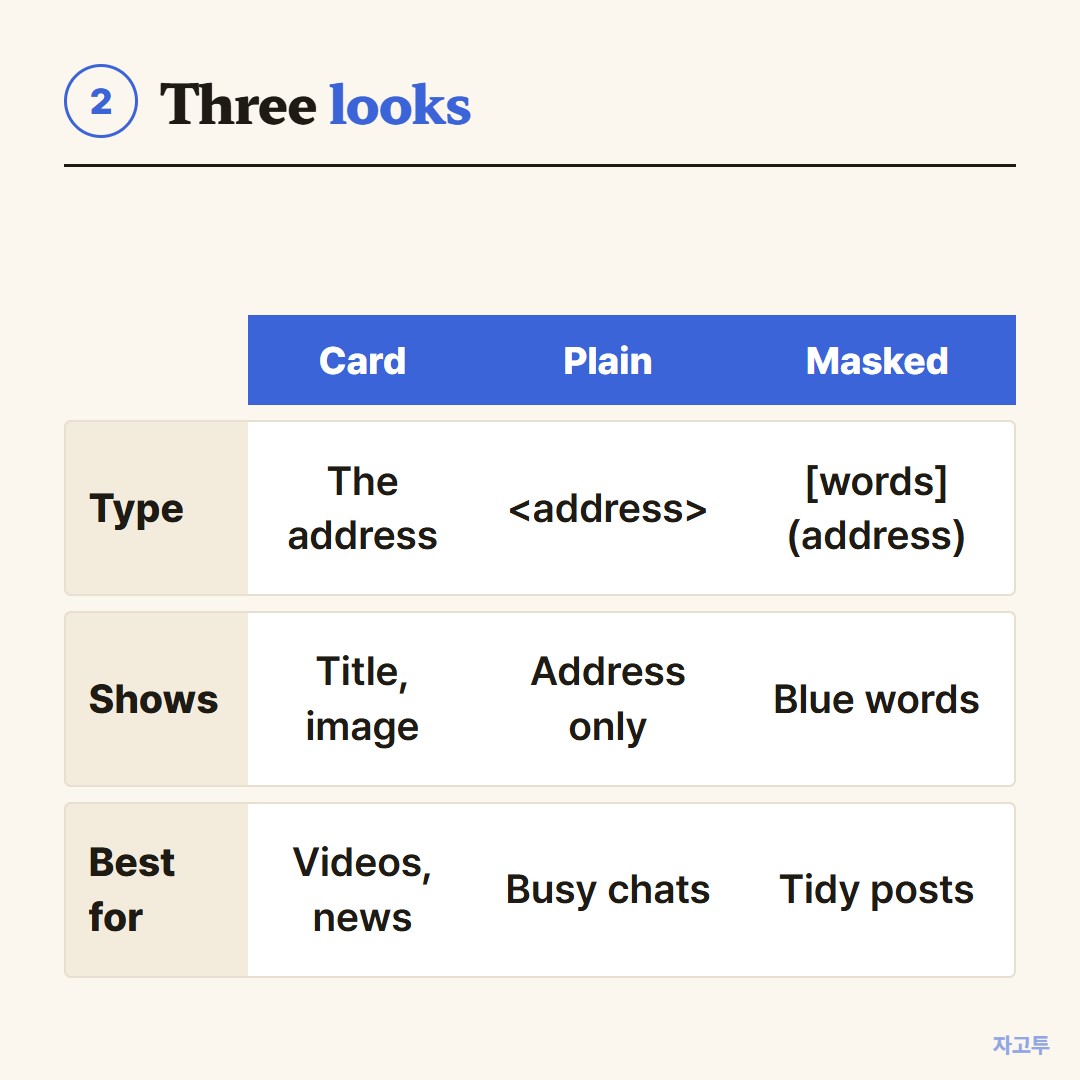
▲ Card, plain address, or masked words
- Before sending: put angle brackets around the address, like <https://example.com>. Discord sends it without a preview.
- After sending: hover over your own message and click the small X on the card to remove the embed.
- Not showing at all? Check Settings, then Chat, where link previews can be turned off on your side only.
3. Hide the link behind text
Discord supports masked links. Type the words in square brackets and the address in round brackets right after, with no space: patch notes.
Readers see "patch notes" in blue. Discord shows a warning with the real address before it opens, so nobody lands somewhere unexpected.
4. When the link is for you
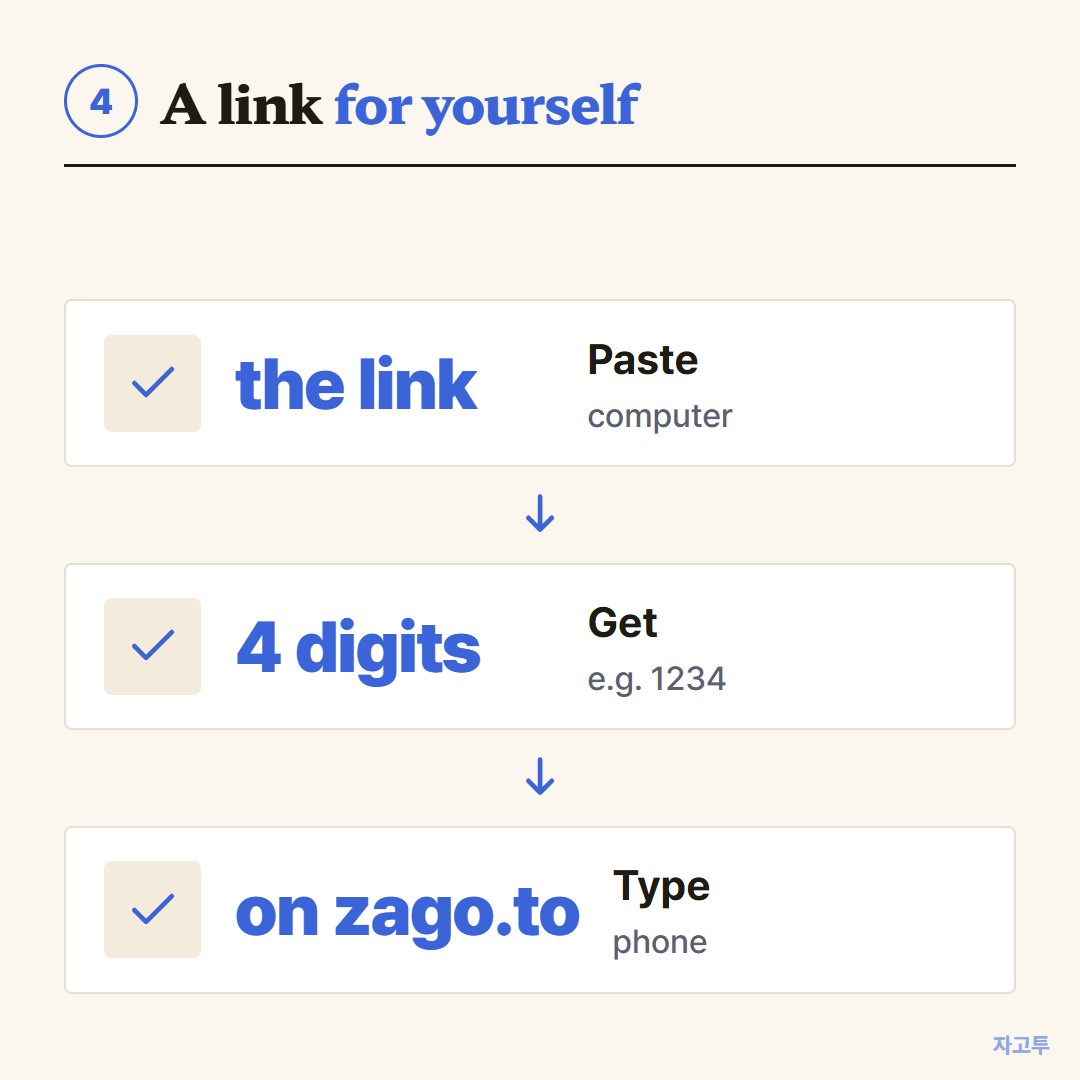
▲ Three steps from the computer to the phone
Discord has no chat with yourself. People make a private server just for notes, which works but keeps every link forever.
For a link you only need on your phone right now, ZAGO.TO gives you a 4-digit code. Paste the link on the computer, then type the code on zago.to on the phone.
ZAGO.TO carries text only, up to 10,000 characters. It is gone 1 minute after opening, or after 1 minute unopened, and cannot be opened again.
Our server can read the text because in-browser encryption is not built yet, so keep invite links you care about and passwords out of it.
3-line summary
- Paste the address, and it becomes a card.
- Angle brackets or the X remove the card.
- Square brackets plus round brackets hide the address behind words.