How to DM yourself on Slack, and what it is good for at work
2026-10-11
This post contains affiliate links. As an Amazon Associate, ZAGO.TO earns from qualifying purchases.

Is there a place in Slack that nobody else reads, where you can park a draft or a link for later? There is, and most people walk past it every day.
In one line: your own name in the direct messages list is a private chat with yourself, good for drafts, links and reminders inside work, and not the right road from a work laptop to a personal phone.
1. How to DM yourself on Slack

▲ The self DM sits in the same list as every other conversation
On desktop, look in the sidebar under direct messages and find your own name, often marked with "you". If it is not there, search your name in the top bar and open the conversation.
On the phone app, open the direct messages tab and pick yourself from the list, or start a new message and type your own name.
That chat is yours. Messages there do not notify anyone else, and it keeps everything you post, in order, like a notebook.
2. What the self DM is good for
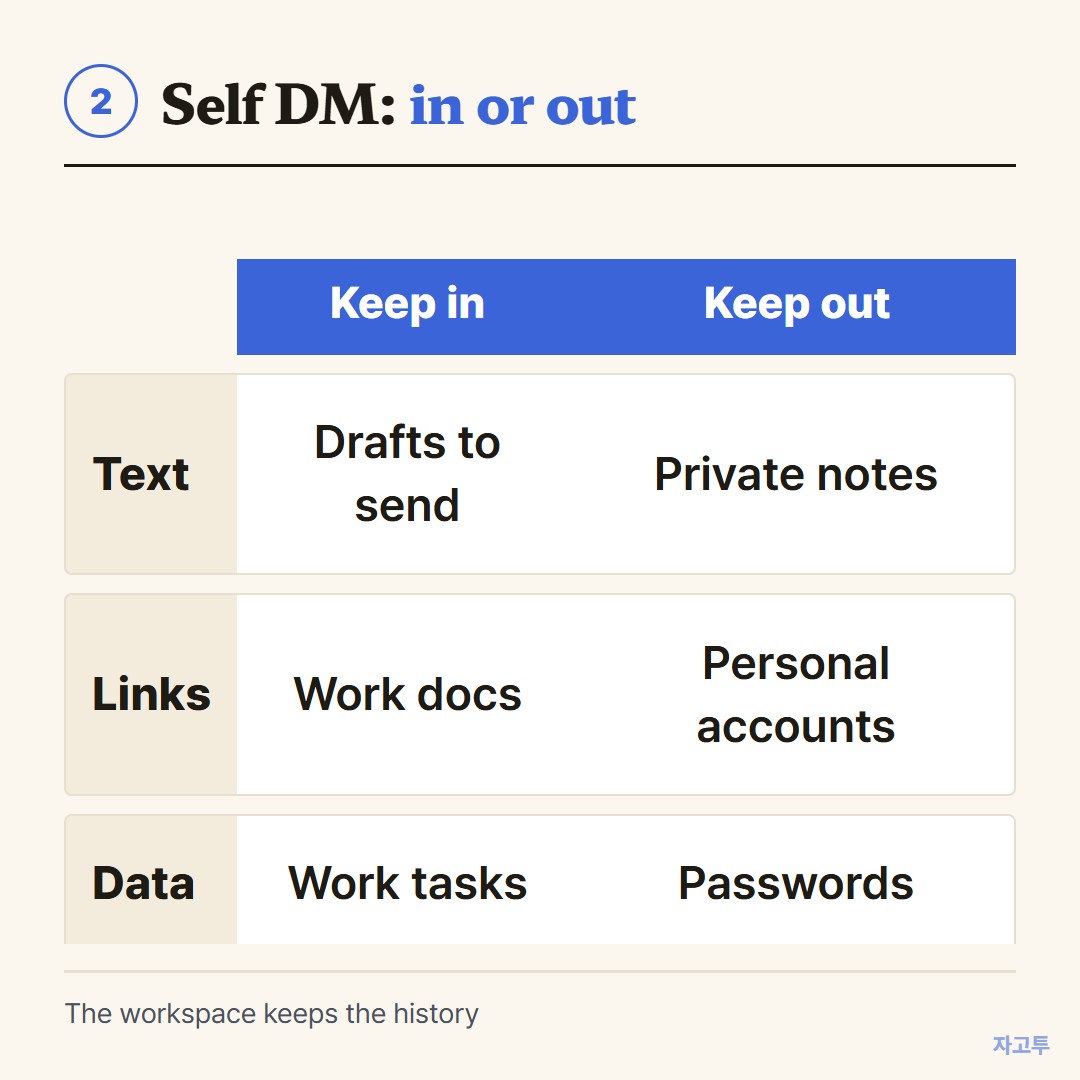
▲ A self DM works best for things that belong to work anyway
- Drafts. Write the tricky message to your manager here first, read it twice, then copy it over.
- Links you need at work. A dashboard, a ticket, the doc you keep searching for. Pin the important ones.
- Reminders. Slack's remind command can post a note to you at a set time, and saved items keep a message within reach.
A self DM is still part of the company workspace. Many employers keep message history for compliance, and admins on some plans can export it.
The Teams chat with yourself article covers the same point for Microsoft Teams.
So it is a work notebook, not a private diary. Anything you would not post in a work channel does not belong there either.
3. From a work laptop to a phone without Slack
Here is where the self DM stops helping. You are on a work laptop, and you want a phone number or a delivery address on your personal phone, where Slack is not installed.

▲ Short-lived by design, so it suits one harmless line
First, check your company's policy. If something is company data, the right move is often to leave it where it is. Nothing here is a way around that.
For a harmless line of your own text, ZAGO.TO is one option. Paste it on the laptop, get 4 digits, and type them on your phone.
The text is deleted 1 minute after it is opened, or after 1 minute if nobody opens it.
It cannot be reopened, it carries text only, not files, and there is no in-browser encryption yet, so our server can read what you send.
The short answer
Use the Slack DM to yourself for work drafts and links that should stay at work. Use something else, and your judgement, for anything headed to a personal device.