How to copy and paste on Kindle Fire and newer Fire tablets, with a finger or a keyboard, and where the clipboard went
2026-10-24
This post contains affiliate links. As an Amazon Associate, ZAGO.TO earns from qualifying purchases.
The Fire tablet is the one on the sofa, the one for reading and video. Then a forum post in Silk has the exact fix for your router, three paragraphs long.
It needs to reach the laptop in the other room.
You press the screen. A word turns blue. What comes next is not labelled anywhere.
How to copy and paste on Kindle Fire has stayed the same question through every Fire HD and Fire Max since, because Fire OS still sits on Android and Amazon has not touched the gestures.
What Amazon did change is the clipboard, so that gets a section of its own.
1. How to copy and paste on Kindle Fire with a finger
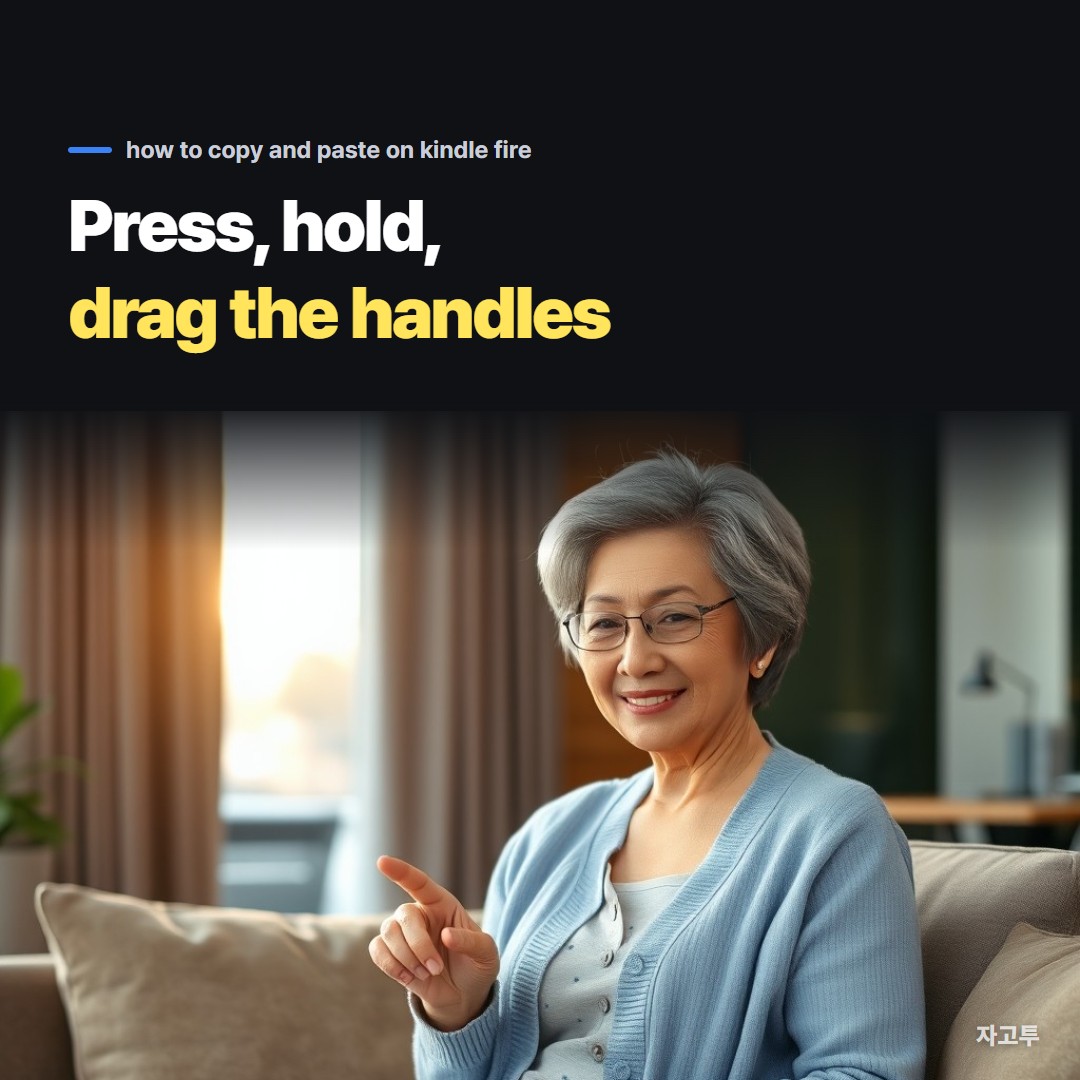
▲ One second on a word, then two handles to drag
Rest a finger on the first word for about a second. It highlights, and a handle appears at each end.
Drag the right handle to the end of what you need. Silk shows a thin toolbar above the highlight with Copy, Share and Web search.
In a box you can type in, Cut and Select all join it.
Tap Copy. The toolbar vanishes and nothing else happens. That silence is normal.
Where the text should land, rest a finger on an empty part of the box and tap Paste.
Cut never shows on a web page or inside a Kindle book. There is nothing to remove from a page you do not own, so Fire OS offers Copy only.
Kindle books have their own toolbar and a publisher-set cap on how much you can take.
That is its own subject, in How to copy text from Kindle: highlights, the Cloud Reader, and the limit the publisher sets.
On an Amazon Kids profile the Silk browser may be switched off entirely by the parent dashboard, and then there is nothing to select. Switch to the adult profile first.
2. With a Bluetooth keyboard
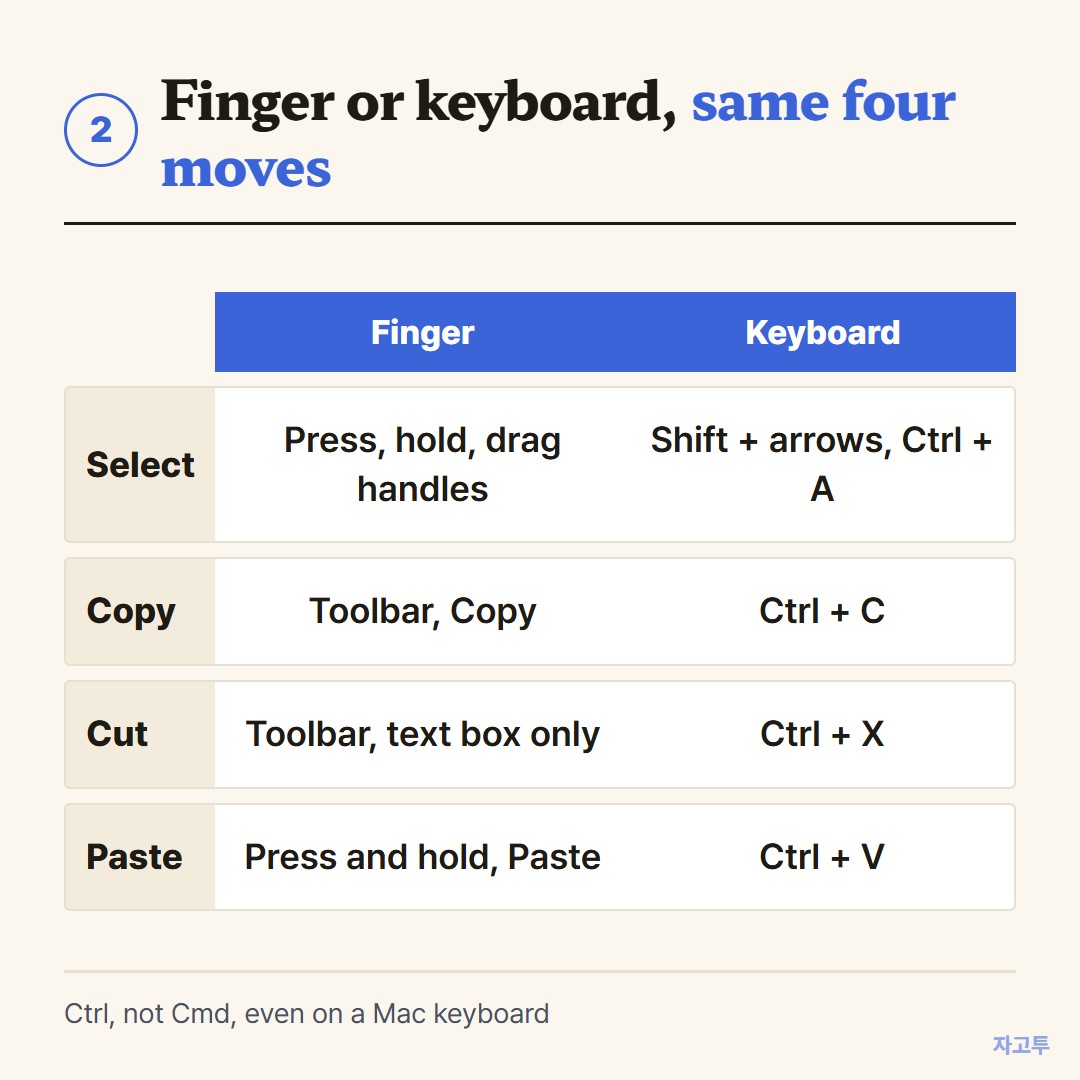
▲ Ctrl does the work. Cmd on a Mac keyboard does nothing here
Any Bluetooth keyboard pairs in Settings under Connected devices, and from then on the usual desktop shortcuts apply.
- Ctrl + C copies, Ctrl + X cuts, Ctrl + V pastes
- Ctrl + A grabs everything in the box
- Shift + arrows grows the highlight a letter or a line at a time, and beats dragging handles across a three-paragraph post
A keyboard made for a Mac pairs fine, but its Command key is a dead key on Fire OS. Reach for Ctrl.
3. Where the Fire tablet clipboard is, and where it is not
The Fire keyboard has no clipboard key, and Settings has no clipboard page.
People search for "how to get clipboard on fire tablet" because they expect a panel like the one on a Galaxy, and there is none.
The Fire tablet clipboard remembers exactly one thing. The next Copy overwrites it with no warning. For two snippets, paste the first somewhere before you copy the second.
Keyboards from the Amazon Appstore can add a history list. The stock keyboard cannot, and no setting unlocks one.
Pictures do not go through the clipboard at all. Hold a finger on an image in Silk and the choices are Save image and Share.
"Copy and paste pictures on Amazon Fire tablet" ends in the Photos app or the Share sheet, not in Paste.
4. Getting the text off the tablet
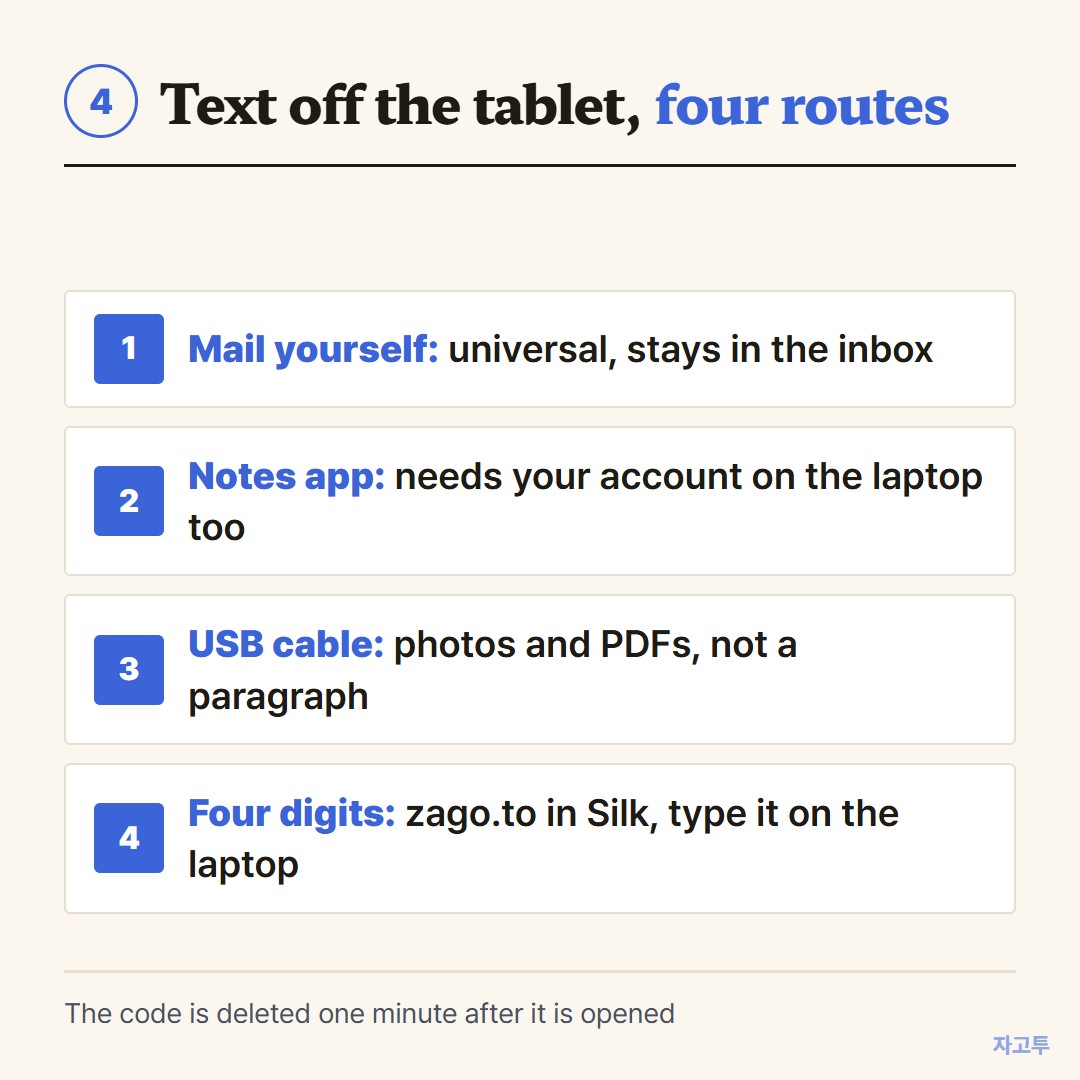
▲ The USB cable is the file route. Three paragraphs want something lighter
Search for Fire tablet help and the videos with the most views are about USB cables and memory sticks. For photos and PDFs they are right. For a forum post they are a detour through a file manager.
The light routes, shortest first.
- Mail it to yourself. Universal, and the message then lives in your inbox forever
- A notes app that is signed in on both ends. Good on your own laptop. A work machine or a borrowed one usually lacks your account
- Send to Kindle runs the other way, documents onto the tablet, so it does not help here
- Four digits. Open zago.to in Silk, paste the post, and the page hands back a code, something like 1234. On the laptop, open zago.to and type it
ZAGO.TO is that fourth route. Silk is enough on the tablet side, any browser on the laptop side, and neither side signs in to anything.
The code stays at four digits unless every four-digit one is already out, and only then stretches to five.
The post is wiped one minute after it is opened, or one minute after sending if nobody opens it, so bring the laptop page up before you type.
Three limits worth knowing before you rely on it. Text and links only, up to 10,000 characters, so the diagram in that forum post stays behind.
A code opens one time and is then gone for good.
And the server can still read the text during that minute, since in-browser encryption has not been built yet. A router fix is fine. The router's admin password is not.
The reverse trip, text from a laptop onto the tablet, works the same way and spares you the Fire keyboard.
The same move for a TV remote is in How to type on a Fire TV with your phone.
5. In short
A second on a word, drag the handles, Copy, then a second on the target box and Paste. With a keyboard, Ctrl + C and Ctrl + V.
The clipboard holds one item and has no history. To get a paragraph to a laptop, mail yourself or type ZAGO.TO's four digits, and leave the cable for files.
 Days until Christmas
 Word Counter
 Age Calculator
 Wheel Spinner