How to copy and paste on an Android phone, read out loud to a parent
2026-10-07
This post contains affiliate links. As an Amazon Associate, ZAGO.TO earns from qualifying purchases.

This is how to copy and paste on an Android phone in four moves: press, stretch, copy, paste. It is written so you can read each step to a parent over the phone, word for word.
"It turned blue. Now what?"
You wait. You breathe.
If you have ever talked a parent through copying a tracking number, you know the call. The steps are simple. Saying them clearly is the hard part.
1. Press and hold until the word turns blue

▲ Short sentences work best on a call. One action, then wait
Ask them to open the message or page that has the text. Then say this:
"Put your finger on the first word and keep it there until it turns blue."
A quick tap does nothing. It has to be a press and hold, about one second. Most people let go too early on the first try, so expect a second attempt.
When it works, the word lights up and two small handles appear, one on each side. They look like little teardrops.
2. Stretch the blue part, then tap Copy
Now the selection has to cover the whole thing they need.
"Drag the teardrop on the right until the blue covers everything you want."
If they drag the wrong handle, nothing breaks. They can drag it back. No harm done.
A small menu appears above the blue text. It usually says Copy, Share, Select all. Some phones show icons instead of words.
"Tap Copy."
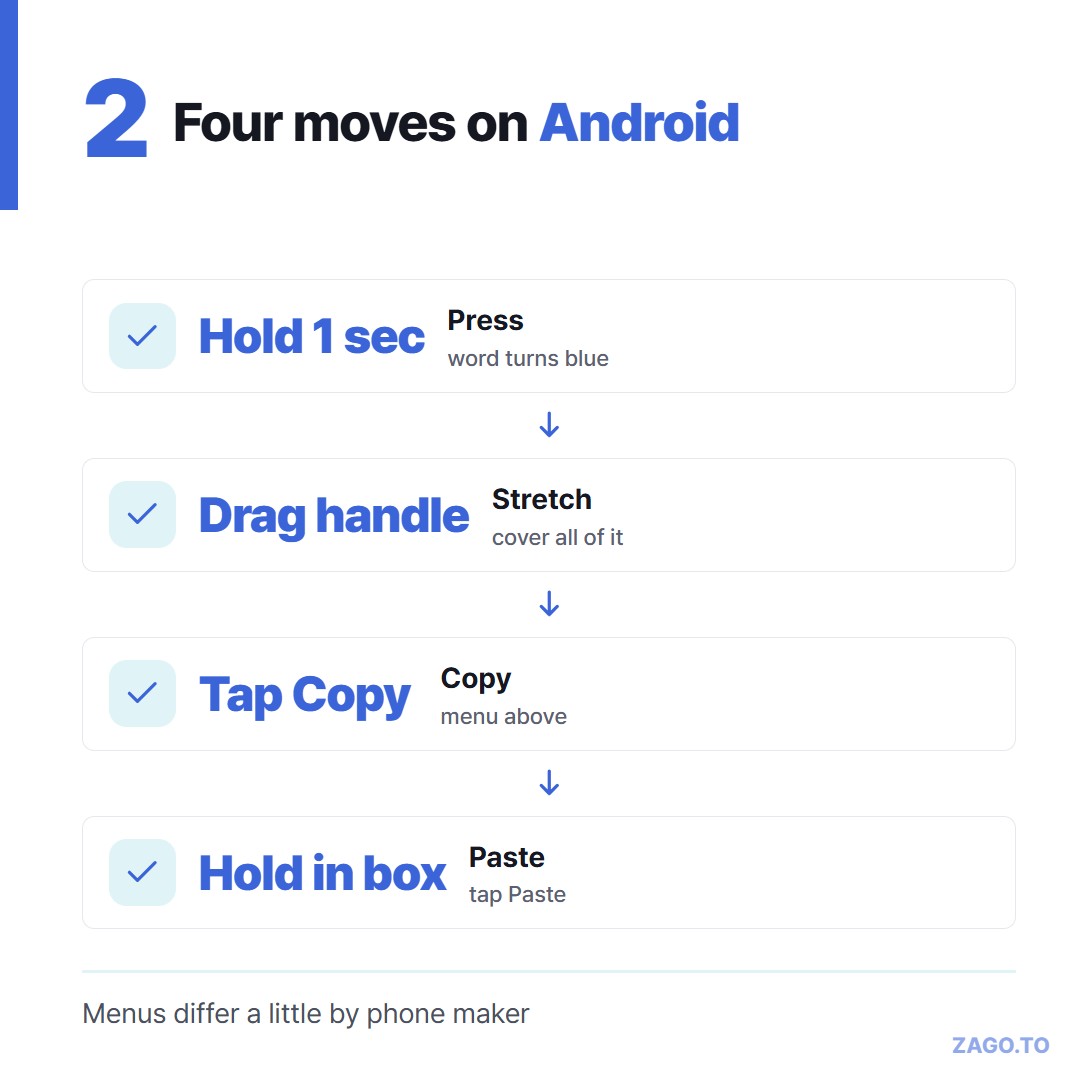
▲ The same four steps on most Android phones, with small differences by maker
On newer Android versions, a small preview pops up in the bottom corner after copying. That is the phone saying "got it." They can ignore it.
3. Paste where it needs to go
Have them open the app where the text should land, such as a form, a search box or a new message.
"Press and hold inside the empty box until a little bubble says Paste. Tap Paste."
If the bubble does not appear, the keyboard often has a clipboard button. On Gboard and on the Samsung Keyboard it sits in the row above the letters, and it lists recent copies they can tap.
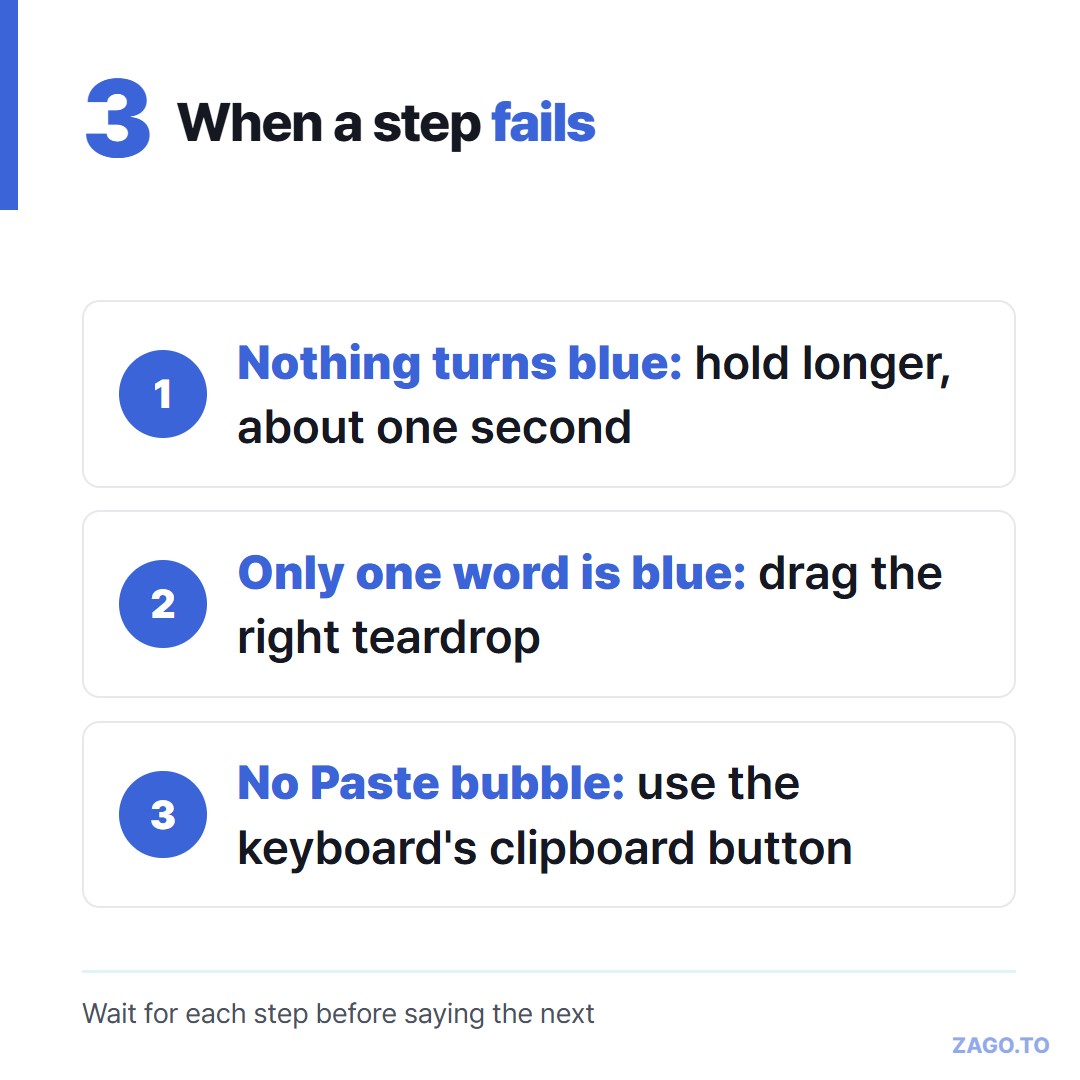
▲ Most stuck calls come down to one of these three
4. When the text is on your screen, not theirs
Sometimes the problem is reversed. The address or link is on your laptop, and they need it on their phone.
Teaching copy and paste does not help here, because the text is not on their phone yet. A family chat works if they read it. A long link can still get buried in forty other messages.
Another way is a short code. Paste the text on ZAGO.TO, get four digits, and say them on the call.
They open zago.to in the phone's browser and type the code. The text appears, and now steps 1 to 3 apply on their side.
The limits matter for a parent call. If they do not open it, it is deleted after 1 minute.
Once opened, it stays for 1 minute and cannot be opened again, so stay on the line until they have copied it.
It carries text only, and our server can read it while it is held, so leave bank passwords out.
We explained why four digits work better than a link on a call in Why a 4-digit code and not a link.
For your own phone and PC, see Copying text between an Android phone and a PC.
Quick questions
Is copy and paste the same on a Samsung phone? Yes, the press, stretch, copy, paste steps are the same. The menu may look a little different, and the Samsung Keyboard has its own clipboard button.
Why can I not select the text at all? Some text is part of a picture, not real text. Some apps also block selecting. In those cases, a screenshot and a photo reader app are a different route.
Where does the copied text go? It sits on the phone's clipboard until something else is copied. It is replaced, not added, each time they copy.