Citrix copy paste not working? Check the policy before the clipboard
2026-10-11
This post contains affiliate links. As an Amazon Associate, ZAGO.TO earns from qualifying purchases.
It worked on Monday. Today you copy a line from your own laptop, click into the Citrix window, press Ctrl+V, and nothing lands.
When Citrix copy paste is not working, the clipboard is often not broken at all. Many companies switch clipboard sharing off on purpose, and that one setting explains more cases than any bug.
Contents
- Why the clipboard stops at the Citrix window
- Three checks you can do yourself
- When the policy says no
- Common questions
1. Why the clipboard stops at the Citrix window
▲ The text is on your laptop, the box is inside the remote desktop
A Citrix session is a desktop running on a server somewhere else. Your laptop only shows the picture.
Copy and paste between the two works through a feature called clipboard redirection. The Workspace app on your laptop passes what you copy to the session, and back again.
Your company's IT team decides whether that feature is on. It can be on, off, or allowed in one direction only, for example from your laptop into the session but not out of it.
So the first question is not "what is broken" but "was this ever allowed here".
2. Three checks you can do yourself
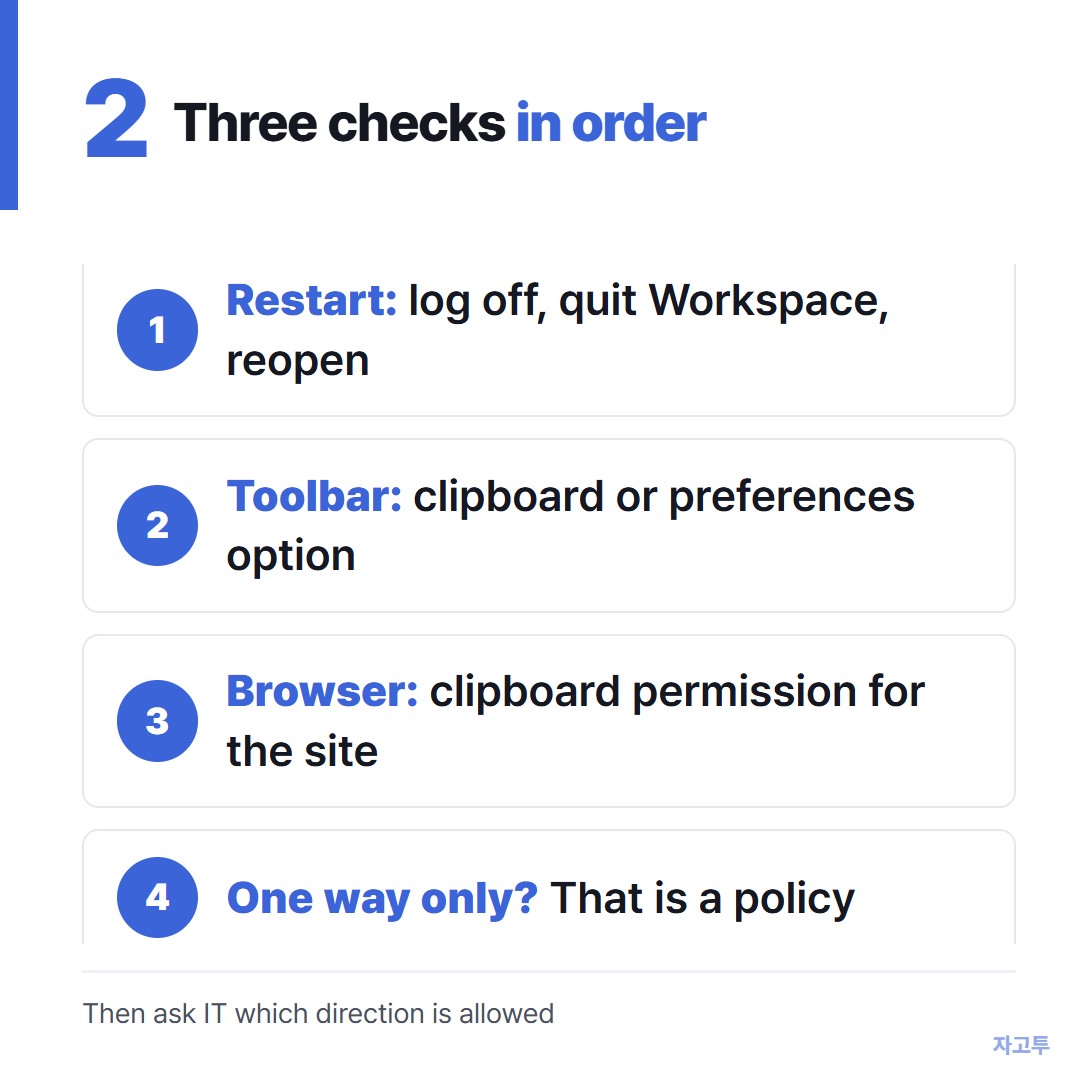
▲ Go in this order, the first one fixes the most
- Restart the Workspace app, not just the window. Log off the session, because disconnecting keeps it alive. Then quit Citrix Workspace from the tray and open it again.
- Look at the session toolbar. In many setups a small bar at the top of the session has a clipboard or preferences option. On a Mac, Citrix Viewer may ask for clipboard permission once.
- Check the browser if you open Citrix in one. A browser session can show a clipboard prompt or need clipboard permission for the site. If you blocked it once, the site settings remember.
If copying works in one direction but not the other, stop there. That pattern almost always means a policy, not a fault.
3. When the policy says no
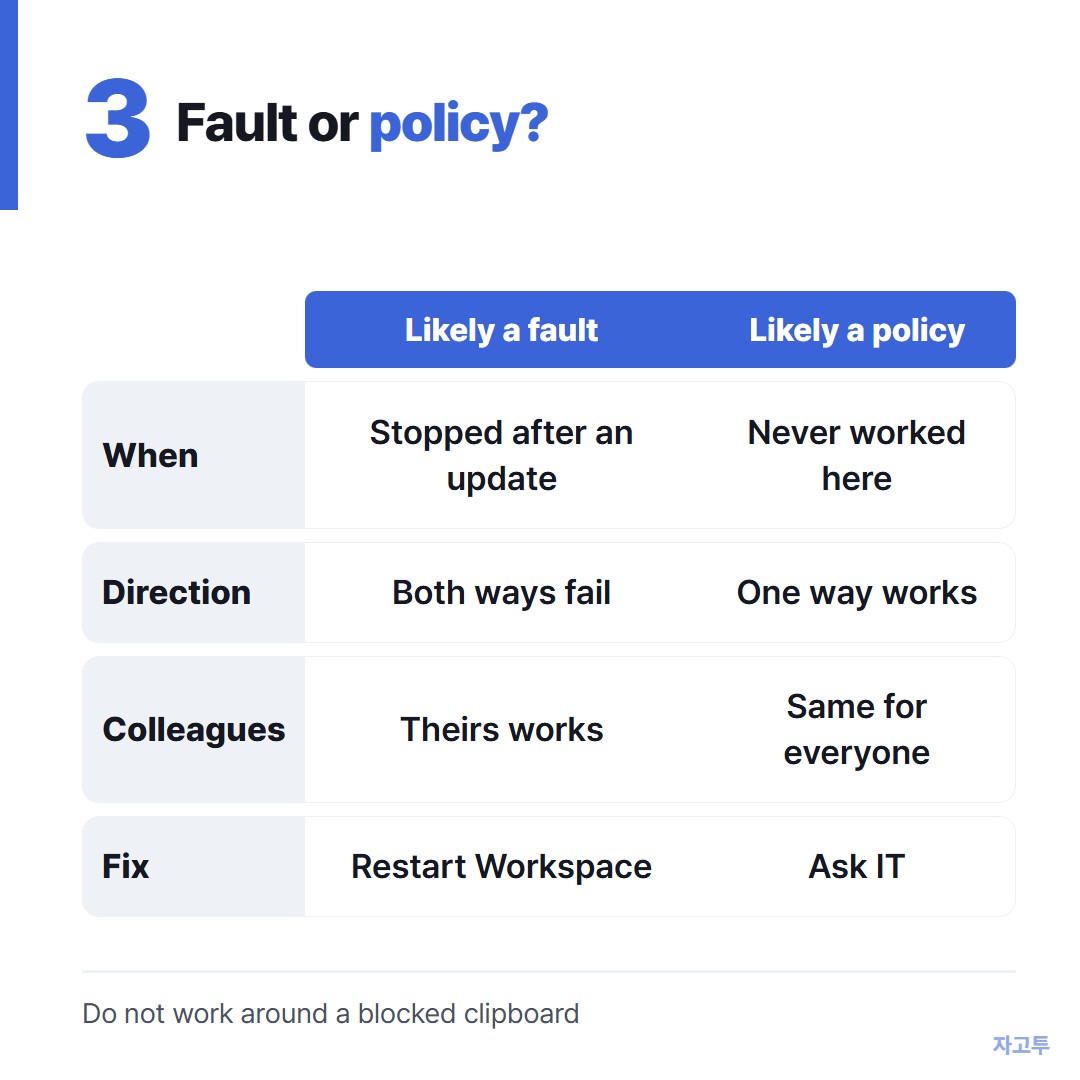
▲ If it fails the same way for everyone, it is probably a setting
Ask IT, and ask the right question. "Is clipboard redirection allowed for my group, and in which direction?" gets a faster answer than "copy paste is broken".
Please do not look for ways around a blocked clipboard. The block is usually there because the session holds client data, and getting around it can break your contract or company rules.
If the answer is no, there is still the plain case of a non-sensitive line, such as a public web address or a shipping reference, that you need inside the session.
Some workplaces allow a normal web browser inside Citrix. If yours does and the rules permit it, ZAGO.TO can carry that line.
Paste it on your phone, get 4 digits, and type them in the session's browser.
ZAGO.TO holds the text for 1 minute if unopened and 1 minute after it is opened, then deletes it. It carries text only, never files.
There is no in-browser encryption yet, so our server can read the text. Never send passwords, keys or client data this way.
4. Common questions
Does reinstalling Workspace fix it? Sometimes, if an update went wrong. Try the restart in step 1 first, it is quicker.
Is this the same as Remote Desktop? Similar idea, different settings. The Windows version is in Copy paste not working in Remote Desktop.
Can I copy files too? That is a separate policy (client drive mapping). Ask IT about it by name.
It worked last week. Policies change, and Workspace updates can reset local settings. Both are worth one question to IT.