Remote access to an Android phone from another phone, when it is your parent's
2026-10-06
This post contains affiliate links. As an Amazon Associate, ZAGO.TO earns from qualifying purchases.
"Tap the gear. No, the other gear."
Your mother is stuck on a settings screen two hundred miles away, and the call is going in circles.

▲ Most people searching for this just want to help a parent from far away
Most people who look up remote access to an Android phone from another phone are not trying to spy on anyone. They want to help a parent who is stuck.
This post covers the real remote tools first. Then it turns to a much smaller kind of help that needs no remote access at all.
1. Which apps let me see and steer their screen?
Screen sharing apps are the right answer when the problem lives on their screen.
TeamViewer QuickSupport and AnyDesk work in a similar way. Your parent installs a small app, reads you an ID, and approves a session.
On many Android phones you can then see the screen, and on some you can tap and type for them. How much control you get depends on the phone maker and the Android version.
So test it once on a calm afternoon, not in the middle of a problem.
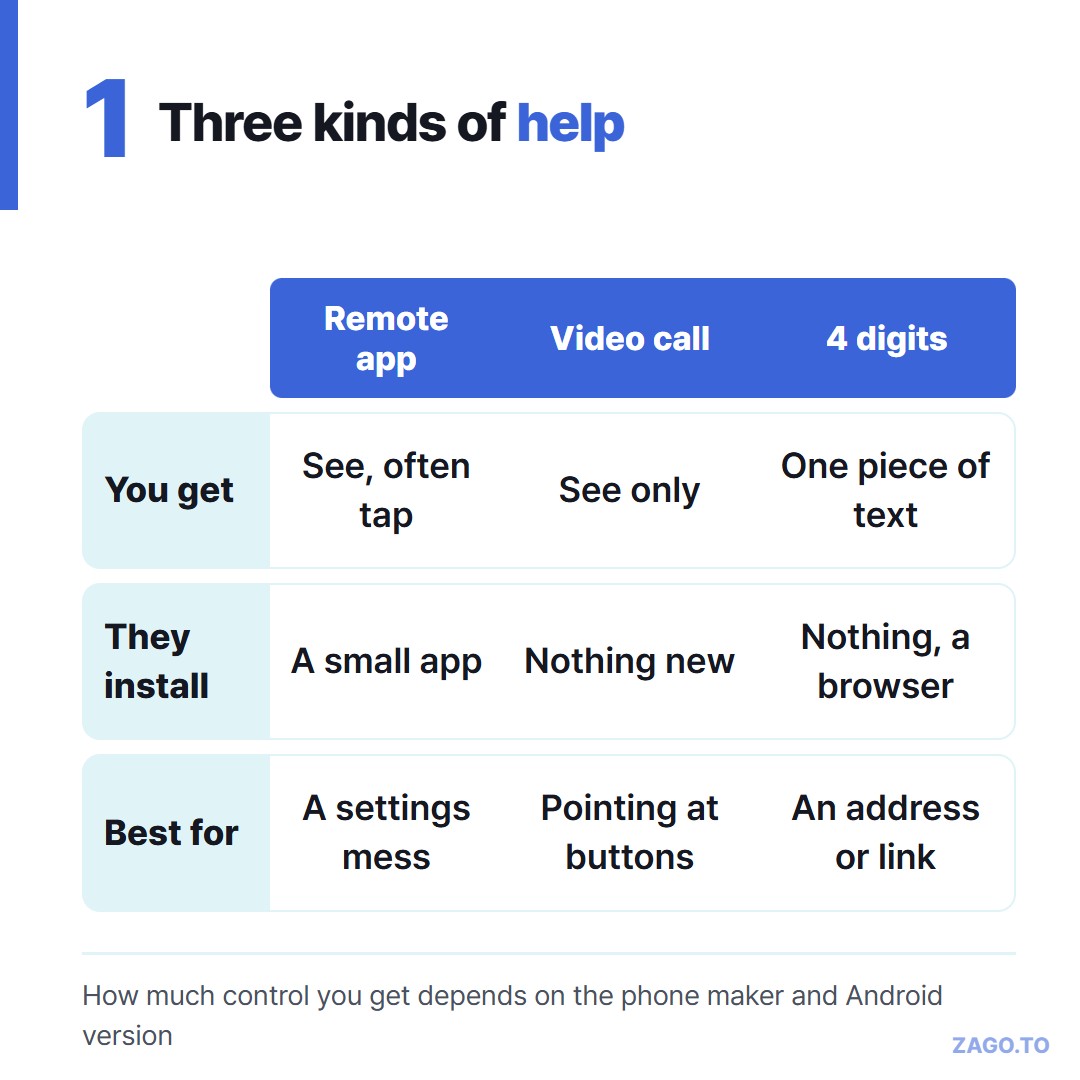
▲ Three kinds of help, from full control down to one line of text
Google Meet and other video call apps can share a phone screen too. You cannot steer, but you can watch and say "the blue button, bottom right."
That is often enough.
For an iPhone, recent versions let you see a shared screen during a FaceTime call through SharePlay. Check what your parent's version supports before you rely on it.
2. How do I keep scammers away from the same apps?
Remote control apps are the same tools that phone scammers ask people to install.
The script is always similar. Someone calls about a bank problem or a virus, then asks your parent to download an app and read out a code.
So agree on one rule together. Your parent only installs or approves a remote session on a call they started. Either they called you, or you are already talking on their call.
Nobody else, ever, no matter who they say they are.
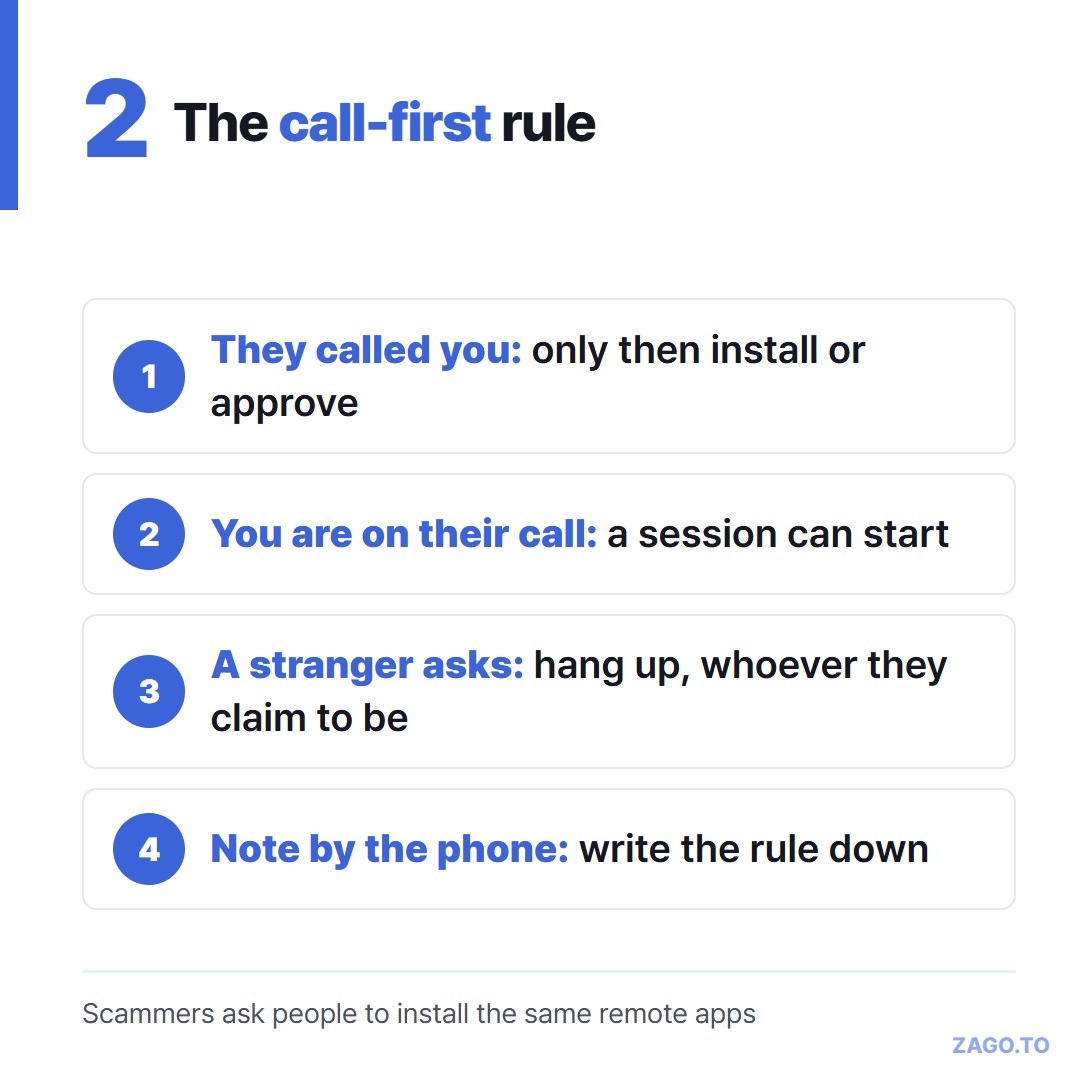
▲ Write the rule on a note by the phone if that helps
The rule costs nothing, and it blocks the most common trick.
3. What if they only need one address?
A lot of "can you fix my phone" calls are not really about the phone.
Your parent needs the clinic's address, the guest Wi-Fi password, a confirmation number or the link to a form. You have it on your computer. They need it on their screen.
Remote access is too much for that. Reading a 40-character link aloud is worse.
A message works if they read their messages. But the link gets lost in a long family chat, and some older phones mangle long text.
This is where ZAGO.TO fits. You paste the text on zago.to, get a 4-digit code, and say the four digits on the call.
They open zago.to in the phone's browser and type the code. The text appears, ready to tap or copy. Nothing to install, and nobody signs in.
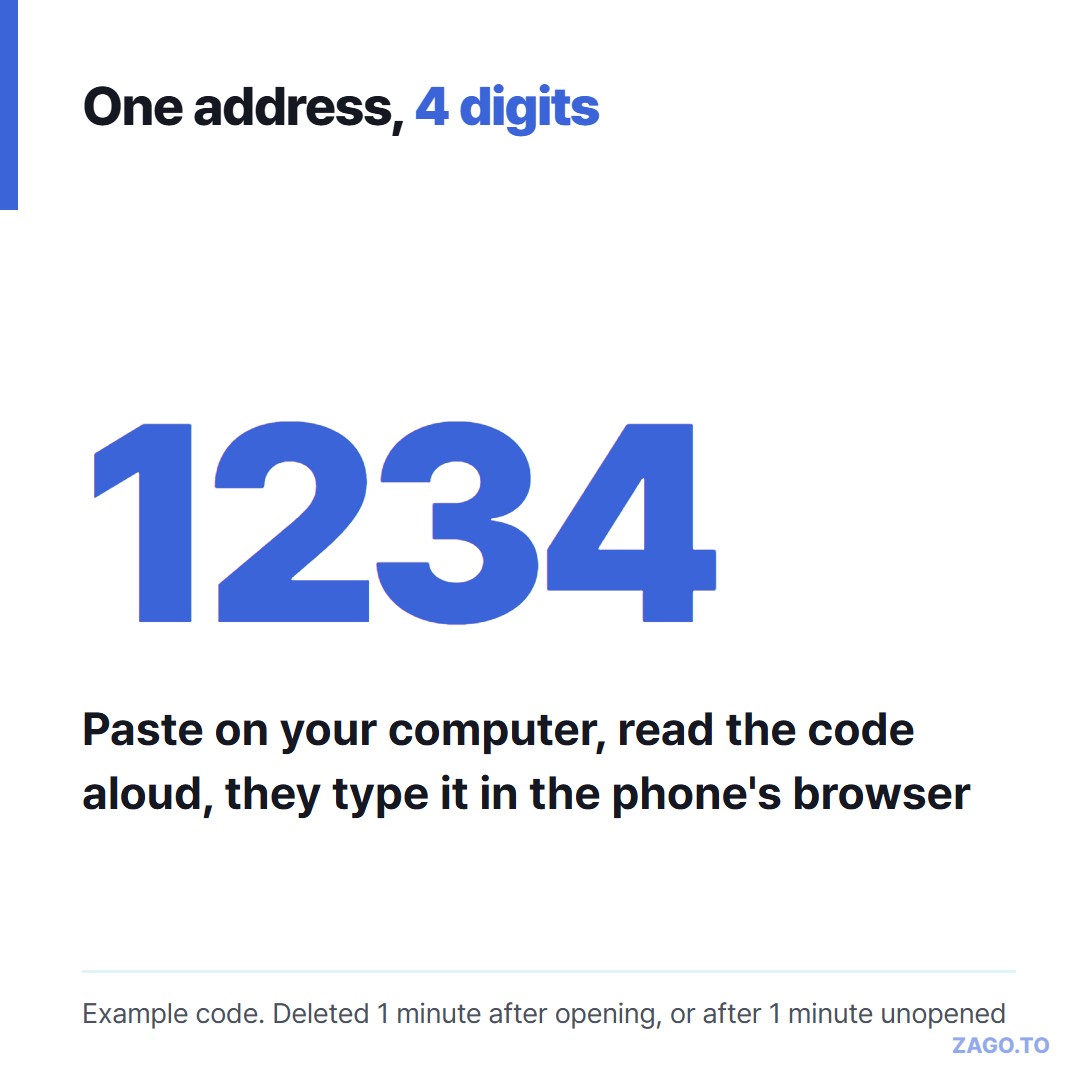
▲ An example code. The real one is picked at random each time
Four digits are easy to say over a crackly line. We wrote more about that in Why four digits instead of a link.
4. What can four digits not do?
It does not let you see or control their phone. It moves text one way, up to 10,000 characters, and never photos or files.
The text is short-lived on purpose. If nobody opens it, it is deleted after 1 minute.
Once opened, it stays for 1 minute and is then deleted. After that it cannot be opened again, so ask your parent to tap or copy it while you are still on the line.
If the minute runs out, just make a new code.
There is also no browser-side encryption yet. Our server can read the text while it is held, which is at most two minutes.
We explained exactly what the server sees in What our server can see. Do not send bank passwords this way.
An optional 4-digit PIN locks the code after three wrong tries. It helps against a wrong guess, but it does not make the text secret.
5. Checklist before the next call
- Settings are a mess and you need to tap for them: TeamViewer or AnyDesk, after the call-first rule
- You only need to see what they see: a video call with screen sharing
- They need one address, number or paragraph: four digits, read out on the call
- Test once on a quiet day: see how much control their phone allows
- Agree on the rule: remote sessions only on a call your parent started
Long text, in 4 digits.