Pastebin alternative: which one fits depends on what the paste has to do
2026-10-07
This post contains affiliate links. As an Amazon Associate, ZAGO.TO earns from qualifying purchases.
Short answer. For code you want to keep, GitHub Gist. For a quick anonymous paste, dpaste or Rentry. For something you would rather the host could not read, PrivateBin. For one line moved once between your own devices, a 4-digit code.
Most lists of the best Pastebin alternative rank sites by features. That is hard to use, because the right pick changes with the job.
So this list starts from the job instead. Four jobs, four kinds of tools.
1. You want to keep it and share it

▲ Some pastes are meant to last
GitHub Gist is the usual answer for code and config. It has syntax highlighting, version history and comments.
It needs a GitHub account. A "secret" gist is left out of search and listings, but anyone with the link can still open it. Treat it as unlisted, not private.
Pastebin itself still does this job well, for text you do not mind other people reading.
Free and guest use has limits on size and on which privacy options you get, and private pastes need an account.
2. You want it fast, with no login
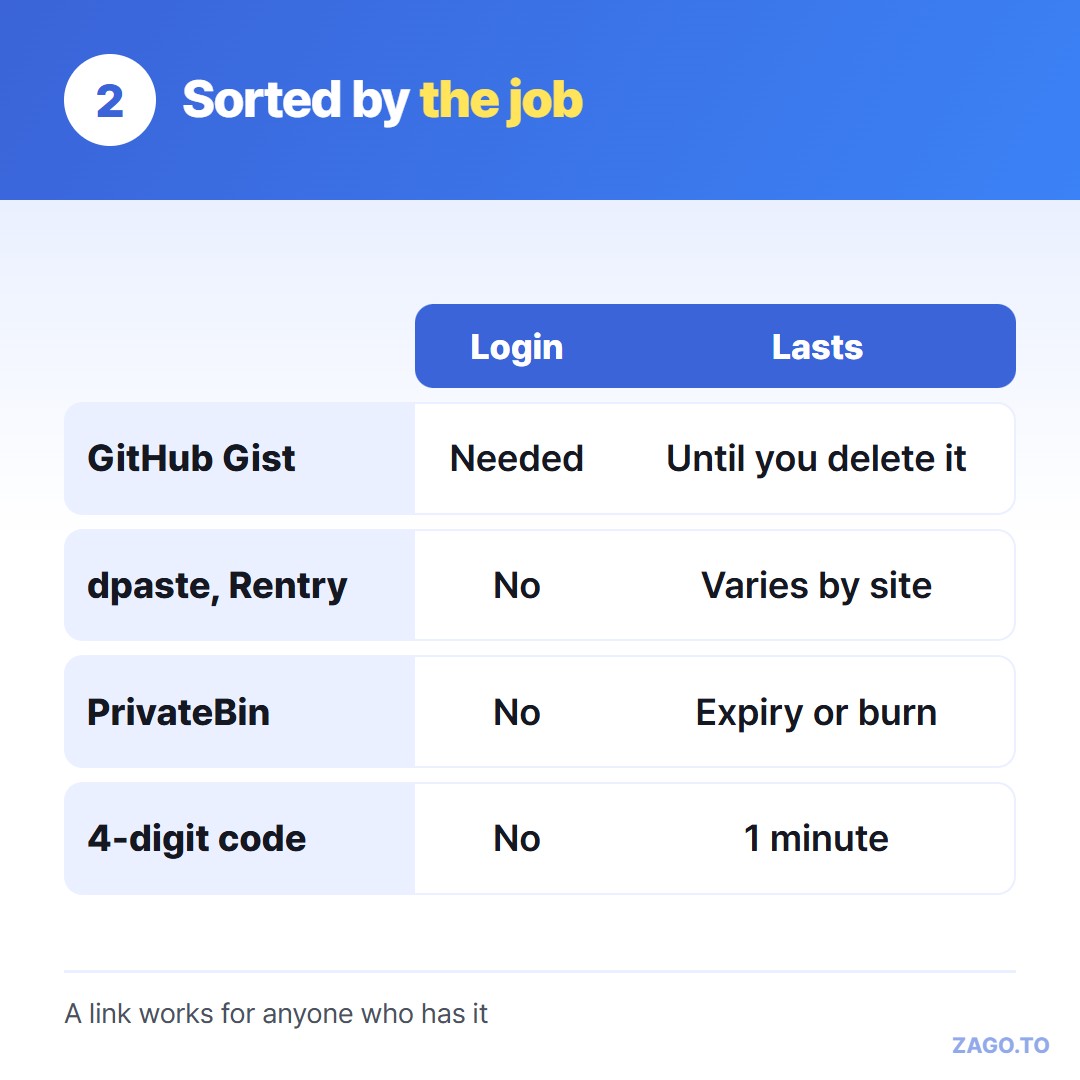
▲ Sort by the job, not by the feature list
This is the most common search: pastebin alternative no login.
- dpaste: paste, pick an expiry, get a link. No account. Good for a snippet you will throw away
- Rentry: Markdown pages with a custom address and an optional edit code, so you can fix the paste later without an account
Both create a link that works for anyone who has it. That link is the only lock, so think about where it might be forwarded.
3. You would rather the host could not read it
PrivateBin is open source and is built so the server stores the paste in a form it cannot read. The key travels in the part of the link after the `#`, which browsers do not send to the server.
It also offers expiry and burn after reading. Many people run their own copy, and there are public instances run by volunteers. MicroBin is another small open-source option you can host yourself.
If the paste is sensitive, this is the family to look at. It still is not the place for passwords or recovery phrases, which belong in a password manager's own sharing feature.
4. You only need it on your other device, once
Sometimes there is no audience at all. You have a command on your work laptop and need it on your home PC, or a long link on your phone that has to reach a desktop.
A link is awkward here, because you have to get the link across first. That is the same problem again.
ZAGO.TO takes a different route. You paste the text, get a 4-digit code, and type those digits on the other device.
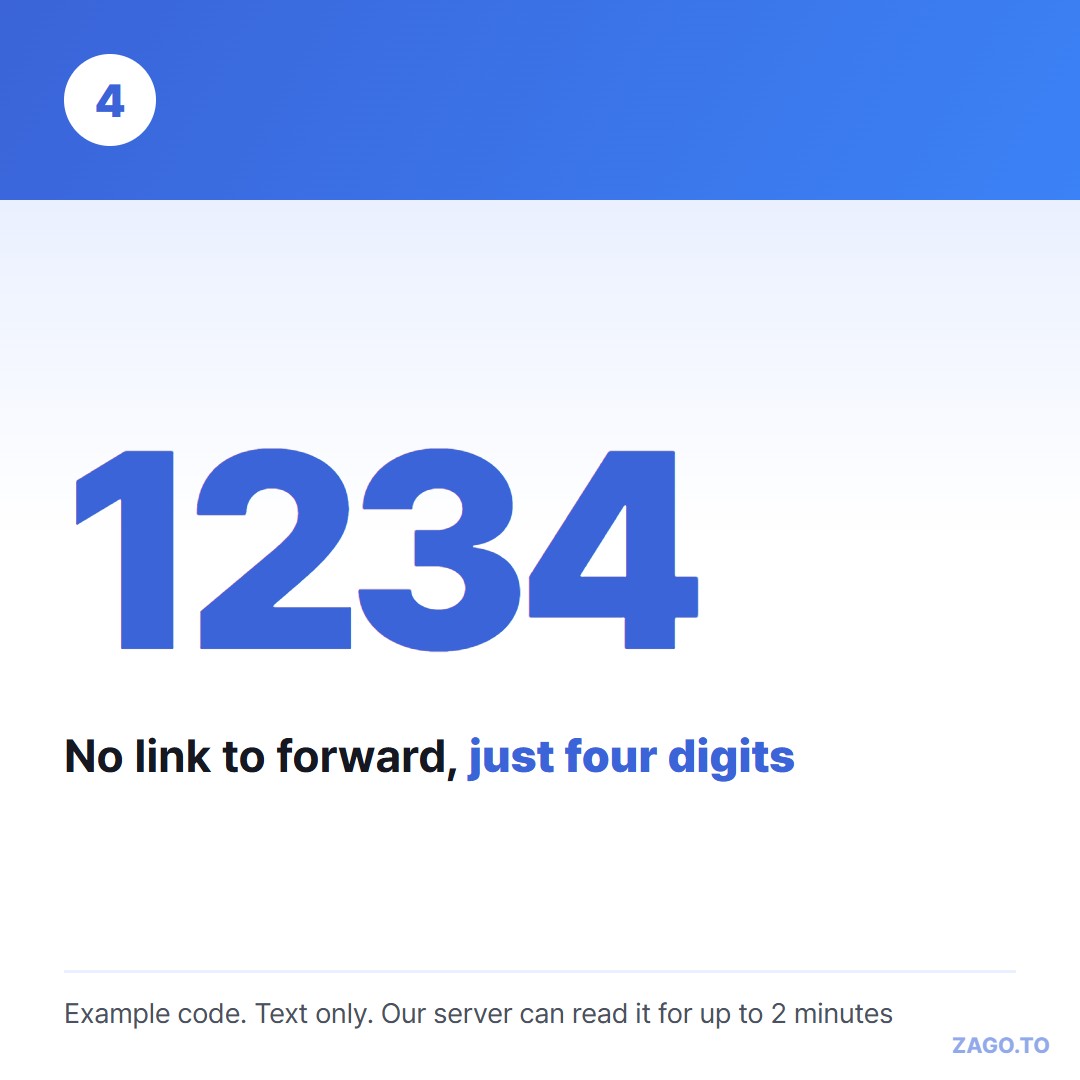
▲ An example code. A real one is new each time
What it does not do matters more than what it does:
- It does not keep anything. Unopened, the text is deleted after 1 minute. Opened, it stays for 1 more minute and then cannot be opened again
- Our server can read the text while it holds it, for at most 2 minutes. There is no browser-side scrambling yet, unlike PrivateBin
- Text only, up to 10,000 characters. No sharing page, no history, no edit
So ZAGO.TO fits the fourth job and none of the other three.
We explain the reading part plainly in What our server can see.
For shared notepads that stay open, see Online notepad share links.
Bottom line
Choose by the job. Keep and share, Gist or Pastebin. Quick and anonymous, dpaste or Rentry. Sensitive, PrivateBin. Once between your own devices, a short code.
Long text, in 4 digits.