Blocked by work policy: when WhatsApp won't open on your work phone or computer
2026-10-07
This post contains affiliate links. As an Amazon Associate, ZAGO.TO earns from qualifying purchases.

"Blocked by work policy" is not a bug to be fixed. It is a rule your employer set, and the useful question is what you are still allowed to do.
You copy an address from a work email, switch to WhatsApp to send it to your partner, and a grey box appears.
Blocked by work policy. For more info, contact your IT admin.

▲ The message usually appears in the middle of something small
The most watched videos on this message promise a "100% fix". Most of those fixes mean removing the work profile or resetting the phone.
That does make the message go away. It also takes your work email, your work apps and often your access with it.
This post explains where the message comes from, what is worth asking IT, and how to move a harmless sentence to your own phone without going around anyone's rules.
Contents
- What does "blocked by work policy" actually mean?
- Why WhatsApp in particular?
- Should you try the fixes in those videos?
- What can you ask your IT admin?
- How do you get one sentence to your own phone within the rules?
- What should never leave a work device?
- In three lines
1. What does "blocked by work policy" actually mean?
Your phone or computer is managed. At some point you, or your company, enrolled it in a management system such as Microsoft Intune, Google Workspace or a similar tool.
On Android, that usually means a work profile. Work apps carry a small briefcase badge, and they live in a separate space from your personal apps.
The company decides what can cross between the two spaces. Common settings include:
- Opening links: a link in work email may only open in a work browser
- Sharing: the share sheet in a work app may hide personal apps such as WhatsApp
- Copy and paste: text copied in a work app may not paste into a personal app
- Installing apps: some apps may be blocked inside the work profile entirely
When you try one of those, Android shows the grey message. On a work laptop the wording differs, but the idea is the same: the device is following a rule, not failing.
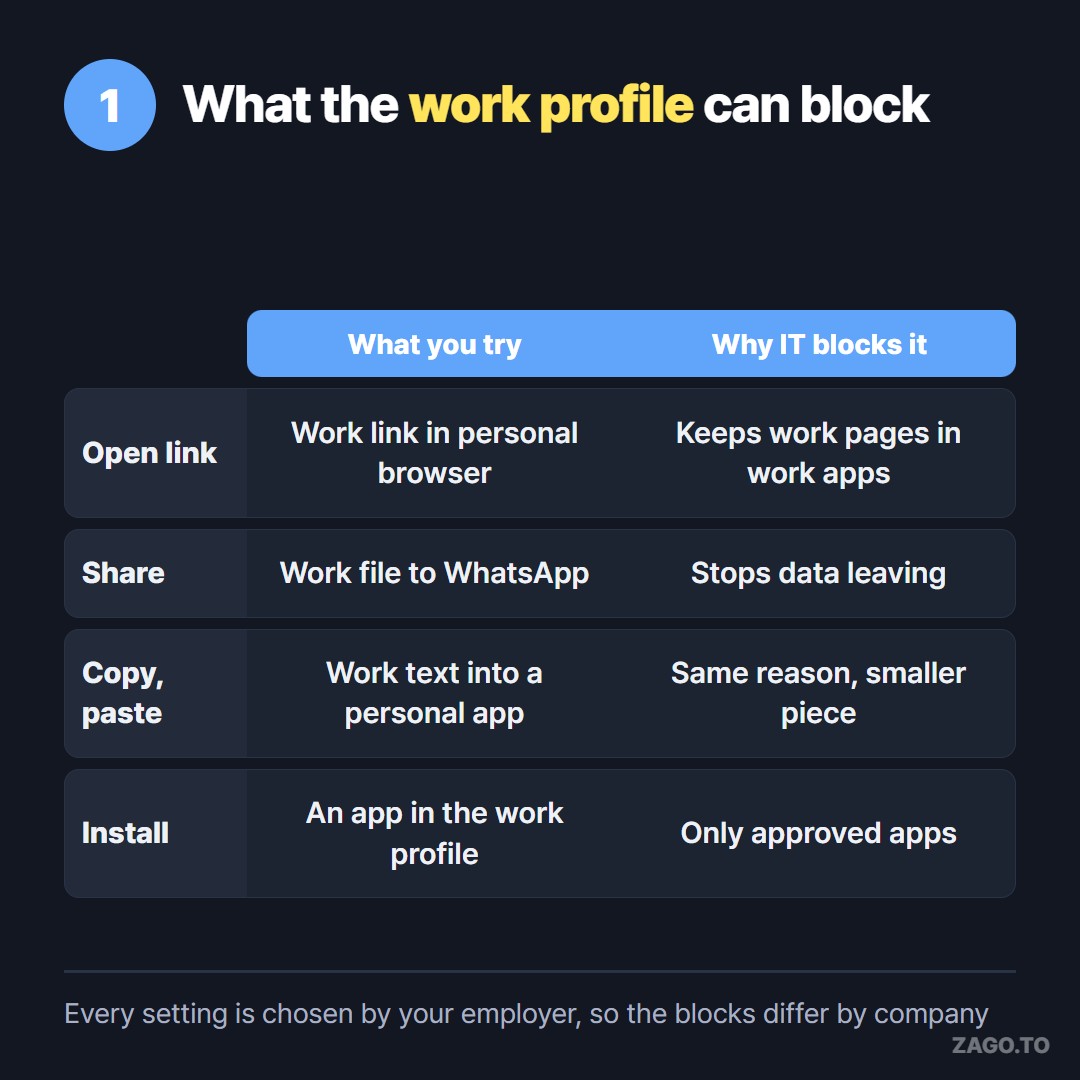
▲ Each setting is chosen by your employer, so two people at different companies see different blocks
2. Why WhatsApp in particular?
WhatsApp shows up in this search more than any other app, and the reason is plain. It is where most people keep their personal conversations.
From the company's side, a personal chat app is a door out of the building. A customer list pasted into a family group is still a customer list, now outside every control the company has.
Some workplaces also block WhatsApp Web on work computers for the same reason. Others block it because it is a distraction, or because their industry has record-keeping rules for messages about work.
None of that says you did anything wrong. It says the company drew its line in a place that happens to cross your day.
3. Should you try the fixes in those videos?
Look at what each fix does before you try it.
Removing the work profile deletes the work apps and their data from the phone. If it is your own phone, you can do this, but you lose work access until IT sets it up again.
Resetting the phone removes everything, personal and work, and may break the company's record of your device.
Changing developer options or installing modified apps may break your employment agreement. On a company-owned phone, it is not your call at all.
So the honest answer is no. Talk to IT first. The message names the right person for a reason.
4. What can you ask your IT admin?
IT teams hear this request often. A clear question gets a faster answer than a complaint.
Some things worth asking:
- Is there an approved way to send a work address or phone number to my personal phone?
- Can links from work email open in my personal browser, or must they stay in the work one?
- Is the work profile blocking copy and paste on purpose, or is it a default nobody looked at?
- Is there a company chat app I should use for this instead?
Sometimes the answer is "use Teams" or "forward it to yourself in work email". That is a fine answer. It means the company wants that text to stay on its systems.
5. How do you get one sentence to your own phone within the rules?
Say IT confirms that a non-confidential item, like a restaurant address for a team dinner or the hours of a clinic, can go to your personal phone. You just need a way that does not involve WhatsApp.
The simplest is your eyes. Read it. Type it.
For longer text, a browser on the work computer may be allowed even when chat apps are not. ZAGO.TO works there with no account and no install.
You paste the text, you get a 4-digit code, and you type those four digits into zago.to on your personal phone's browser.
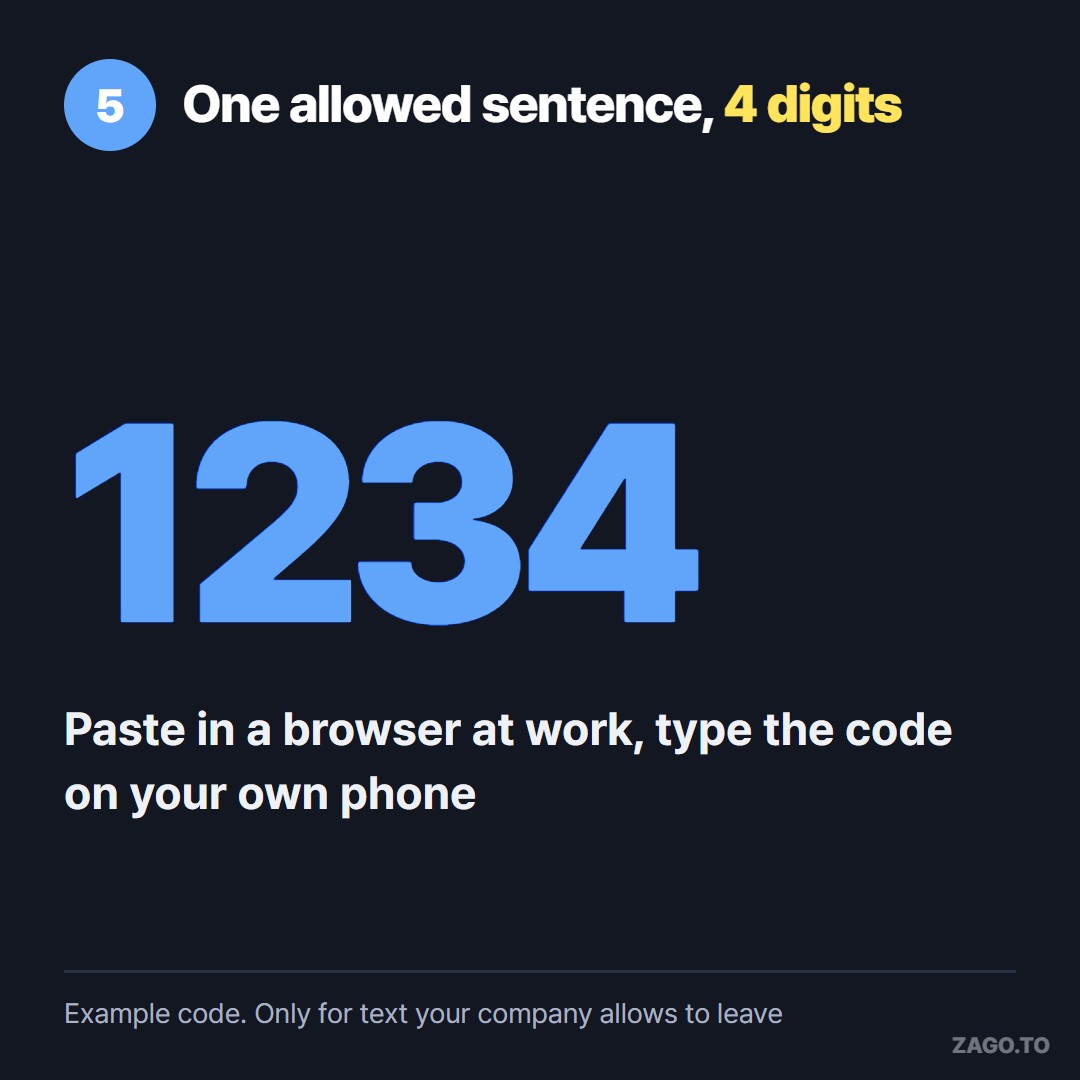
▲ An example code. The real one is picked at random each time
Unopened text is deleted after 1 minute. Once opened, it stays for 1 minute, then it is deleted and cannot be opened again.
It moves text only, up to 10,000 characters, never files or photos. And there is no browser-side encryption yet, so our server can read the text during those two minutes at most.
That is exactly why this is for an address, not for a work document. Using a website does not make something allowed. If your company's policy says work text stays on work devices, follow the policy.
If your work computer is also a shared or public machine, What stays on a public computer after you leave covers the traces a browser keeps.
6. What should never leave a work device?
A short list keeps you out of trouble no matter which tool you use:
- Customer names, numbers and addresses
- Passwords, tokens, recovery codes and anything that unlocks an account
- Contracts, prices and internal plans
- Anything marked confidential, or anything you would hesitate to show your manager
Our longer version of that list is in What you should never move between devices. It applies to WhatsApp, email and ZAGO.TO alike.
7. In three lines
- "Blocked by work policy" means your employer set a rule on a managed device, not that WhatsApp is broken.
- The fixes in popular videos usually remove your work access, so ask IT before touching anything.
- For a harmless sentence that policy allows, a browser and four digits can replace a blocked chat app.
Long text, in 4 digits.